Receipts, Finance Posting and Sales Reports
Last updated: 16 November 2026 · Product version: not specified in the supplied guide
Record full or partial customer payments
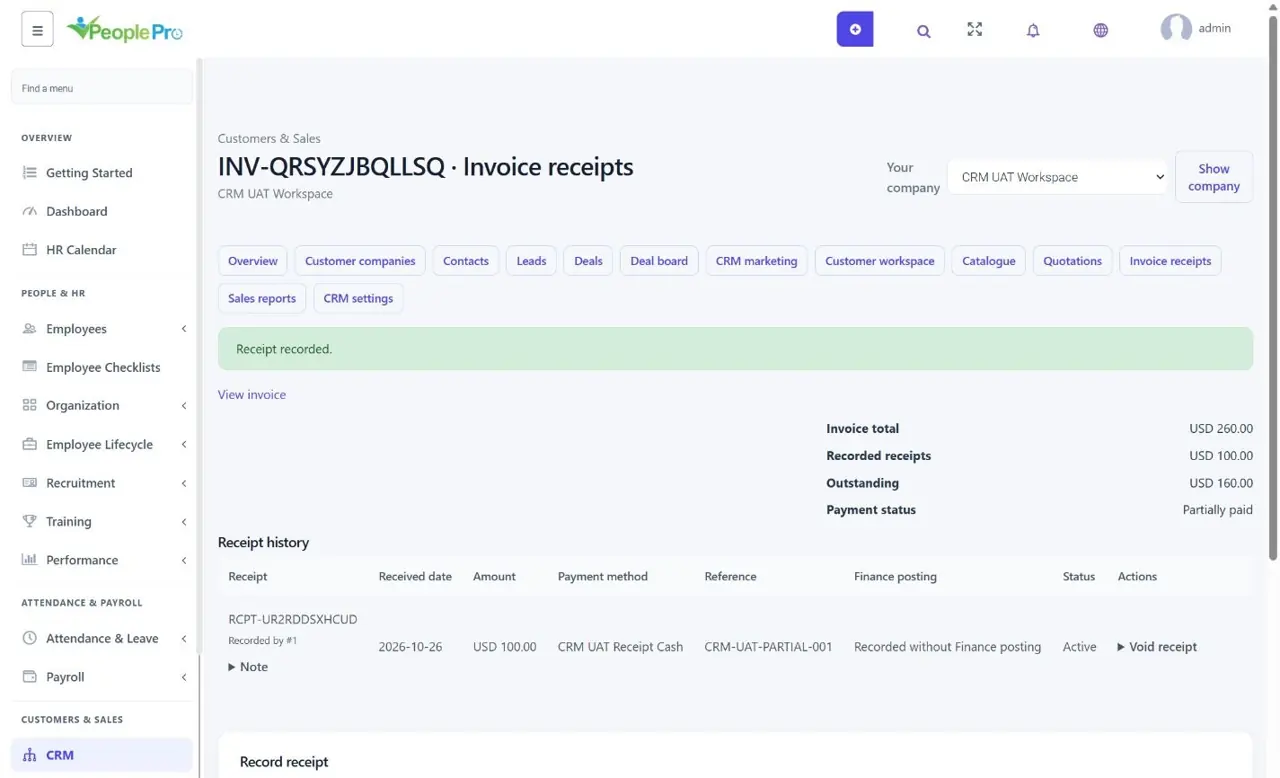
Open Invoice receipts and select an invoice. Enter the amount, received date, a company-owned payment method and a distinct payment reference. The amount cannot exceed the outstanding balance. A partial payment leaves the remainder due; full payment marks the invoice paid. Recording a receipt only records a payment you have verified; it does not charge a card or move money through a gateway.
Post to Finance only when the currencies match
Confirm the company Finance currency first. Optionally choose a same-company Finance account and deposit category when recording a receipt. This creates one linked deposit and updates the account balance. Leaving the Finance account empty records the receipt without posting. Currency conversion is not performed. Create payment methods with the correct Company for new records selection so they appear for that company.
Correct a receipt with a retained reversal
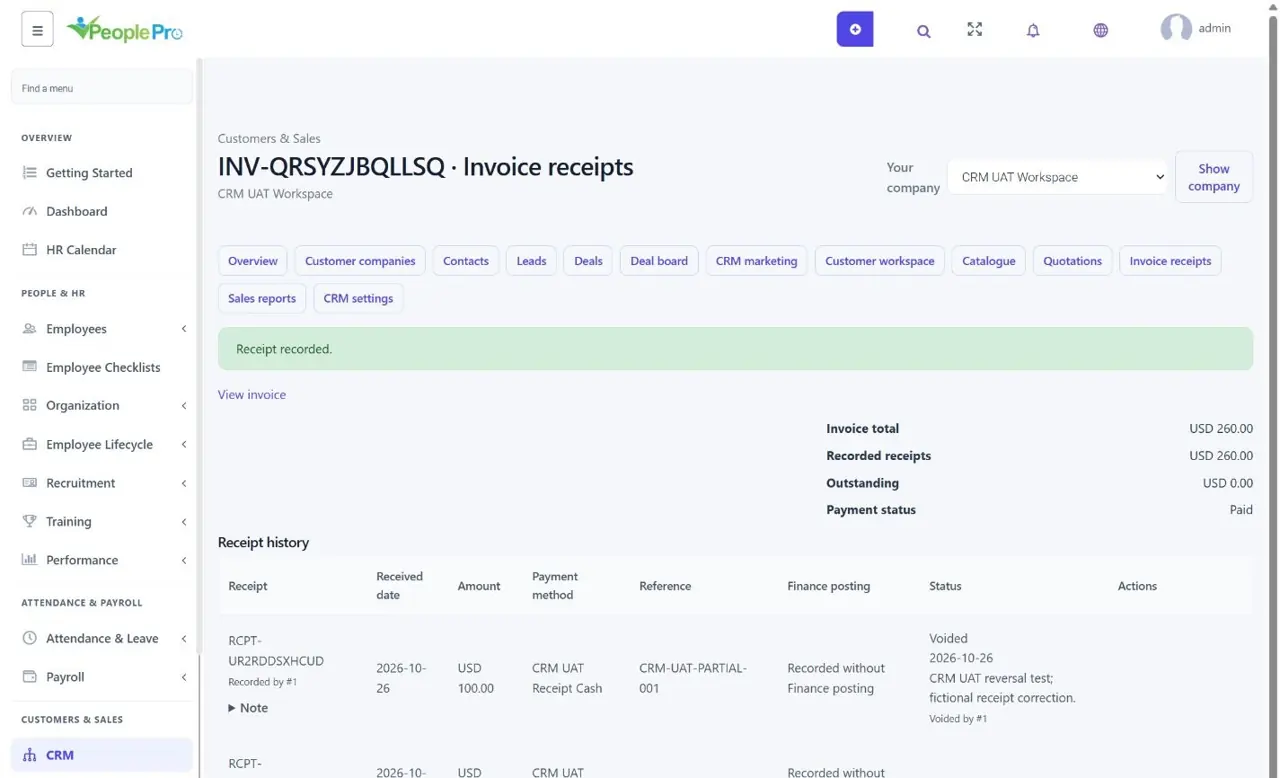
Void an incorrect receipt with an explanation. The original stays visible. If it was posted to Finance, PeoplePro creates a linked reversal expense instead of deleting its deposit. There must be sufficient account balance to reverse it. Use a new reference for a replacement receipt. Linked receipt deposits and reversal expenses cannot be edited or deleted as ordinary Finance entries.
Read sales, balances and reconciliation together
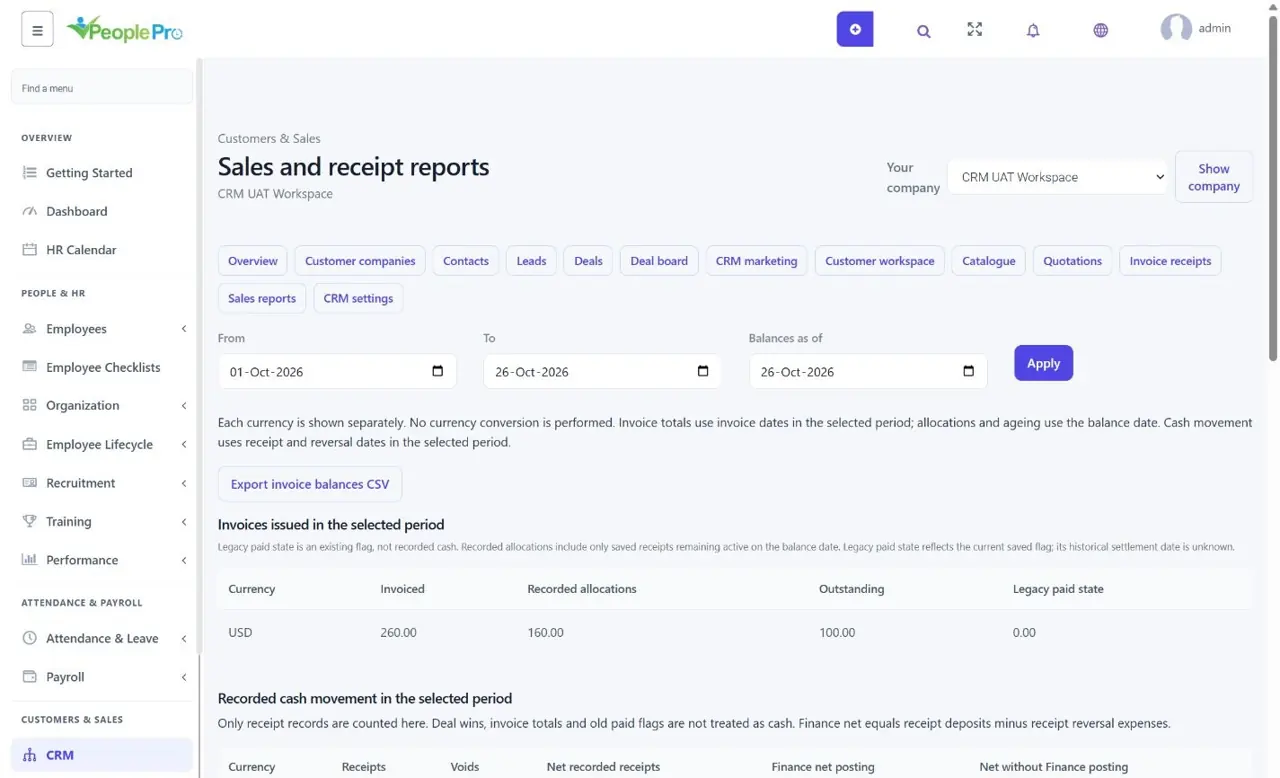
Sales reports separate invoiced amounts, active allocations, outstanding balances and recorded cash movements. Select the reporting period and balance date, then review ageing, customer/owner balances and pipeline forecasts. Matched reconciliation means a posted receipt agrees with its saved deposit/reversal entries; it is not a bank-statement reconciliation. Export invoice balances CSV when needed. Old paid flags do not invent receipt dates or cash payments.