
Hourly Leave and Service-day Proration
Open Leave Balances > Flexible Leave Policies.
Last updated: 16 November 2026 · Product version: not specified in the supplied guide
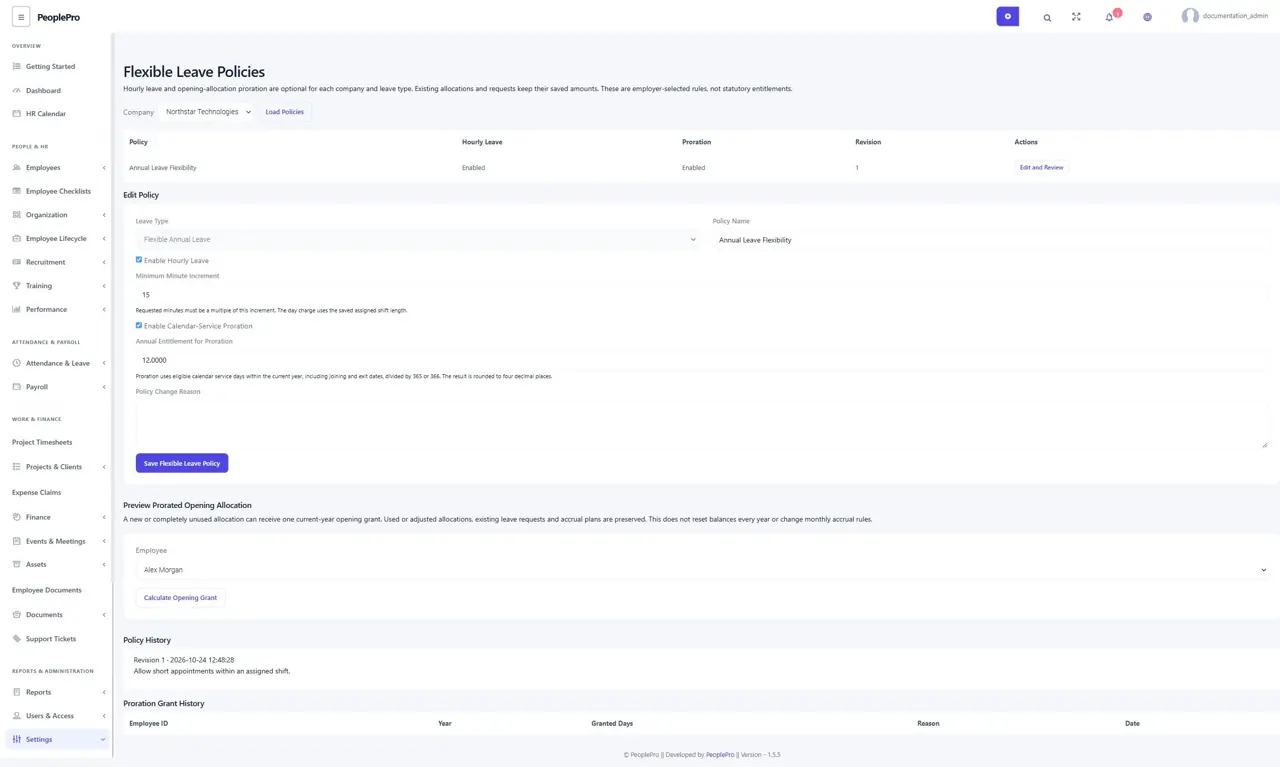
Enable flexible leave explicitly
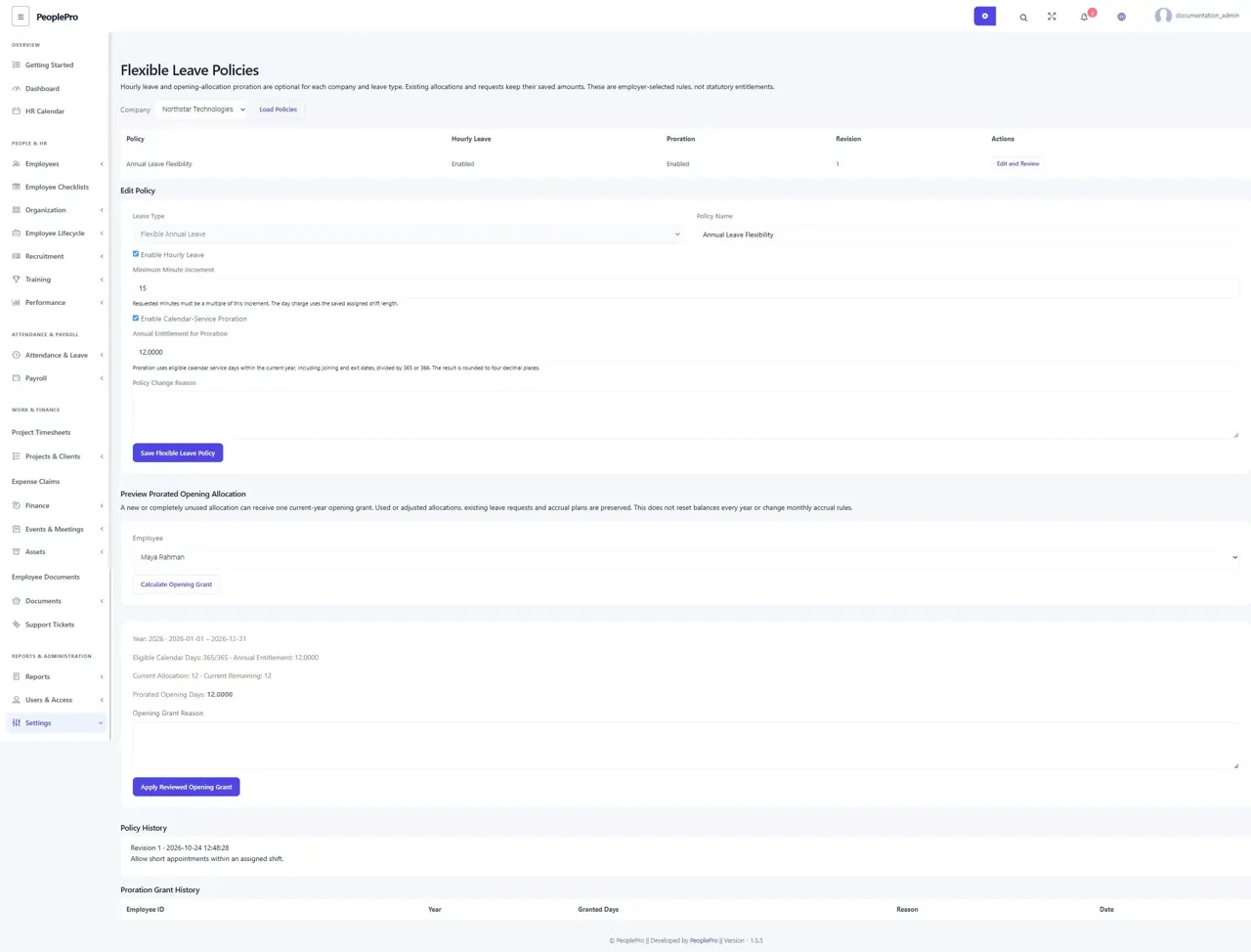
Open Leave Balances > Flexible Leave Policies. Choose a company and leave type, name the policy and optionally enable Hourly Leave with its minute increment. Fifteen means requests must last a multiple of fifteen minutes. Save with a reason. Rules are employer-selected settings, not a statement of statutory entitlement. Existing allocations and requests are not automatically replaced.
Request part of an assigned shift
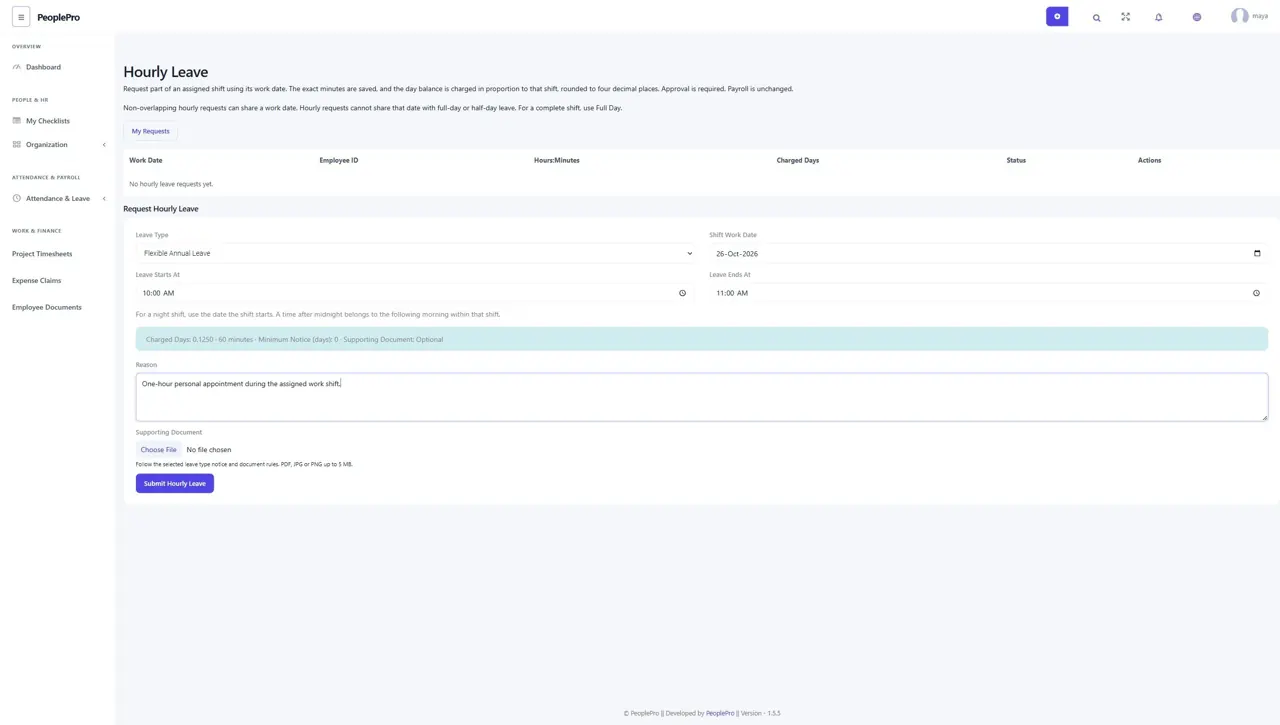
Employees open Hourly Leave from My Work, choose an allocated enabled leave type, the shift work date and start/end times, and explain the request. The live preview shows exact minutes and the proportional day charge. One hour from an eight-hour shift costs 0.1250 day. Required notice and supporting-document rules still apply. The request stays pending until independently approved.
Handle overnight shifts and overlapping leave
For a night shift, choose the date the shift begins. A post-midnight time belongs to the following morning inside that shift. The interval must remain inside the assigned working shift and cannot use a company holiday or non-working day. Separate non-overlapping hourly requests can use one work date. Hourly leave cannot share a date with full-day or half-day leave; use Full Day for the entire shift.
Review, withdraw or reverse an hourly request
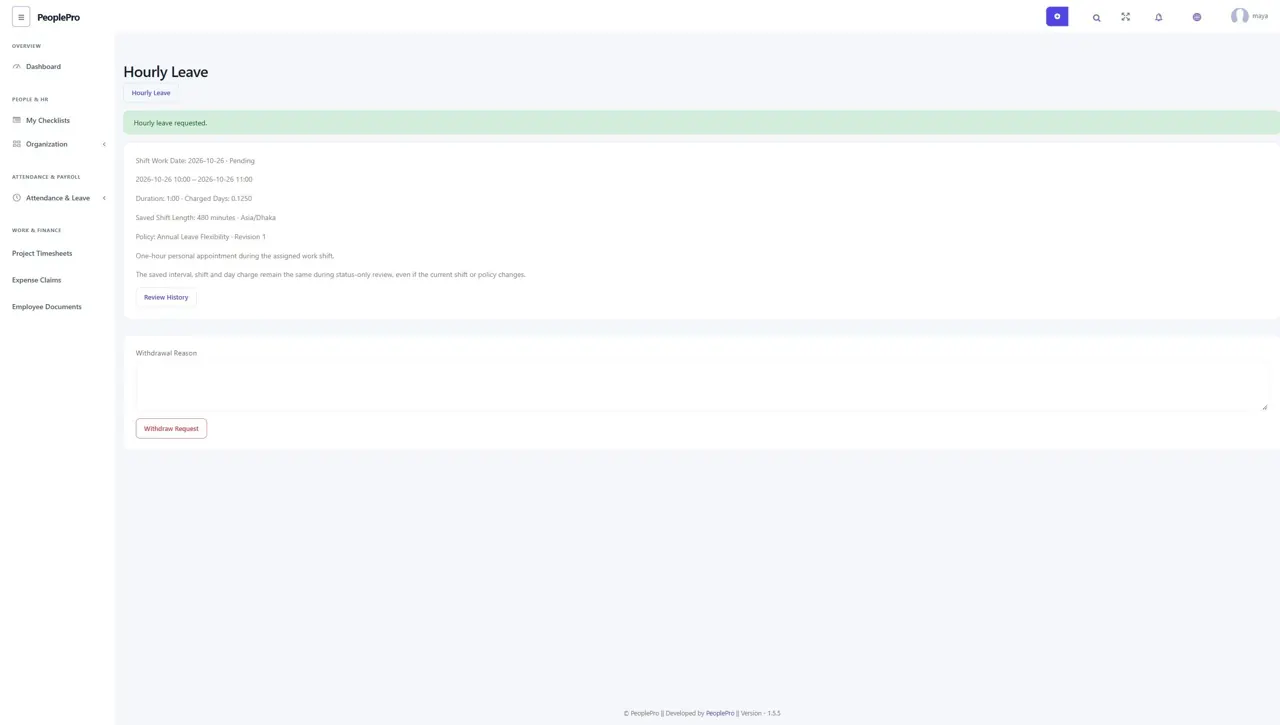
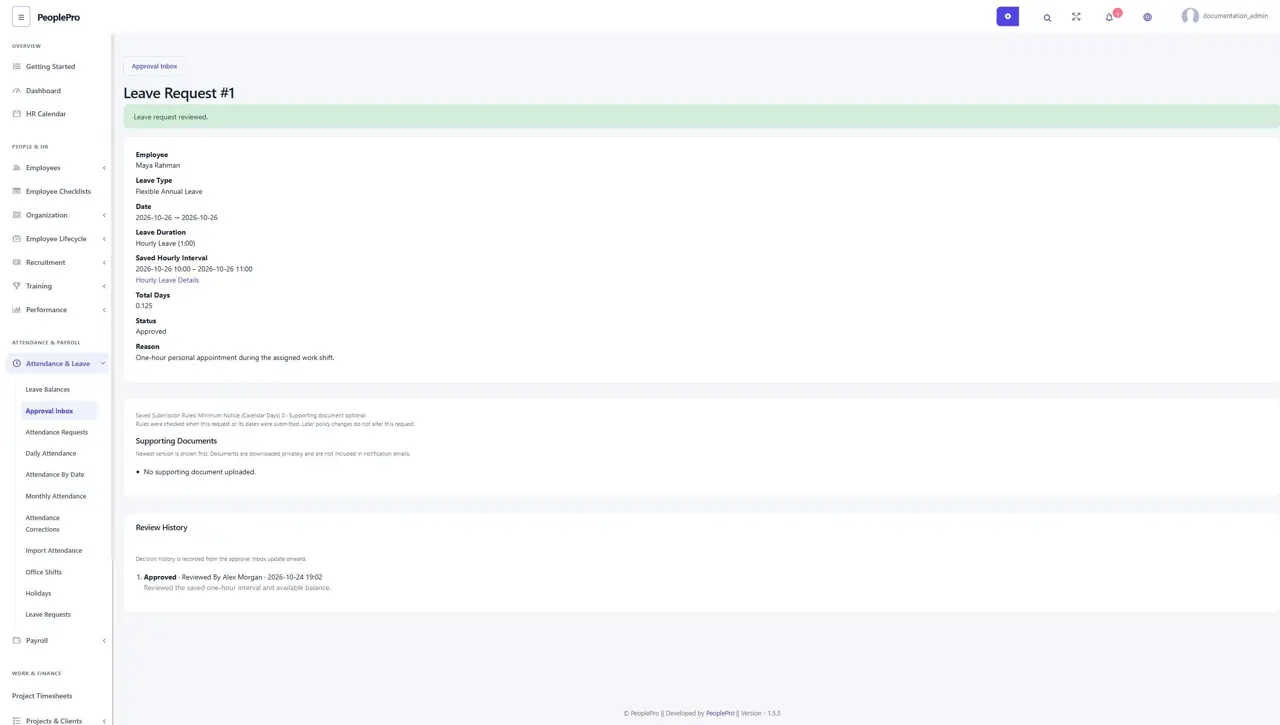
Open Details and History to see the saved interval, shift length, time zone, policy version and day charge. Status-only review retains those values even if the current policy or shift changes. The employee can withdraw a pending request with a reason. Authorized HR approves/rejects independently and can reverse an approved request with a reason. Ordinary and accrued/carried balances keep four-decimal charges and refunds. Actual punches and paid payroll are not changed.
Preview a prorated opening allocation
Optionally enable Calendar-Service Proration and set the annual entitlement on the company/type policy. Select an employee and Calculate Opening Grant. Review eligible joining-to-exit calendar days inside the current year, divided by 365 or 366, and the four-decimal proposed amount. Correct employment dates and local policy interpretation before proceeding.
Apply an unused opening grant carefully
An authorized HR user can apply one explained opening grant for the employee, policy and current year. It supports a new or completely unused allocation. Used/adjusted balances, pending or approved leave and existing accrual plans cannot be overwritten by this grant. Other leave types retain their custom amounts. Repeating the same submission does not create another grant. This does not automatically reset next year or change monthly accrual rules; review the next year explicitly.