Catalogue, Quotations and Invoices
Open Sales, then Quotations and View quotation.
Last updated: 16 November 2026 · Product version: not specified in the supplied guide
Prepare a quotation from the catalogue
Add catalogue products or services with a SKU, unit and price. Create a quotation for a customer, contact or deal, select catalogue items or enter custom lines, then review quantity, tax, discount, dates and final total. Drafts can be edited. Marking a quotation sent records its issued snapshot; it does not email the customer automatically.
Keep issued versions and convert accepted quotations
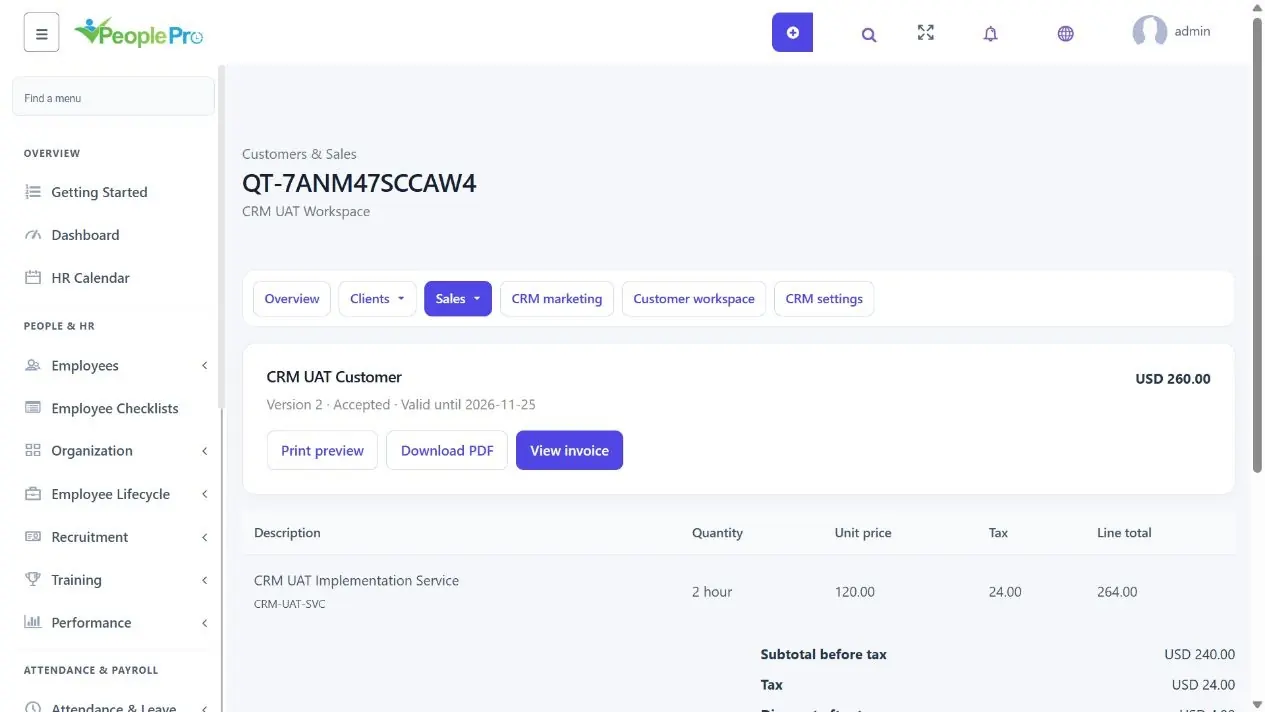
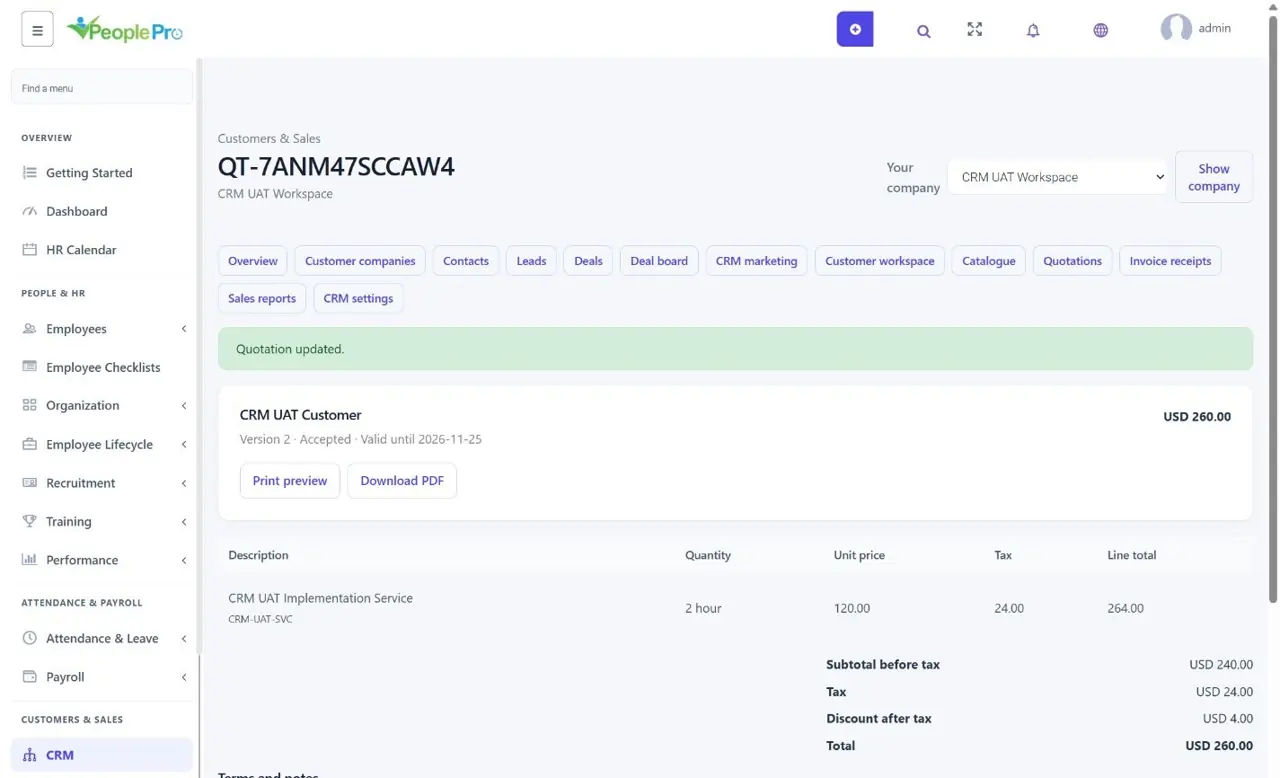
Open Sales, then Quotations and View quotation. Check its version, status, validity date, terms and total. Drafts can be edited. Once issued, use an amendment to make changes while keeping the earlier version in history. Record the customer decision and its supporting explanation, or share the exact version with the linked customer. An expired quotation cannot be accepted.
Convert an accepted current quotation to an invoice and confirm the due date. The saved customer details and amounts carry through. View invoice opens an invoice already created from that quotation, helping avoid duplicate billing. Print preview and Download PDF provide a customer copy; they do not send it automatically.