SalePro · v6.1.0

POS, inventory, accounting and commerce — in one system.

Run retail, wholesale, restaurant and service operations from one self-hosted Laravel application with source code, full accounting and connected online sales.
POSInventoryAccountingHRMRestauranteCommerceWooCommerce
3,100+CodeCanyon sales
4.53★216 ratings
Since 2018Actively developed
16+Payment integrations
Verify marketplace record
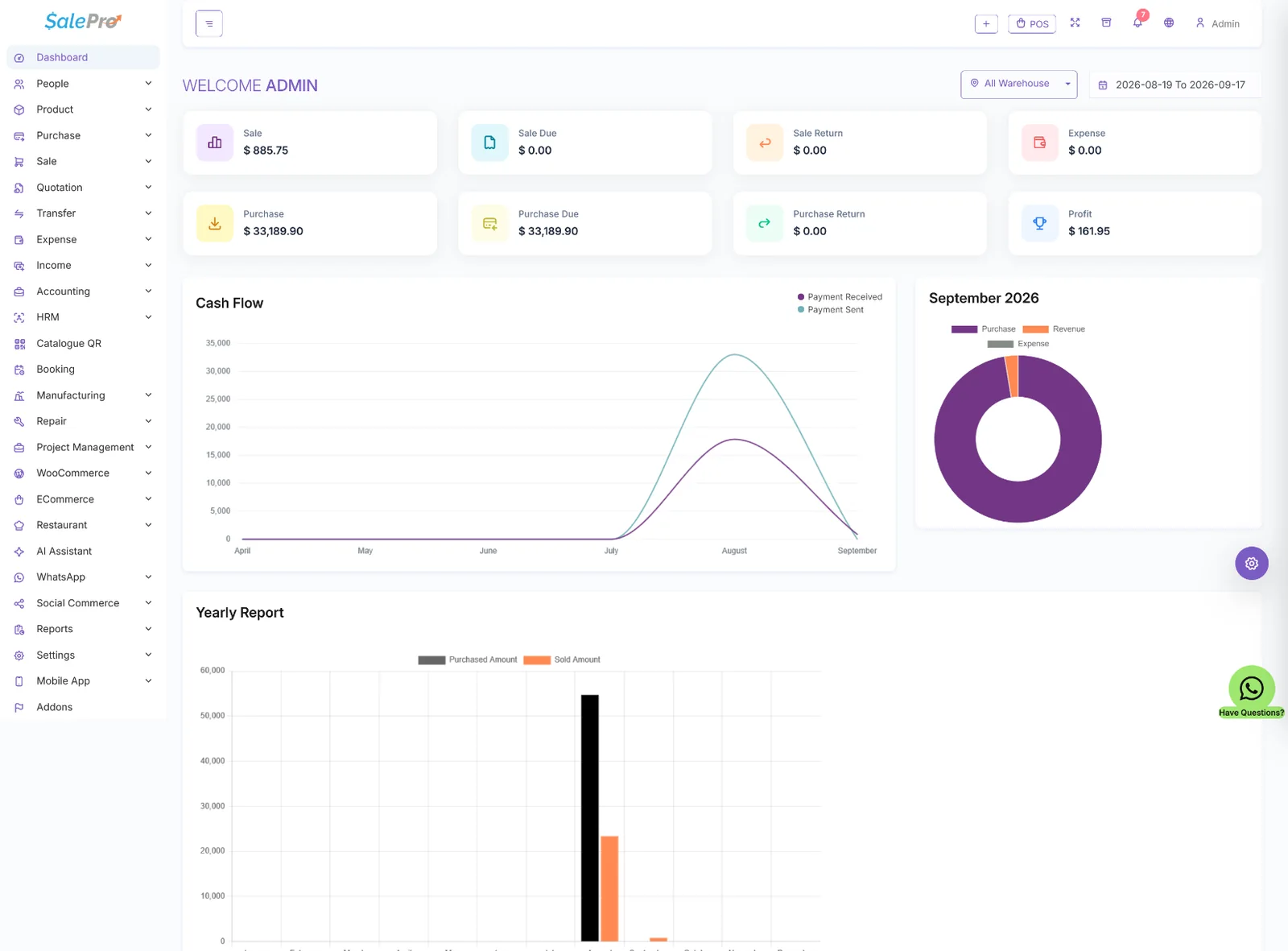
SalePro dashboard
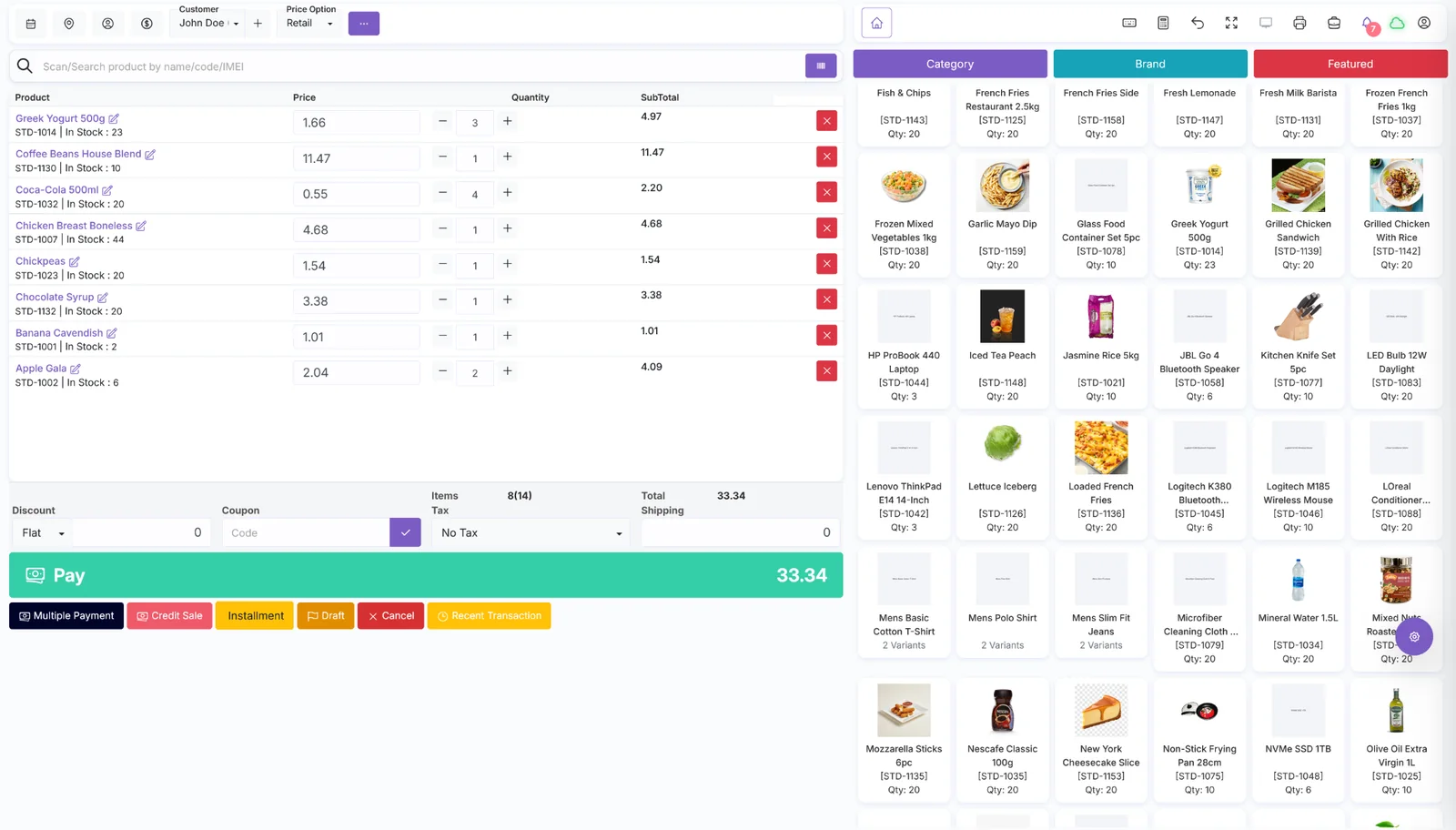
SalePro POS interface
POS + multiple payments
Double-entry accounting
eCommerce + WooCommerce
Self-hostedRun it on compatible infrastructure you control
Source codeLaravel application built for ownership
Restaurant includedDine-in, takeaway, delivery and KDS
Commerce includedeCommerce + WooCommerce Connector
Help shape SalePro Vote for features. Suggest ideas. See what ships.
View roadmap
SalePro point of sale screen

Checkout designed for daily use

Search or scan products, change quantities and prices, apply discounts and finish with cash, credit, installment or multiple-payment workflows.

BarcodeMultiple PaymentCreditInstallment
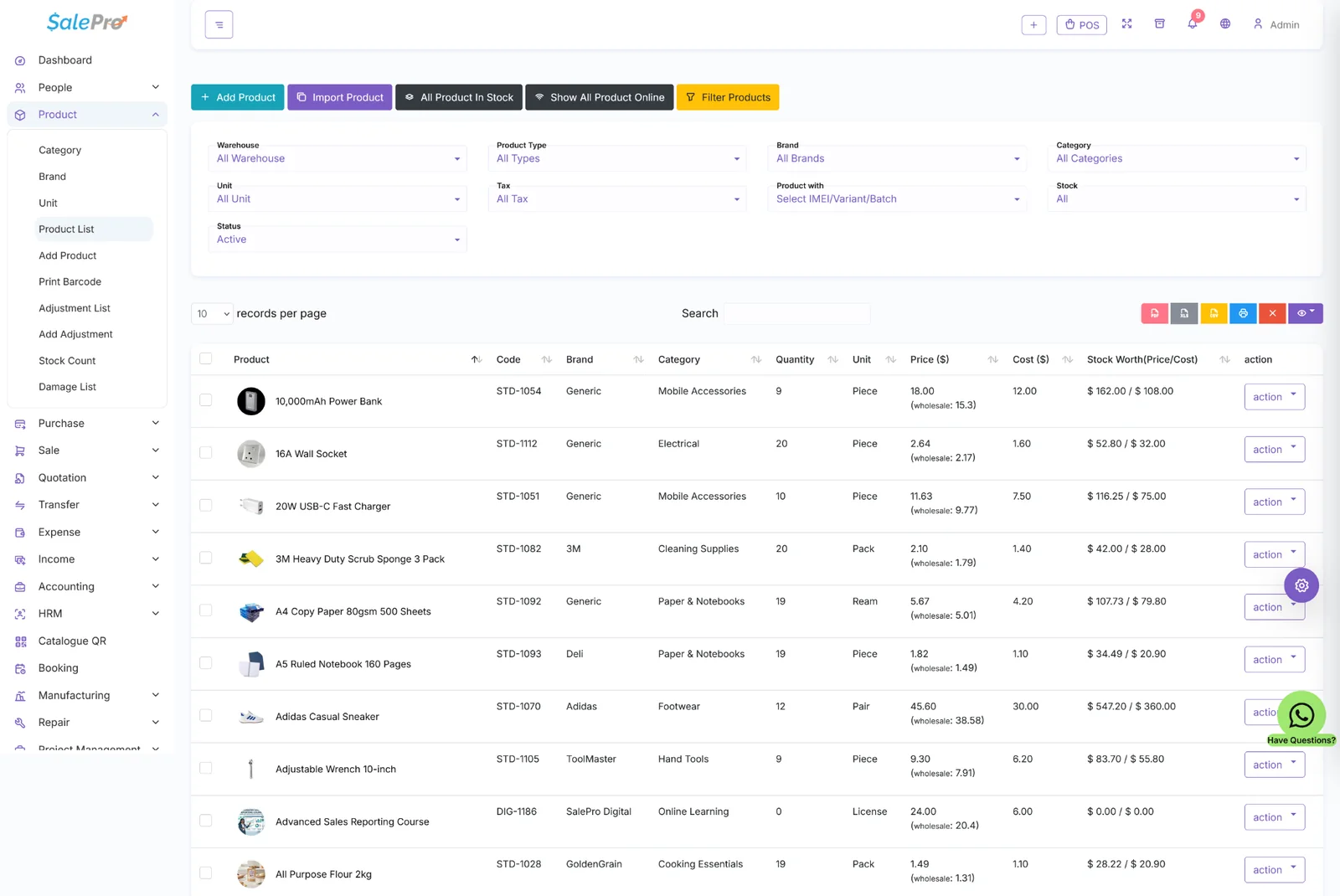
SalePro inventory list

Inventory across products and warehouses

Control standard products, variants, batch/expiry and IMEI/serial workflows with warehouse-level stock and movement.

Multi-warehouseVariantsBatch/ExpiryIMEI
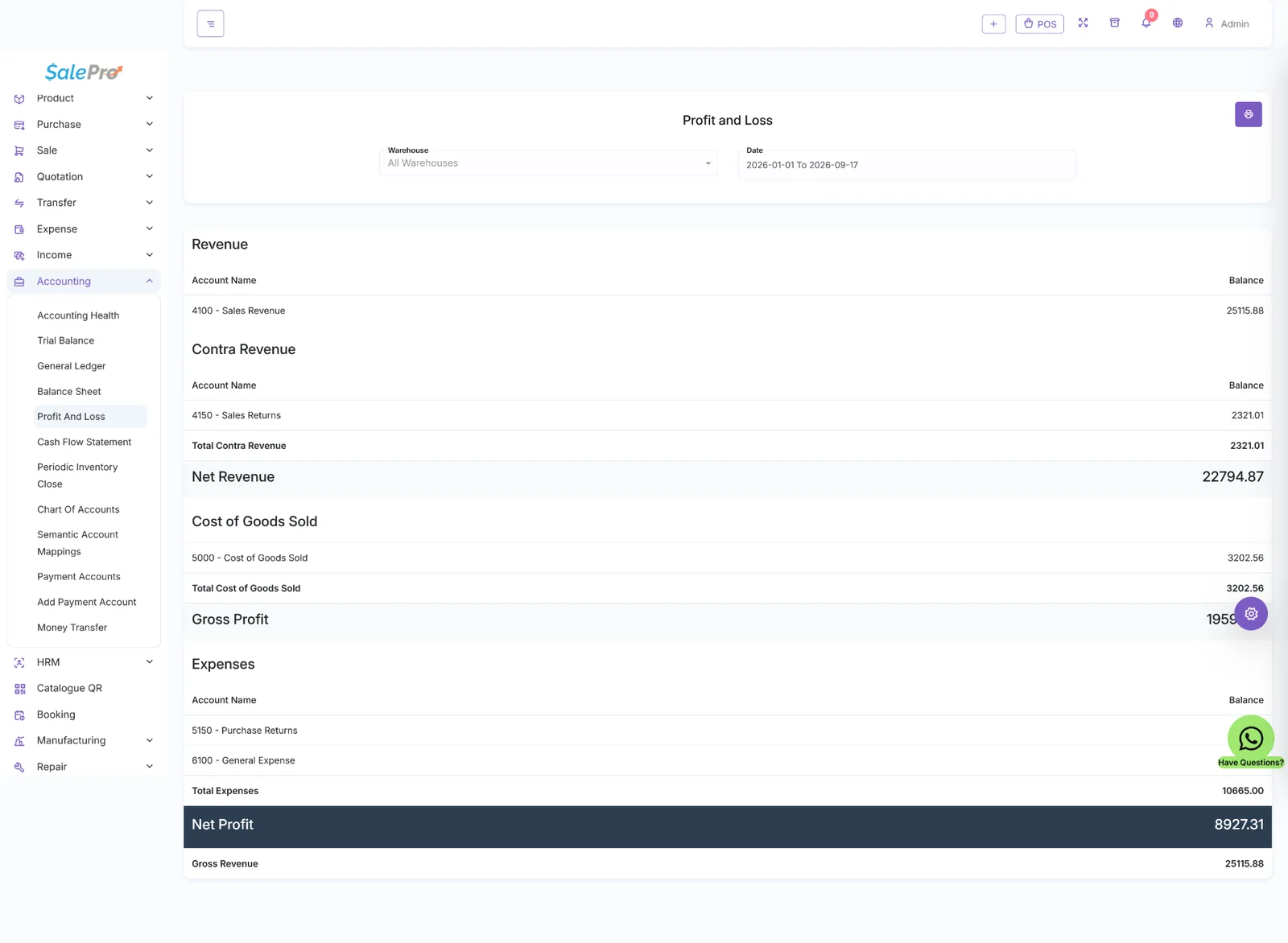
SalePro profit and loss accounting report

Accounting connected to the transactions

Move from operational activity into chart of accounts, trial balance, balance sheet, profit and loss and cash-flow reporting.

Double-entryP&LTrial BalanceCash Flow
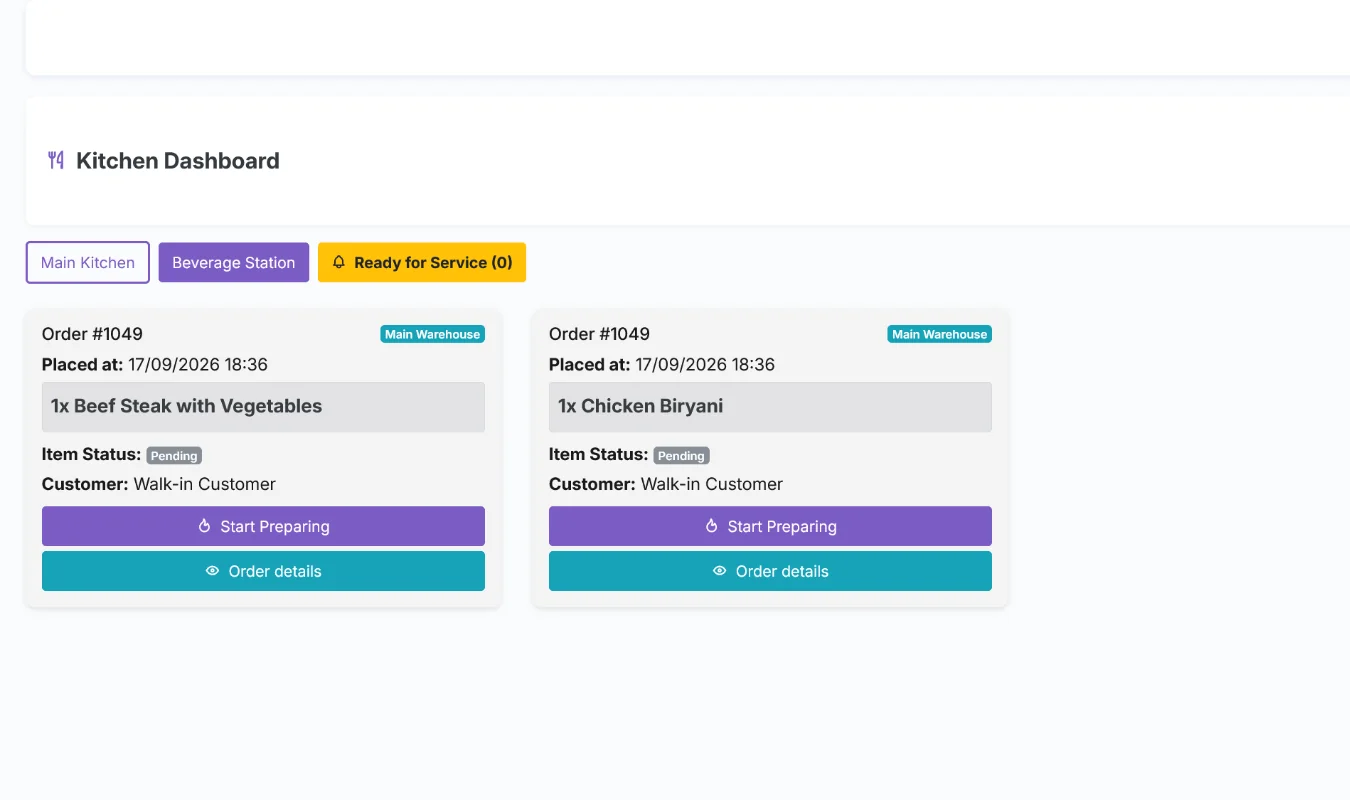
SalePro kitchen dashboard

Restaurant orders move into the kitchen

Support dine-in, takeaway and delivery with tables, modifiers and kitchen-display workflows included in SalePro.

KDSTablesModifiersDelivery
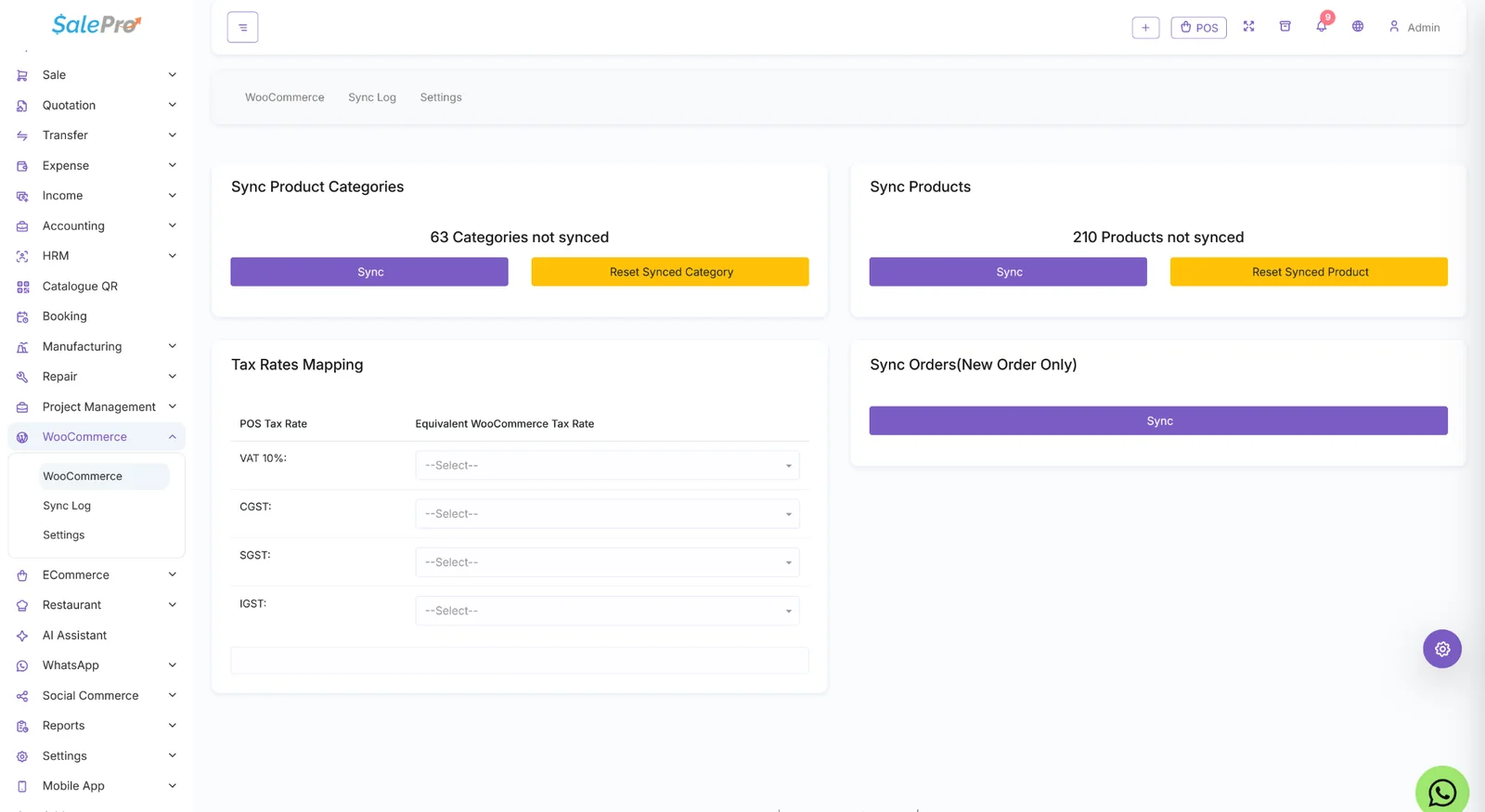
SalePro WooCommerce synchronization

Sell online without splitting operations

SalePro eCommerce and the WooCommerce Connector are included, so online channels can work from the same inventory foundation.

eCommerceWooCommerceProduct syncOrder sync
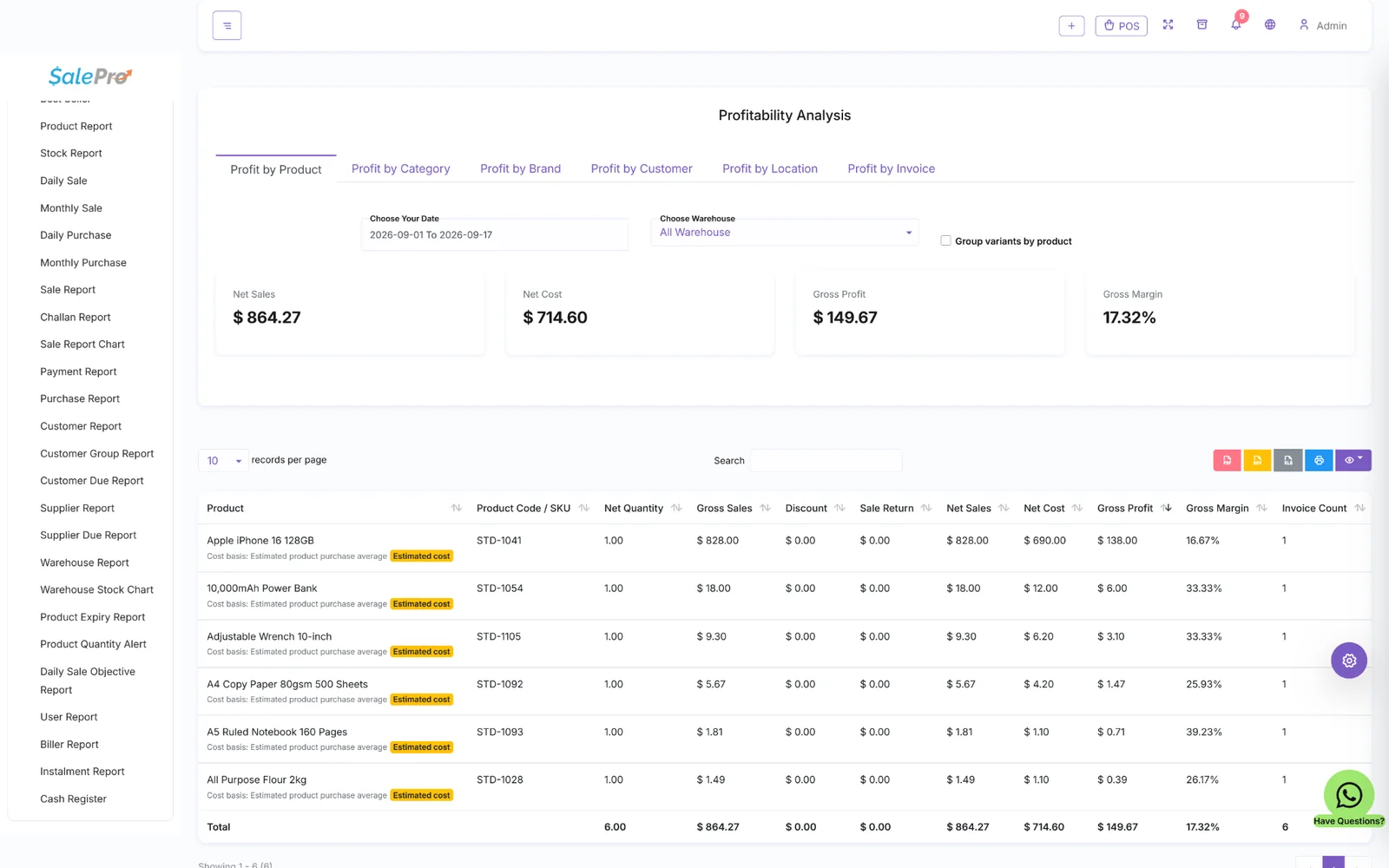
SalePro profitability analysis

Understand margin, not just revenue

Analyze profitability by product, category, brand, customer, location and invoice alongside stock and customer-due reporting.

Gross MarginProduct ProfitStock ValueCustomer Due
How the system connects

A sale should move the business — not create another manual task.

SalePro connects the operational chain so the counter, stock, payments, accounts and reports stay part of the same workflow.
SellPOS or online order
StockInventory movement
PaymentTender recorded
AccountingFinancial posting
ReportsOperational result
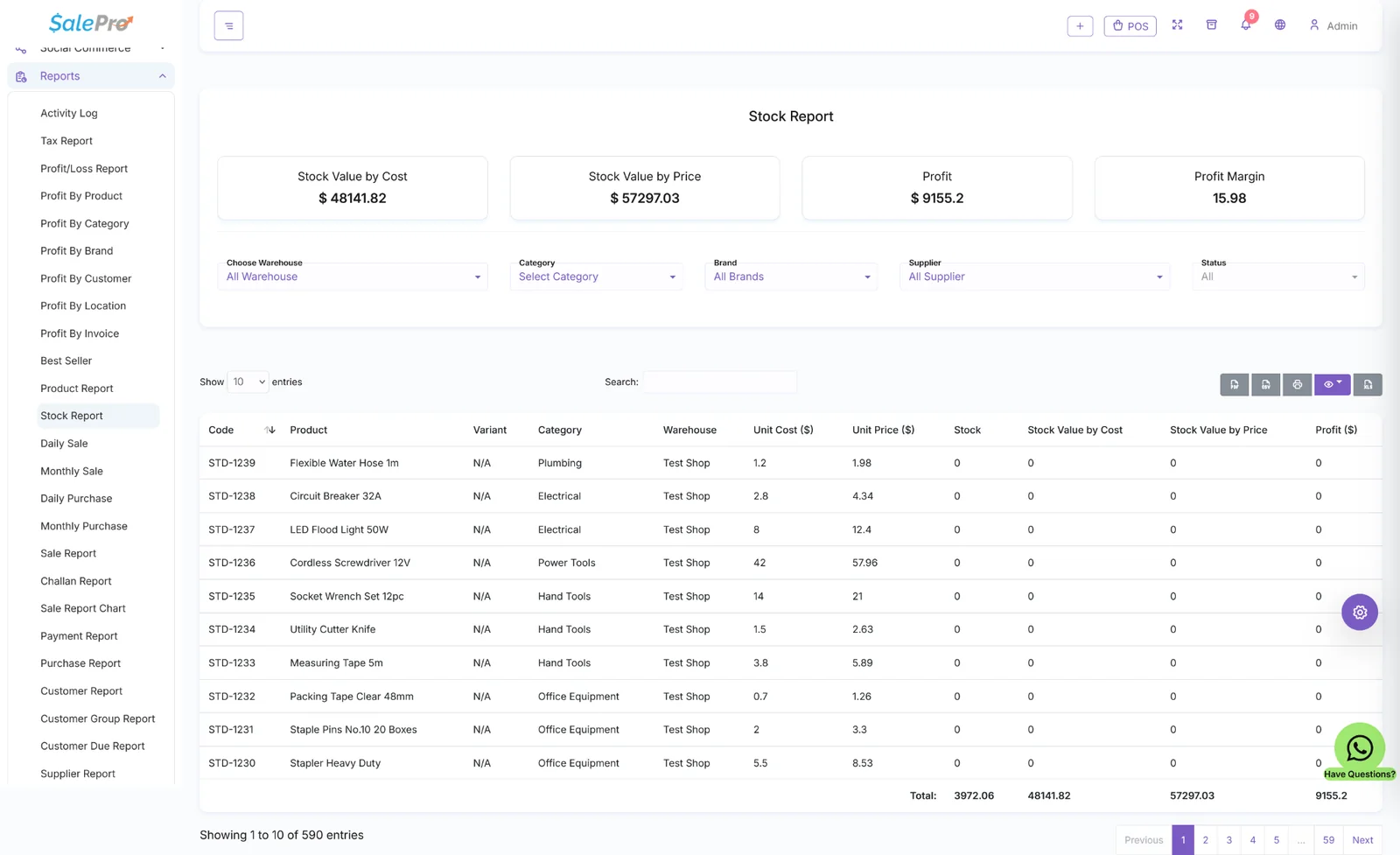
SalePro stock report
Inventory & warehouse control

Know what is available, where it is, and what it is worth.

Track stock by warehouse with cost, price and profit context — including products that require variants, batches, expiry dates or IMEI/serial handling.

  • Multi-warehouse stock and transfers
  • Variants, batch/expiry and IMEI workflows
  • Purchases, adjustments, counts and valuation
Accounting built in

POS activity that reaches the books.

SalePro goes beyond basic sales totals with double-entry accounting, receivables, payables, protected semantic accounts and financial statements.

  • Chart of accounts, general ledger and trial balance
  • Balance sheet, profit & loss and cash-flow statement
  • Accounting entries connected to business operations
SalePro accounting profit and loss
SalePro restaurant kitchen display
Restaurant operations

From table to kitchen to payment.

Restaurant POS is included with SalePro. Handle dine-in, takeaway and delivery, assign tables, use menu modifiers and move orders through a kitchen display workflow.

OrderTable / takeaway / delivery
KitchenPrepare and update status
PaymentFinish at POS
Five systems, one product

Understand SalePro by the job it does.

Instead of a wall of equal-weight features, think of SalePro as five connected systems for selling, stock, finance, operations and integrations.

Sell

POS, quotations, credit, installments, discounts, returns and payments.

Stock

Products, purchases, warehouses, variants, batch/expiry, IMEI and transfers.

Finance

Accounting, receivables, payables, profitability and financial statements.

Operate

HRM, restaurant, repair, booking, manufacturing and project workflows.

Connect

eCommerce, WooCommerce, mobile workflows, payment integrations and APIs.

Payment ecosystem

Payment options built around checkout.

SalePro supports 16+ payment integrations and payment workflows. The publicly documented named integrations below include regional providers used across South Asia, Africa and the Middle East, alongside custom payment options.

StripePayPalRazorpayPaystackM-PesaPesapalMTN MoMobKashSSLCommerzPayHereMollieXenditMoyasarCustom payment options

Supported flows vary by provider. Some gateways can be initiated or verified directly from POS; others are used through standard checkout/payment workflows.

SalePro or SalePro SaaS?

Choose based on the business model.

Operate your own business

SalePro

One self-hosted business environment with the POS, inventory, accounting and operational modules you use internally.

POSAccountingRestauranteCommerce
You are here
Launch a SaaS platform

SalePro SaaS

Serve multiple tenant businesses with isolated environments, packages, subscriptions and SaaS administration.

Multi-tenantSubscriptionsTenant plansWhite-label
Explore SalePro SaaS
Need SalePro to fit your workflow?

Built by LionCoders. Customized by LionCoders.

Bring us in for payment integrations, local tax or e-invoicing requirements, custom reports, external APIs, workflow changes or entirely new modules.

01

Workflow changes

Adapt forms, roles, approvals, operational flows and interfaces.

02

Integrations

Connect payments, government services, marketplaces, devices and APIs.

03

Custom modules

Extend SalePro where your business needs functionality the standard package does not provide.

Clear answers

Know what SalePro is before checkout.

Direct answers about ownership, accounting, commerce, restaurant operations, SaaS and customization.

Read documentation
What is SalePro?
SalePro is self-hosted POS, inventory, accounting and business-management software built on Laravel. It combines sales, stock, purchasing, accounting, HRM, restaurant operations and online commerce in one application.
Is SalePro self-hosted?
Yes. SalePro is installed on infrastructure you control. You can use your own compatible server or ask LionCoders about optional managed deployment.
Does SalePro include accounting?
Yes. SalePro includes full double-entry accounting with chart of accounts, automated postings and financial statements including trial balance, profit and loss, balance sheet and cash-flow reporting.
Does SalePro include eCommerce and WooCommerce?
Yes. The SalePro eCommerce storefront and WooCommerce Connector are included with SalePro.
Is Restaurant POS included?
Yes. Restaurant workflows such as dine-in, takeaway, delivery, tables, service types and kitchen-display operations are part of SalePro.
What is the difference between SalePro and SalePro SaaS?
SalePro is for operating your own business environment. SalePro SaaS is a separate multi-tenant platform for operators who want to provide POS and inventory software to multiple tenant businesses with packages and subscriptions.
Can LionCoders customize SalePro?
Yes. LionCoders develops SalePro and can provide customization, integrations, regional requirements, custom modules and larger Laravel business-software projects.
Is Restaurant POS included with SalePro?
Yes. Restaurant POS is included with core SalePro. You do not need to purchase a separate Restaurant add-on for regular SalePro. Restaurant-specific SaaS products are separate and apply to SalePro SaaS tenants.
Can SalePro continue working if the internet connection drops?
SalePro includes offline-first POS behavior for temporary connectivity loss. The POS can keep recording supported sales locally and synchronize pending transactions after the connection returns. This does not mean every SalePro module works fully offline indefinitely.
What accounting is included in SalePro?
SalePro includes full double-entry accounting, with automated accounting entries from supported operational transactions plus account, statement and financial-reporting workflows. It should no longer be treated as a basic ledger-only module.
Which payment gateways does SalePro support?
SalePro has 16+ payment gateway integrations across international and regional providers. Many supported gateways are integrated directly with POS using push or QR payment flows with instant payment verification. Provider accounts, fees and availability still depend on the gateway and country.
Can I sell online with SalePro?
Yes. You can use the SalePro eCommerce storefront included with SalePro for an integrated storefront or use the SalePro WooCommerce Connector included with SalePro to connect a compatible WooCommerce store.
Can I install SalePro on localhost such as XAMPP?
Yes, SalePro can be installed on a compatible local environment for testing/development. Local installation is different from SalePro's offline-first POS feature, and LionCoders support terms for local/offline environments should be checked in the current documentation.
Do I receive the source code?
SalePro is supplied with the application source code under the applicable purchase/licence terms, so qualified developers can customize the application. The licence governs usage and redistribution rights.
What POS hardware can SalePro work with?
SalePro supports common POS workflows with devices such as receipt printers, barcode printers/scanners, cash drawers and supported weighing-scale integrations. Confirm compatibility for your exact hardware model before purchase or deployment.
Ready to use SalePro?

Try it first. Buy it when the workflow makes sense.

Restaurant POS, eCommerce and WooCommerce connectivity are included in the SalePro package.

Buy direct from LionCoders

LionCoders order & license record

Use your LionCoders account/order record for downloads and the license number generated for your purchase when opening support tickets.

Buy through CodeCanyon

Envato account & purchase code

Choose CodeCanyon if you prefer Envato checkout and licensing. Support access uses the Envato purchase code linked to that order.