
Earned Leave and Carry-forward
Open Attendance & Leave > Leave Balances.
Last updated: 16 November 2026 · Product version: not specified in the supplied guide
Enable accrual without resetting other balances
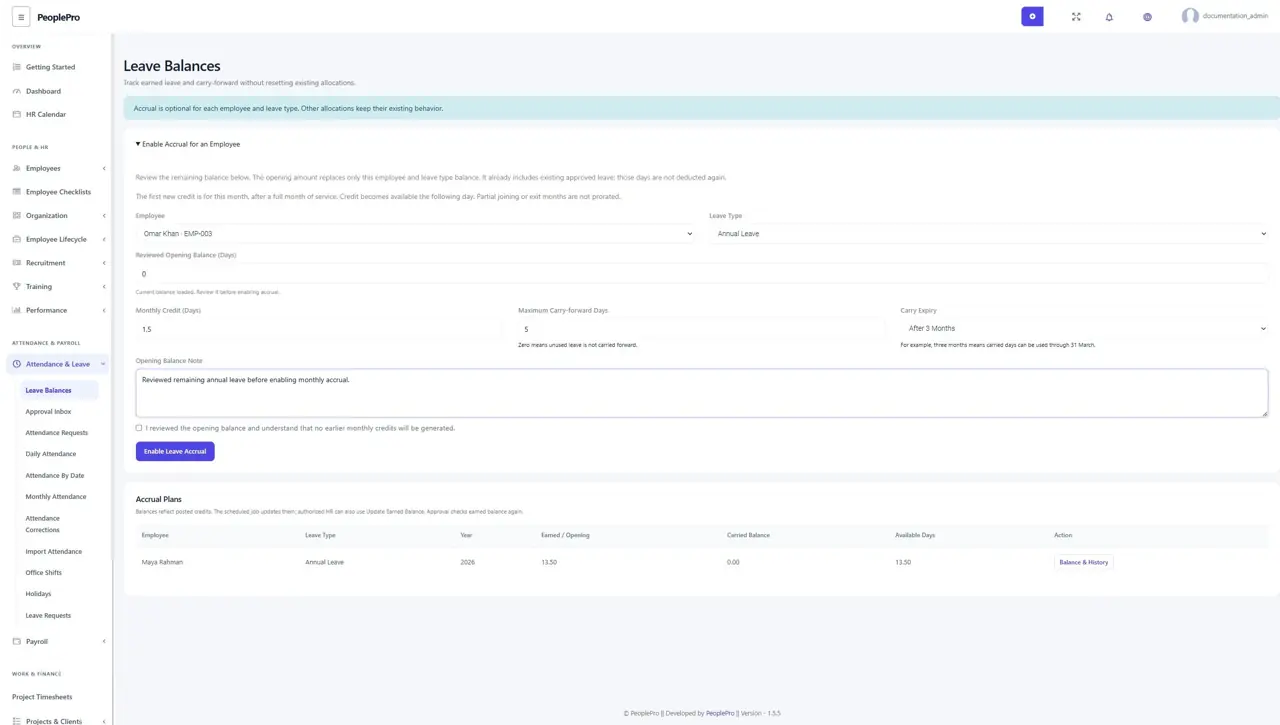
Open Attendance & Leave > Leave Balances. Users with Leave view and Variable Type settings access can enable a plan for an active employee and a leave type from the same company. Choose the employee and type to load the current remaining balance. Review the opening amount, enter an explanation, and confirm it before selecting Enable Leave Accrual. Existing approved leave is already included in the reviewed amount and is not deducted again. Other employees and leave types continue to use their existing allocations. Enabling a plan starts with the current month; earlier monthly credits are not generated.
Set the monthly earning rule
Enter Monthly Credit in days, including decimals such as 1.50. A completed full month of service earns that amount after the month ends. A mid-month joining date starts earning from the next full month. A final employment date on the last day of a month allows that full month; a partial exit month does not earn a prorated credit. The employee account should have accurate joining and exit dates. Half-day requests can spend 0.5 day from the available balance; monthly earning does not use attendance-based proration.
Limit and expire carried days
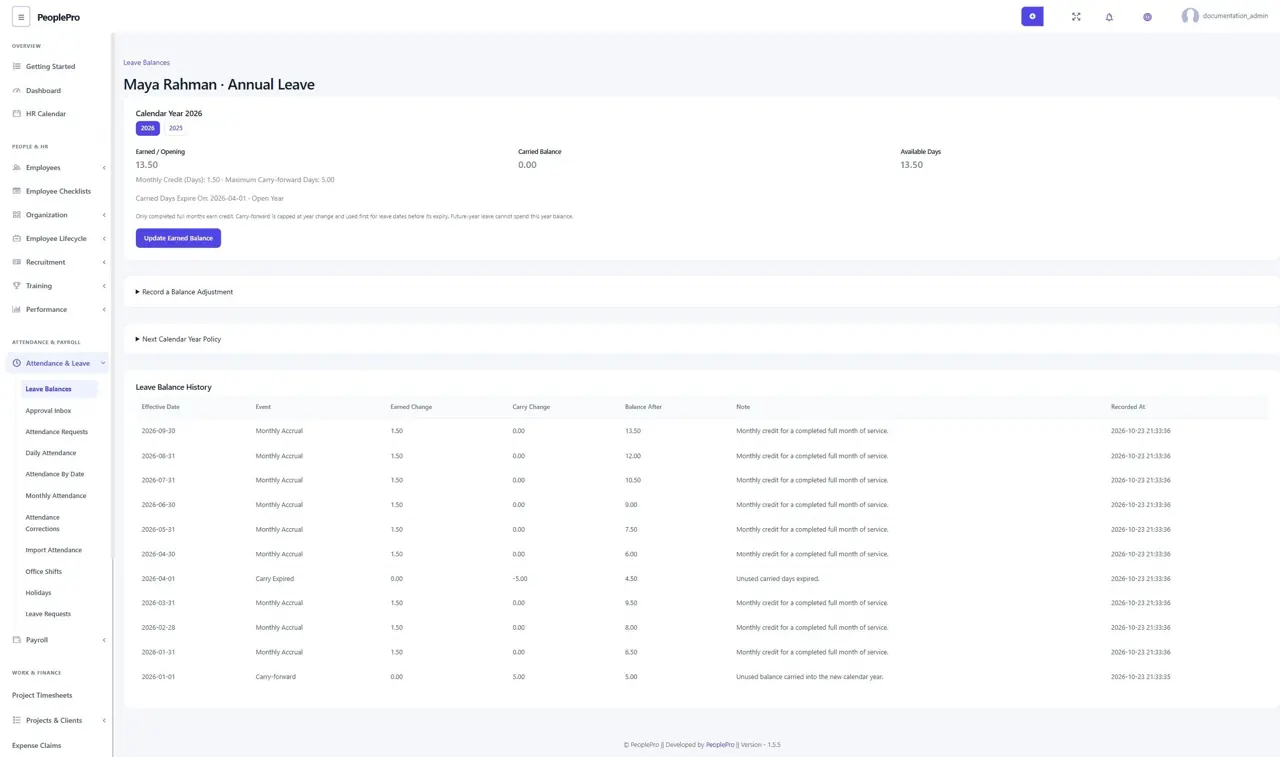
Plans use the January-to-December calendar year. At year change, unused days move to the next year up to Maximum Carry-forward Days. Zero discards unused days. Set Carry Expiry to an earlier month or End of Calendar Year. Three months means carried days remain usable through 31 March and expire on 1 April. Unused carried days do not live beyond their saved expiry or automatically get a new expiry by being carried again. Year tabs retain the closed year history.
Approve leave against earned balance
Approval checks the available posted balance again and uses carried days first when the requested leave dates are before their expiry. A request after the carry expiry must use earned/opening days. Future monthly credits cannot be spent in advance. Accrual-managed leave must stay within the current calendar year; split cross-year leave and review the new year balance when it opens. Rejection or deletion restores an open-year charge once, while carried days that have already expired are not revived. Closed/historical balances remain protected; use an explained current-year adjustment for a later correction.
Record an explained current-year adjustment
Open Balance & History and expand Record a Balance Adjustment. Enter a positive number to credit days or a negative number to deduct from the current year earned/opening balance, then enter the reason and select Record Adjustment. The balance cannot become negative. The history records the adjustment, and repeating the same submitted adjustment does not add it twice, including after a year change. Adjustments do not rewrite closed years or carried-day expiry history.
Prepare a policy for next year
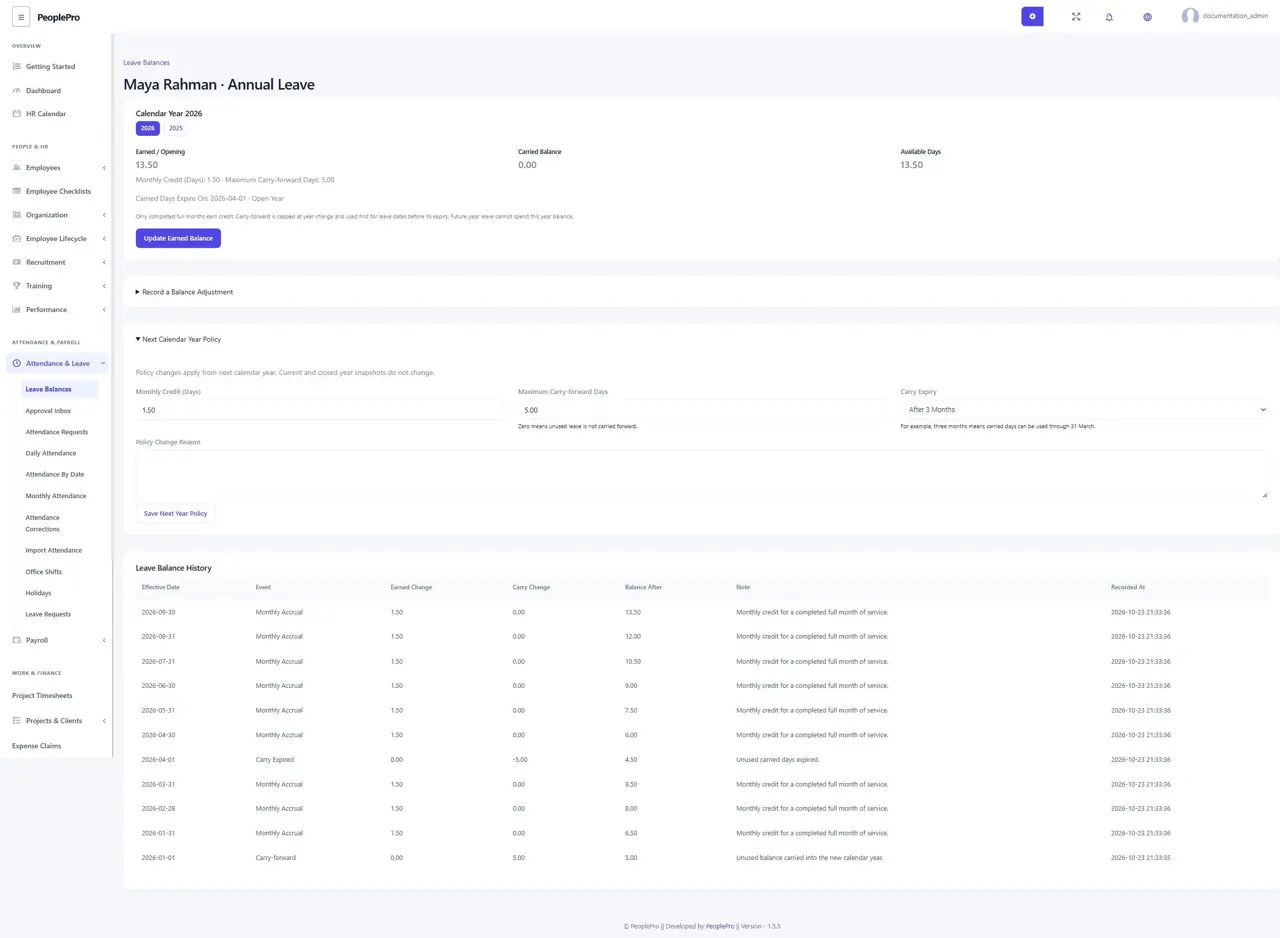
Expand Next Calendar Year Policy to change the monthly rate, carry limit or expiry for the next calendar year. Enter a reason and save. Current and closed year snapshots stay unchanged. The policy cannot be saved from an outdated page without reloading it. Leave types and employees with accrual history are protected from normal deletion; use the employee offboarding process when employment ends.
Follow your balance and scheduled credits
Employees can open Leave Balances from My Work to see their own plans and history. Other employees cannot open those records; HR visibility still follows company permissions and SaaS package access. The scheduled job checks plans hourly in each workspace business time zone, catches up missed months once, handles year change and expires carried days. Hosting must keep the normal Laravel scheduler running. Authorized HR can also select Update Earned Balance; leave approval checks the earned balance itself. Viewing a page does not credit days, and the demo mode does not allow balance changes.