
Issued Documents, Acknowledgments and Contracts
Open Employee Documents > Document Templates.
Last updated: 16 November 2026 · Product version: not specified in the supplied guide
Prepare document templates
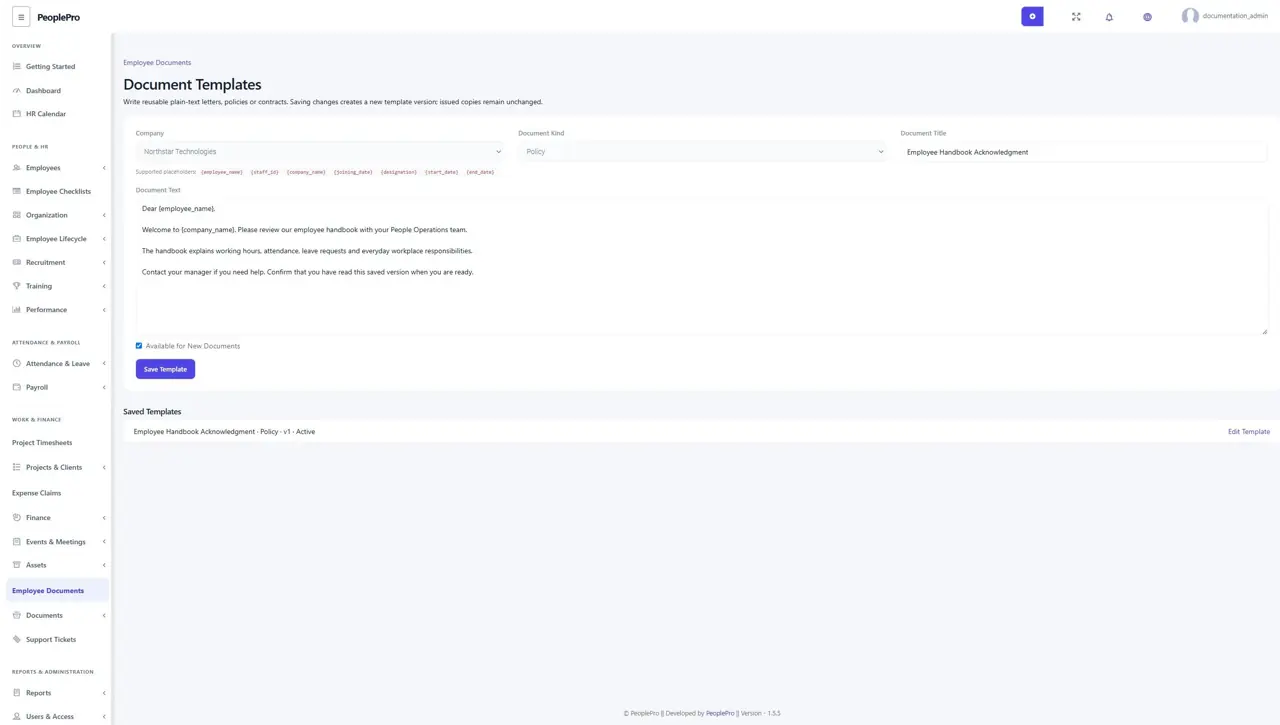
Open Employee Documents > Document Templates. Choose a company, Letter, Policy or Employment Contract, title and plain-text wording. Use the supported placeholders for employee, company, designation and dates. Saving an edited template creates a new template version. Archive a template to stop new use; issued copies remain unchanged. Official-document view/edit rights are needed for templates, and view/add rights are needed to issue documents.
Issue a saved version to an employee
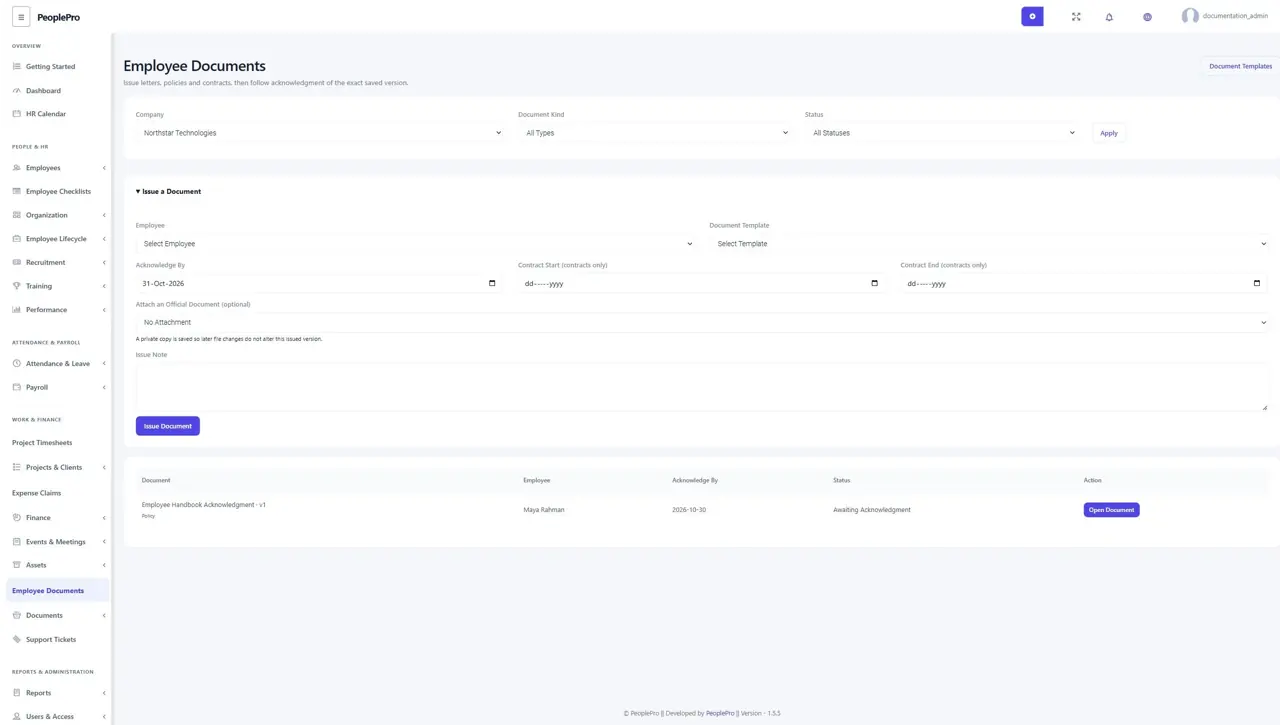
Select the company, expand Issue a Document and choose the employee and template. Set the acknowledgment deadline and an issue note. Contracts also need start/end dates. An existing official document can be attached; PeoplePro saves a private copy for this issued version. Later changes to the source file do not alter that copy. Review the resulting document and use Preview / Print Document or Download PDF when needed.
Acknowledge the document you read
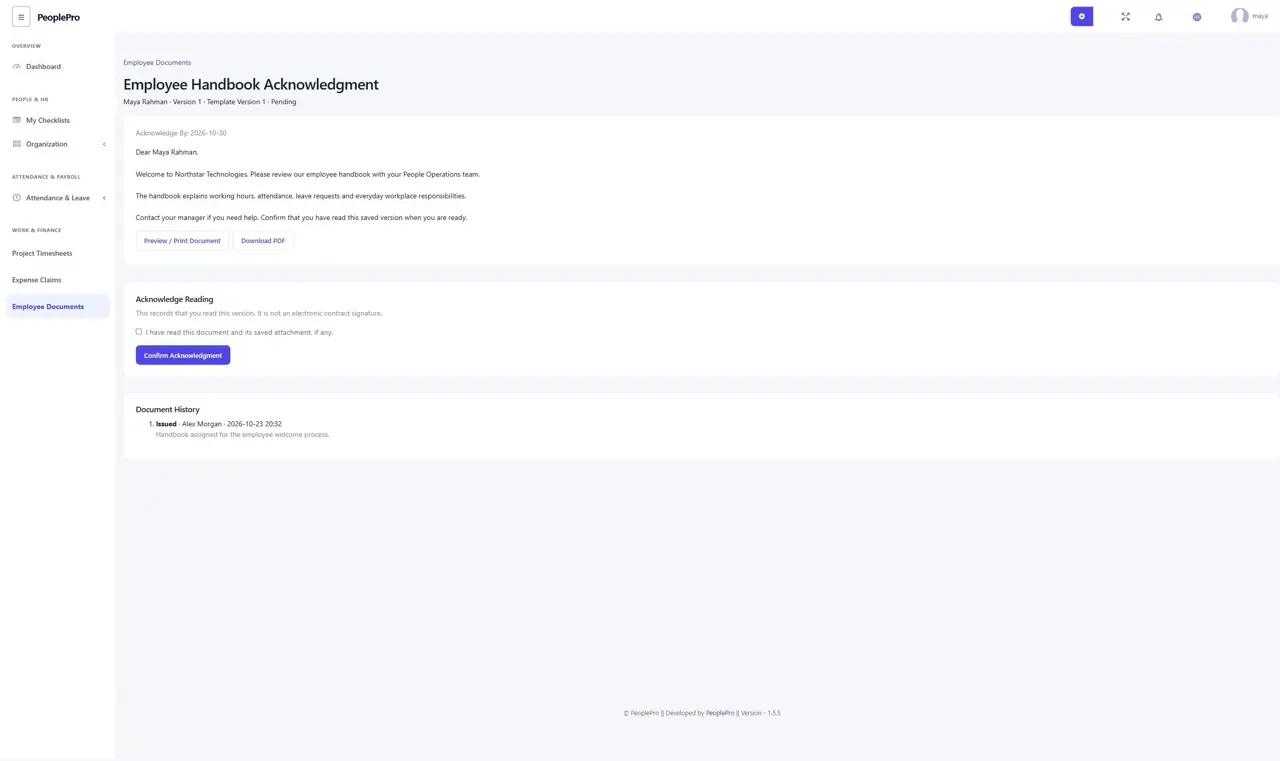
Employees can open My Documents from My Work. Read the saved text and any attachment, tick the reading confirmation and select Confirm Acknowledgment. The timestamp applies to that exact saved version. HR cannot acknowledge on the employee behalf. This is a reading acknowledgment; it is not an electronic contract signature. Use your normal signing process for agreements that require signatures.
Renew, replace or withdraw a document
Authorized HR can choose Issue a Replacement Version from an issued document. Review the new template/dates and issue it to the same employee. The earlier version becomes superseded while its text, private copy and acknowledgment remain available. A withdrawn document retains its history. Employees must read and acknowledge the new version separately; a previous acknowledgment is not copied forward.
Follow overdue acknowledgments and contract expiry
The document list shows acknowledgment deadlines and overdue pending records. Contract end dates help HR review upcoming renewals. The existing daily document-reminder schedule also covers overdue acknowledgments and contracts approaching expiry, with duplicate notifications avoided for the same day. Ask the hosting administrator to keep the scheduler running; saving a date alone does not run scheduled jobs.