
Performance Review Cycles
Open Performance > Appraisal, then Performance Review Cycles.
Last updated: 16 November 2026 · Product version: not specified in the supplied guide
Create a focused review cycle
Open Performance > Appraisal, then Performance Review Cycles. Authorized HR selects the company, review period, deadline, criteria, employees and an independent reviewer. Every criterion uses a 1–5 rating with equal weight. Choose clear criteria that employees and reviewers understand. The reviewer cannot also be a participant in that cycle.
Complete the employee self review
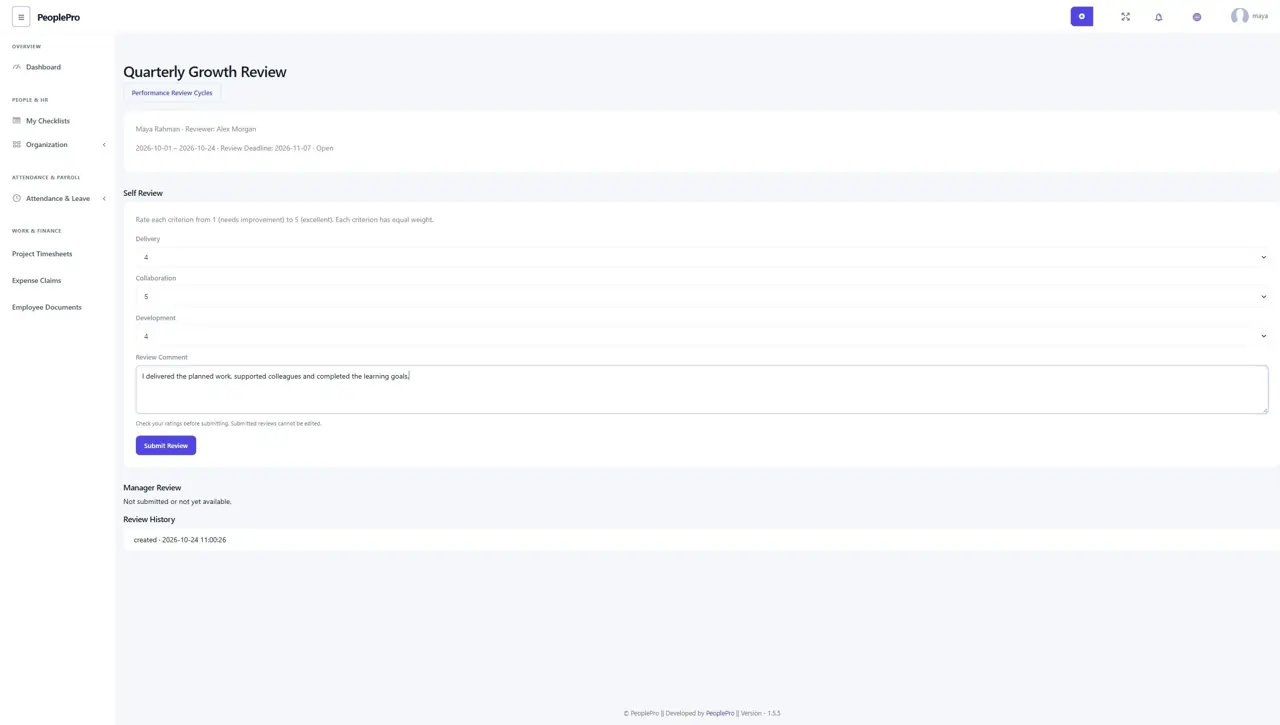
Employees open Performance Review Cycles from My Work. Read the period and criteria, rate each item and enter a useful comment. Check everything before selecting Submit Review. Submission locks that self review. The assigned reviewer can begin their assessment after the employee has submitted.
Submit an independent manager assessment
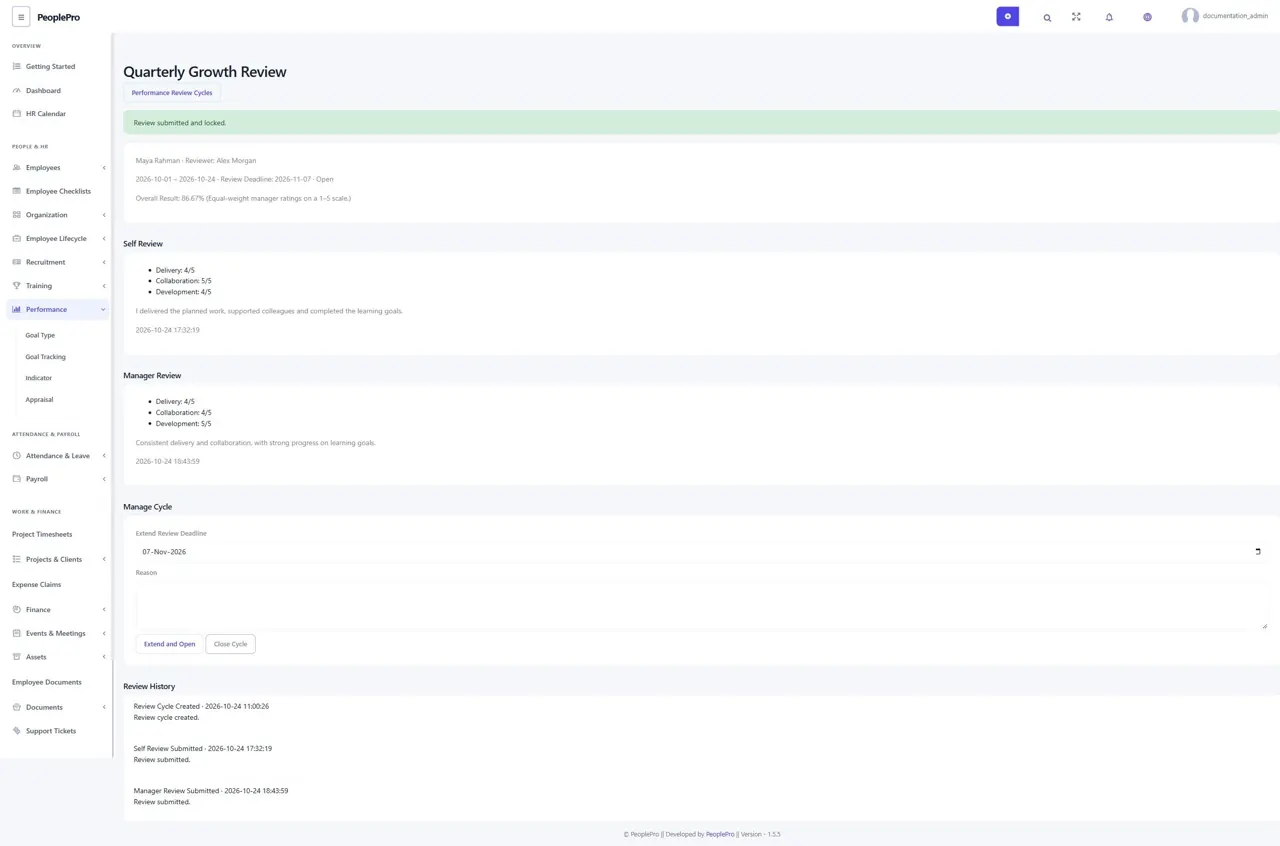
The assigned reviewer rates the same criteria and adds a comment. The employee self scores stay hidden from that reviewer until the manager assessment is submitted. After submission, both saved assessments and the equal-weight manager result are visible to authorized readers. Submitted ratings remain locked. These results do not automatically change legacy appraisals, salaries or payroll.
Manage deadlines and retain review history
Authorized HR can extend a deadline, reopen a cycle for outstanding reviews or close it, recording a reason. Reopening does not unlock already-submitted scores. Review History shows cycle creation, self submission, manager submission and management changes. Employees can read their own reviews and reviewers their assigned reviews; unrelated employees cannot.