
Actual Project Time and Weekly Review
Open Project Timesheets and expand Add Actual Time.
Last updated: 16 November 2026 · Product version: not specified in the supplied guide
Log time on an assigned project
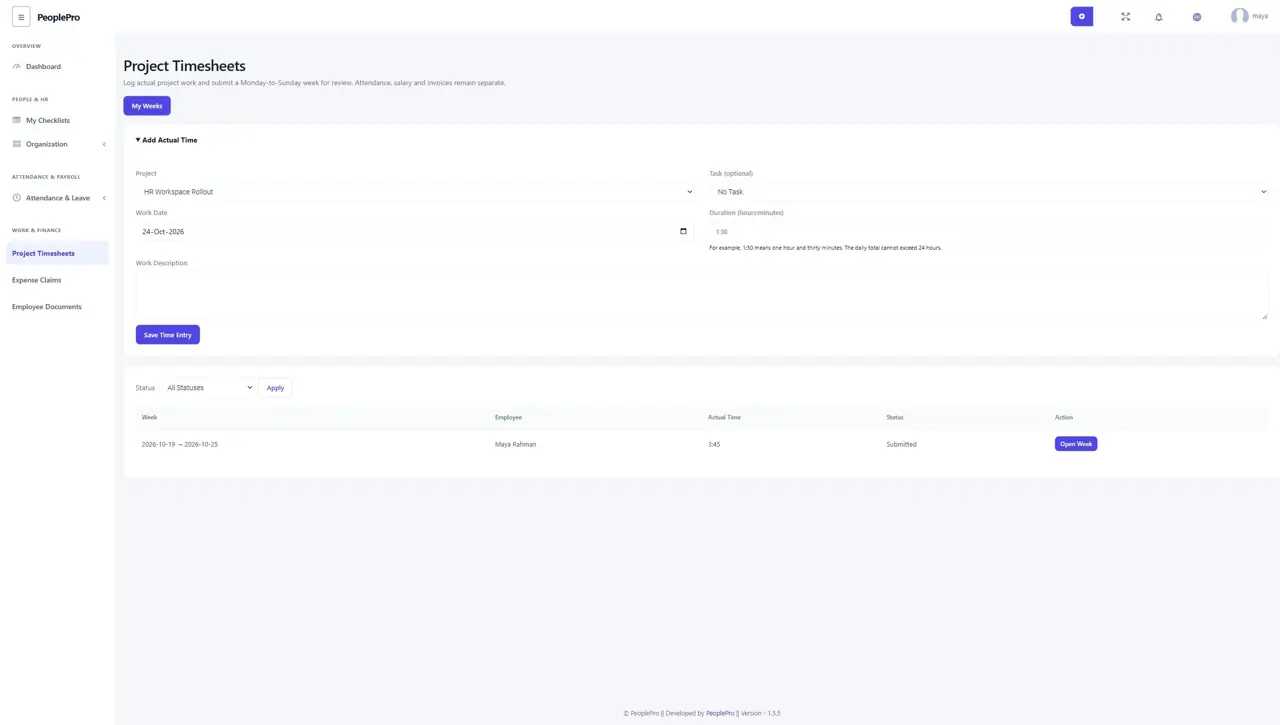
Open Project Timesheets and expand Add Actual Time. Choose an assigned project, optionally an assigned task, the work date, duration and a useful work description. Enter duration as hours:minutes: 1:30 means one hour and thirty minutes. Future work and a daily total above 24 hours are not allowed. If a project/task is missing, ask its manager to check the assignment.
Submit a week or return it for editing
Entries are grouped into Monday-to-Sunday weeks. Open a week to inspect its rows and total. You can edit or remove entries while it is a draft or returned for correction. Submit Week locks it for review. If you need to change a submitted week, use Withdraw for Editing first. Removed entries retain history rather than disappearing without a trace.
Review the team week independently
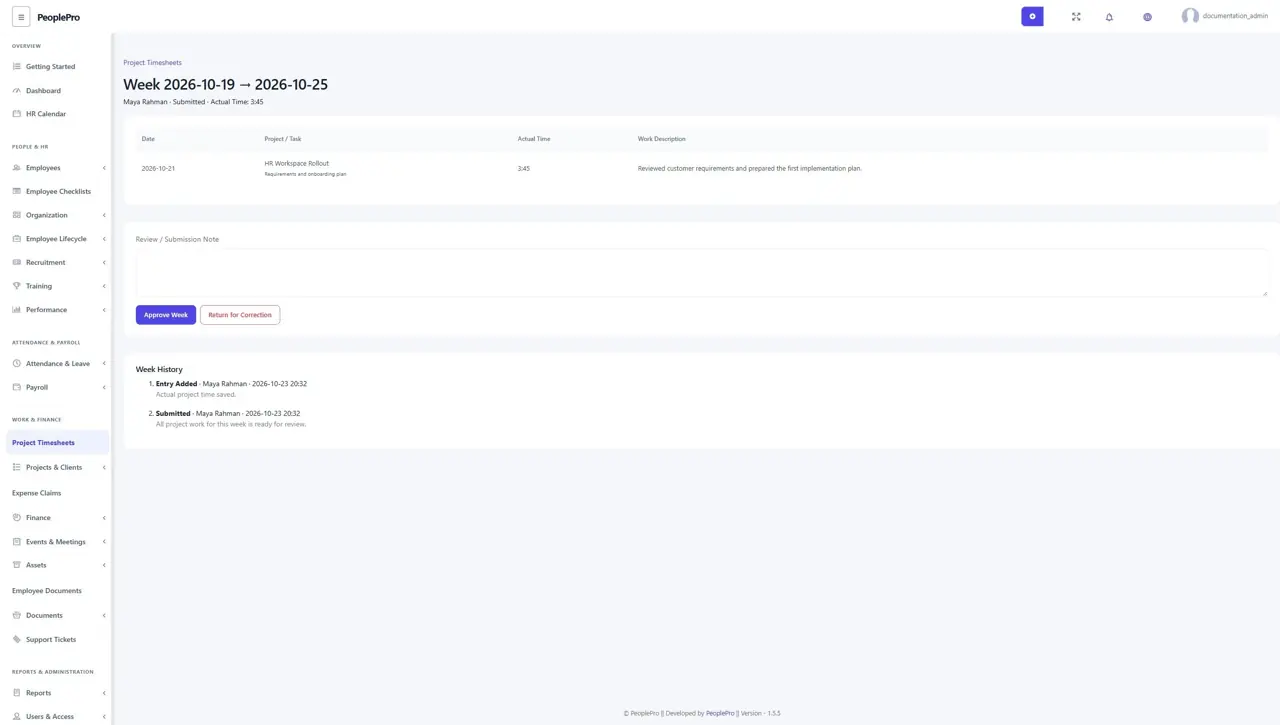
Authorized task reviewers can open Team Review, inspect the work and approve the week or return it with a reason. A reviewer cannot approve their own week, and client task rights do not grant HR review access. Assignment changes are checked again before approval. Approved weeks remain locked. The history records submissions, returns, withdrawals and approval.
Keep actual time separate from estimates and payroll
Actual project time records work, while a task estimated hour remains its planning estimate. Project Timers offer Start/Stop logging, and the later Time Billing workflow can invoice approved billable time after a separate review. Neither workflow creates attendance punches or salary. Use the existing attendance and payroll processes for those purposes. Projects and tasks with logged time retain their history and cannot be deleted through normal delete controls.