Home/SalePro/Pharmacy POS
Pharmacy & expiry-led retail

Sell quickly without losing sight of batch and expiry stock.

SalePro can support the commercial side of a pharmacy or similar expiry-led retailer with POS, batch/expiry inventory, purchasing, warehouses, customer due, accounting and operational reports.
BatchExpiryStockPurchasingCustomer dueAccounting
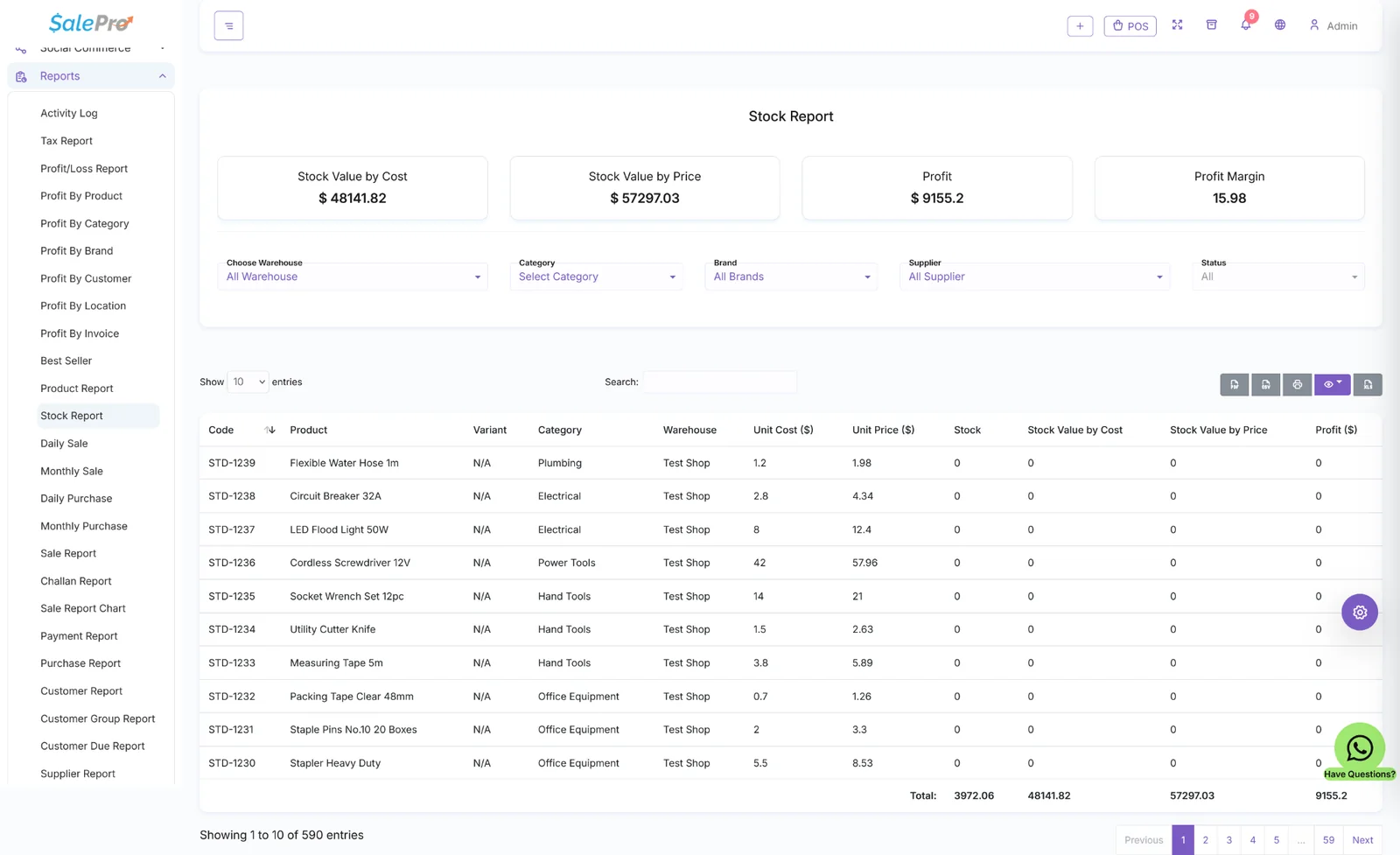
SalePro stock report for batch and expiry-led inventory operations
Stock ReportInventory visibility
Expiry-led inventory

What does a pharmacy POS need beyond checkout?

For pharmacy-style retail, product quantity alone is not enough. Batch, expiry, purchasing, supplier movement and stock reporting matter because the value and sellability of inventory changes over time.

Batch & expiry tracking

Use product batch and expiry workflows for stock that must be distinguished by lot and expiration date.

Expiry reporting

Use product-expiry reporting to identify inventory that needs attention before it becomes a commercial loss.

Purchasing & suppliers

Keep incoming stock, supplier relationships and purchasing inside the same operational application.

Multi-warehouse stock

Separate quantities by warehouse and transfer stock between locations when the business operates more than one store or stock point.

Customer credit

Use customer due and payment workflows where the business allows credit or later settlement.

Financial visibility

Bring sales, purchases, payments and reports into SalePro's accounting foundation instead of reconciling disconnected systems.

Operational boundary

SalePro handles the business workflow — not clinical prescribing.

SalePro is a business-management and POS application. Country-specific pharmacy regulation, prescription management, medicine databases, insurer claims or government integrations are not automatically implied by the pharmacy use case.

Need a regulated or regional workflow?

LionCoders can assess the requirement and tell you whether it belongs in configuration, customization or a separate integration.
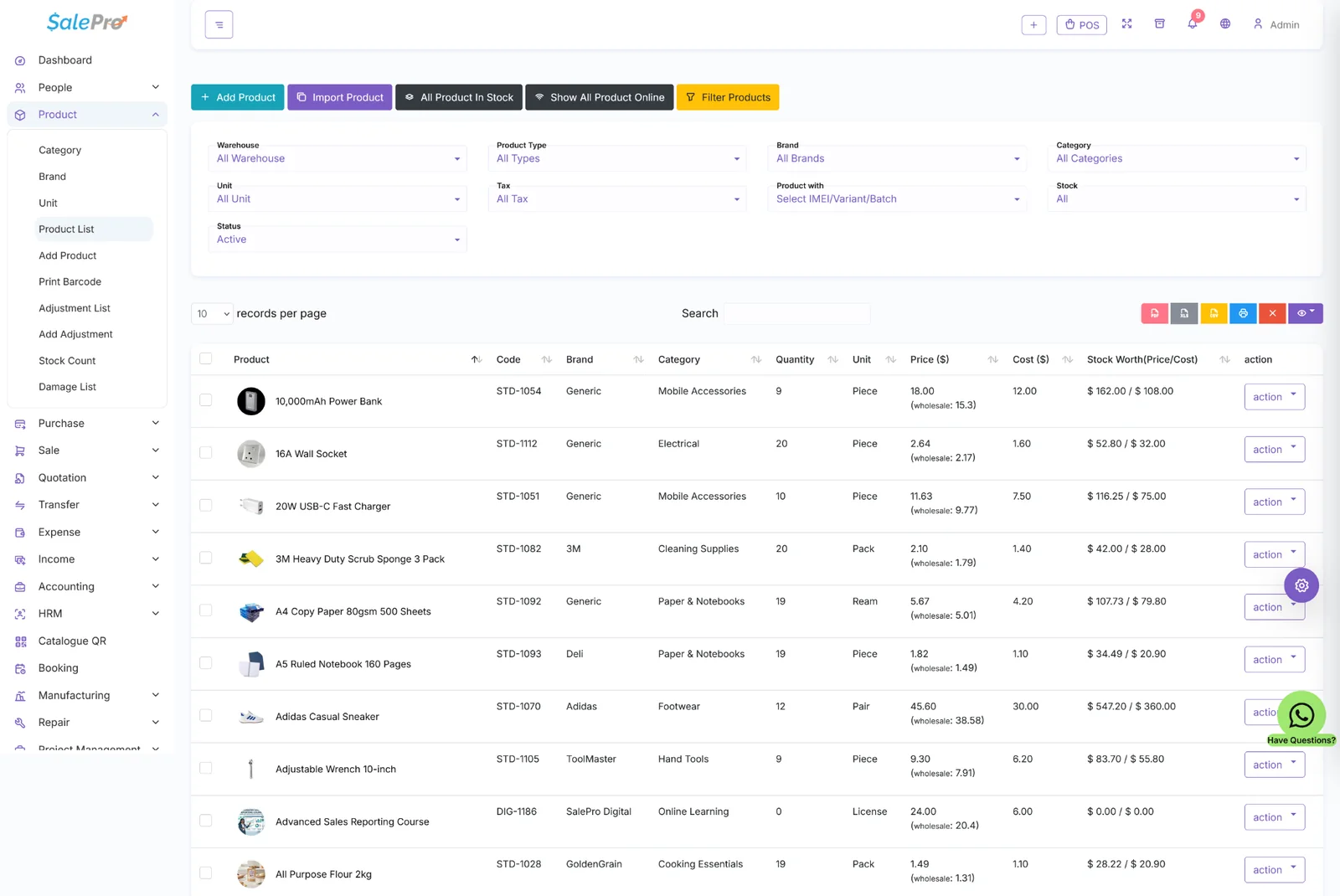
SalePro product inventory list for pharmacy-style retail
Product ListRetail + inventory foundation
Connected workflow

Keep purchasing, stock, checkout and reporting in one operational path.

01ReceivePurchase stock with product and supplier context.
02TrackMaintain quantity, warehouse, batch and expiry information.
03SellUse SalePro POS and payment workflows at checkout.
04ReviewMonitor stock, due balances, accounting and profitability.
Pharmacy POS FAQ

Know the fit — and the limits — before implementation.

Can SalePro track batch and expiry dates?
Yes. SalePro includes batch and expiry inventory workflows for products that need lot-level or expiry-aware stock handling.
Can SalePro be used in a pharmacy?
SalePro can support the retail, inventory, purchasing, customer, payment, accounting and reporting side of a pharmacy or similar expiry-led business. It is not a clinical prescribing or pharmacy-regulatory platform by default.
Does SalePro support multiple pharmacy branches or warehouses?
SalePro supports multiple warehouses and stock transfers. Branch-specific access or specialized workflows should be evaluated against the exact operating model.
Can SalePro show low stock or expiry-related information?
SalePro includes stock and product-expiry reporting so users can monitor inventory conditions that need attention.
Can LionCoders customize SalePro for local pharmacy requirements?
Yes. Regional invoicing, tax, approval, reporting or integration requirements can be scoped as customization when they are not part of standard SalePro.

Need batch/expiry inventory with a practical POS?

Test the core SalePro workflow first. If your pharmacy has country-specific regulatory, tax or integration requirements, scope those separately with LionCoders.