Home/SalePro/Restaurant POS
Restaurant POS with SalePro

From table to kitchen to payment — in one system.

SalePro combines restaurant checkout with tables, modifiers, dine-in, takeaway, delivery and a kitchen display workflow — connected to the same inventory, payments, reports and accounting used across the business.
Dine-inTakeawayDeliveryTablesModifiersKDS
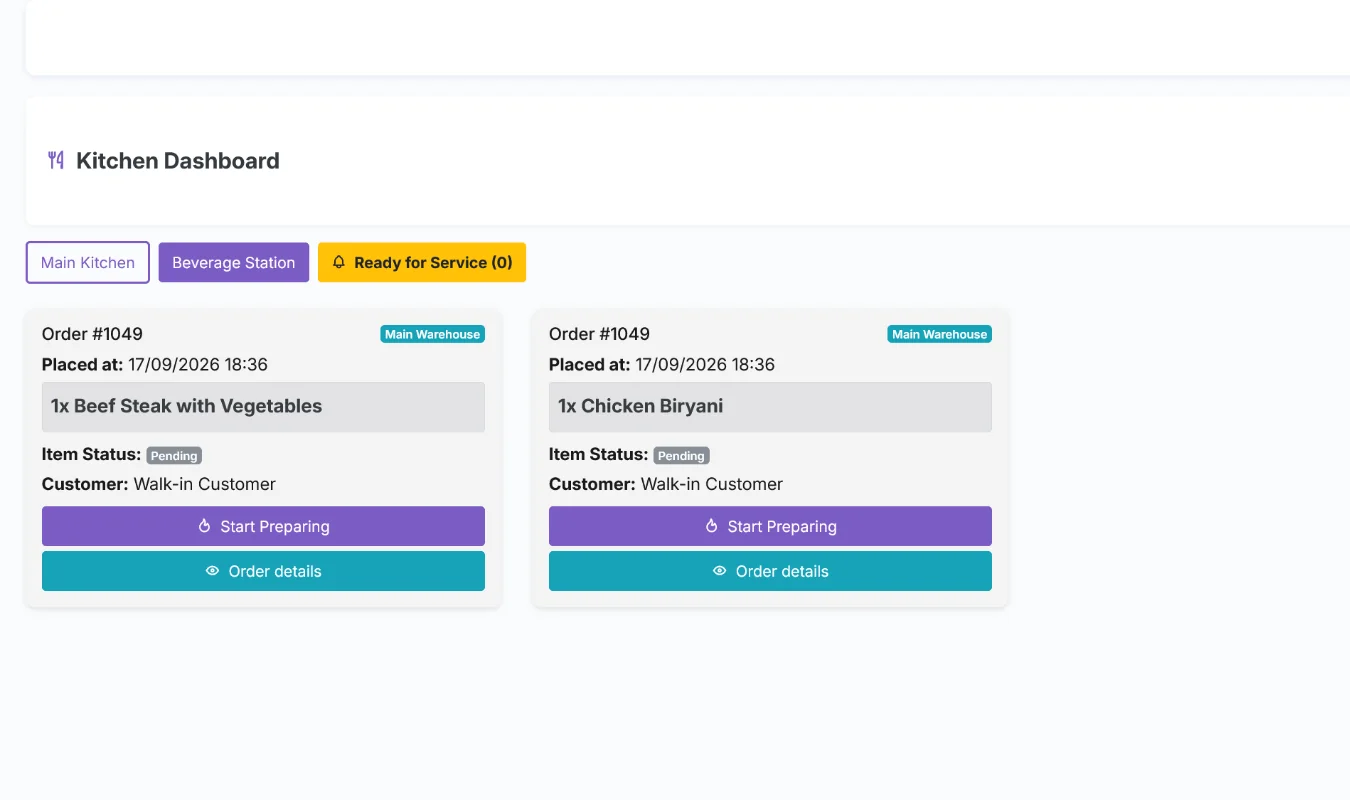
SalePro restaurant kitchen display dashboard
Kitchen DashboardReal SalePro screen
Restaurant workflow

Does SalePro cover the whole restaurant order path?

For many small and mid-sized restaurant operations, the useful question is not whether the POS can print a bill — it is whether the order can move cleanly from service type to preparation, payment and reporting.

01Take the orderDine-in, takeaway or delivery from the restaurant POS flow.
02Route preparationSend kitchen items into the KDS and manage preparation status.
03Finish paymentUse SalePro payment methods and complete the sale at POS.
04Keep operations connectedInventory, reporting and accounting remain in the same application.
What matters in a restaurant POS

The features are useful because they work together.

Tables and service types

Handle dine-in alongside takeaway and delivery without separating the rest of the business data.

Modifiers and choices

Support menu choices such as size, spice level, toppings or add-ons through restaurant modifier groups.

Kitchen display

Move ordered items into kitchen preparation and update status from the kitchen dashboard.

Shared inventory

Restaurant sales operate on the same SalePro inventory foundation used by products, purchases and warehouses.

POS payment flows

Use SalePro checkout, discounts and supported payment methods rather than running a separate restaurant billing application.

Reports and accounting

Keep operational activity connected to SalePro reporting and the integrated accounting workflows.

See the restaurant module

Evaluate the kitchen workflow, not just the checkout screen.

The public demo includes restaurant data and a kitchen dashboard. Test how an order moves through the application before deciding whether the standard workflow fits your operation.
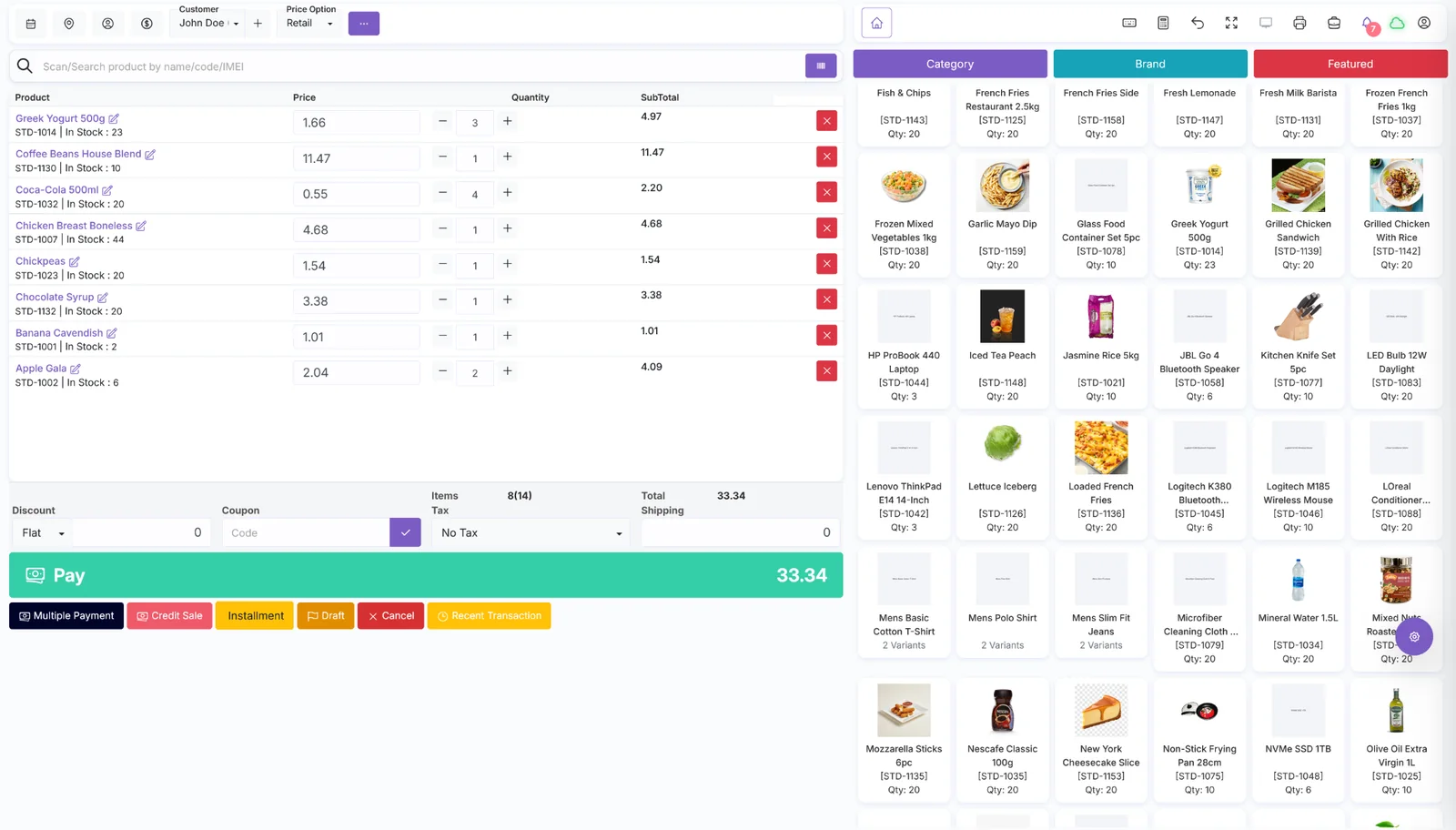
SalePro POS checkout screen used alongside restaurant workflows
SalePro POSCheckout + operations
Restaurant POS FAQ

Direct answers before you test it.

For special printers, local tax rules, delivery integrations or unusual kitchen workflows, customization can be scoped separately.

Does SalePro include restaurant POS?
Yes. Restaurant workflows are included with SalePro, including dine-in, takeaway and delivery service types, tables, modifiers and kitchen-display operations.
Does SalePro have a kitchen display system?
Yes. SalePro includes a kitchen dashboard so restaurant orders can move from POS into preparation and status handling.
Can SalePro handle takeaway and delivery as well as dine-in?
Yes. SalePro supports dine-in, takeaway and delivery workflows so the same system can serve more than one restaurant service model.
Can restaurant sales feed inventory and accounting?
SalePro connects restaurant sales with the same inventory, payment, reporting and accounting foundation used by the rest of the application.
Can LionCoders customize restaurant workflows?
Yes. LionCoders can scope restaurant-specific changes, integrations, reports or regional requirements when the standard SalePro workflow is not enough.

Want to see whether SalePro fits your restaurant?

Start with the live demo. If your workflow needs different service logic, integrations or reports, talk directly with the team behind SalePro.