Home/SalePro/Retail POS
Retail & supermarket POS

Checkout, stock and profit should tell the same story.

SalePro connects day-to-day retail checkout with products, warehouses, purchases, customer credit, accounting and profitability — in one self-hosted Laravel application.
Fast POSMulti-warehouseCustomer duePurchasingAccountingeCommerce
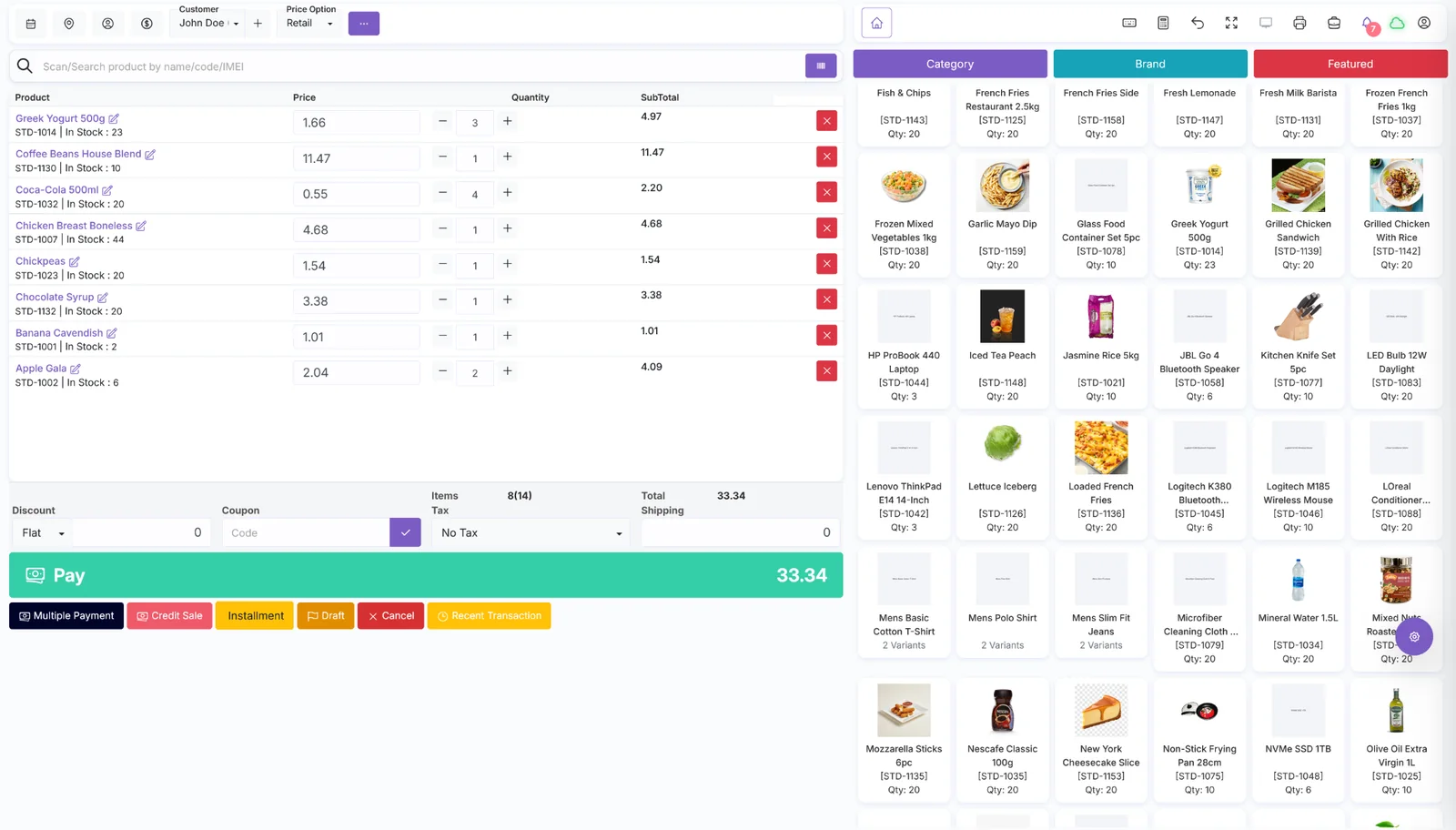
SalePro retail point of sale interface
Retail POSReal SalePro screen
Connected retail operations

What happens after the cashier completes a sale?

A useful retail system should do more than calculate a total. The sale needs to remain connected to stock, customer balances, payments, accounting and the reports used to run the business.
01SellScan or search products, adjust quantity, discounts and payment.
02Update stockKeep warehouse quantities and product movement in the same system.
03Track moneyRecord payment or customer due and feed the financial workflow.
04MeasureReview stock value, margin, customer due and profitability reports.
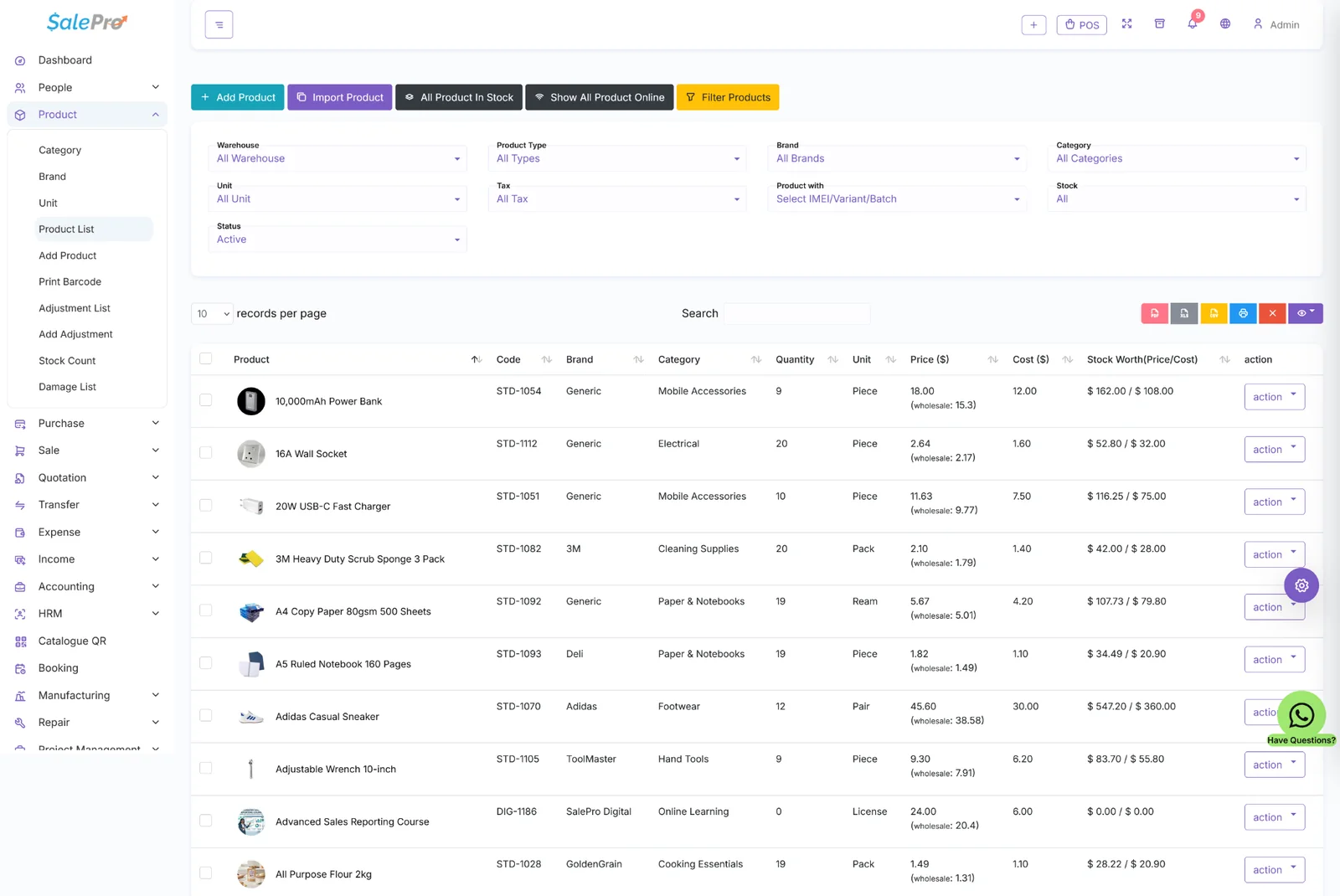
SalePro retail product and inventory list
InventoryProducts + warehouse stock
Stock control

Know what you have, where it is and what it is worth.

Use products, purchases, transfers and warehouse-level stock to keep inventory operational. SalePro also supports variants, batch/expiry and IMEI/serial workflows where the business needs them.

Multiple warehouses and stock transfers
Retail and wholesale pricing workflows
Batch / expiry and IMEI / serial support
Stock, value and profitability reporting
Financial visibility

Retail reporting should go beyond daily sales.

SalePro includes accounting and profitability views alongside customer due, stock and operational reports, giving owners a clearer view of what is selling and what remains outstanding.
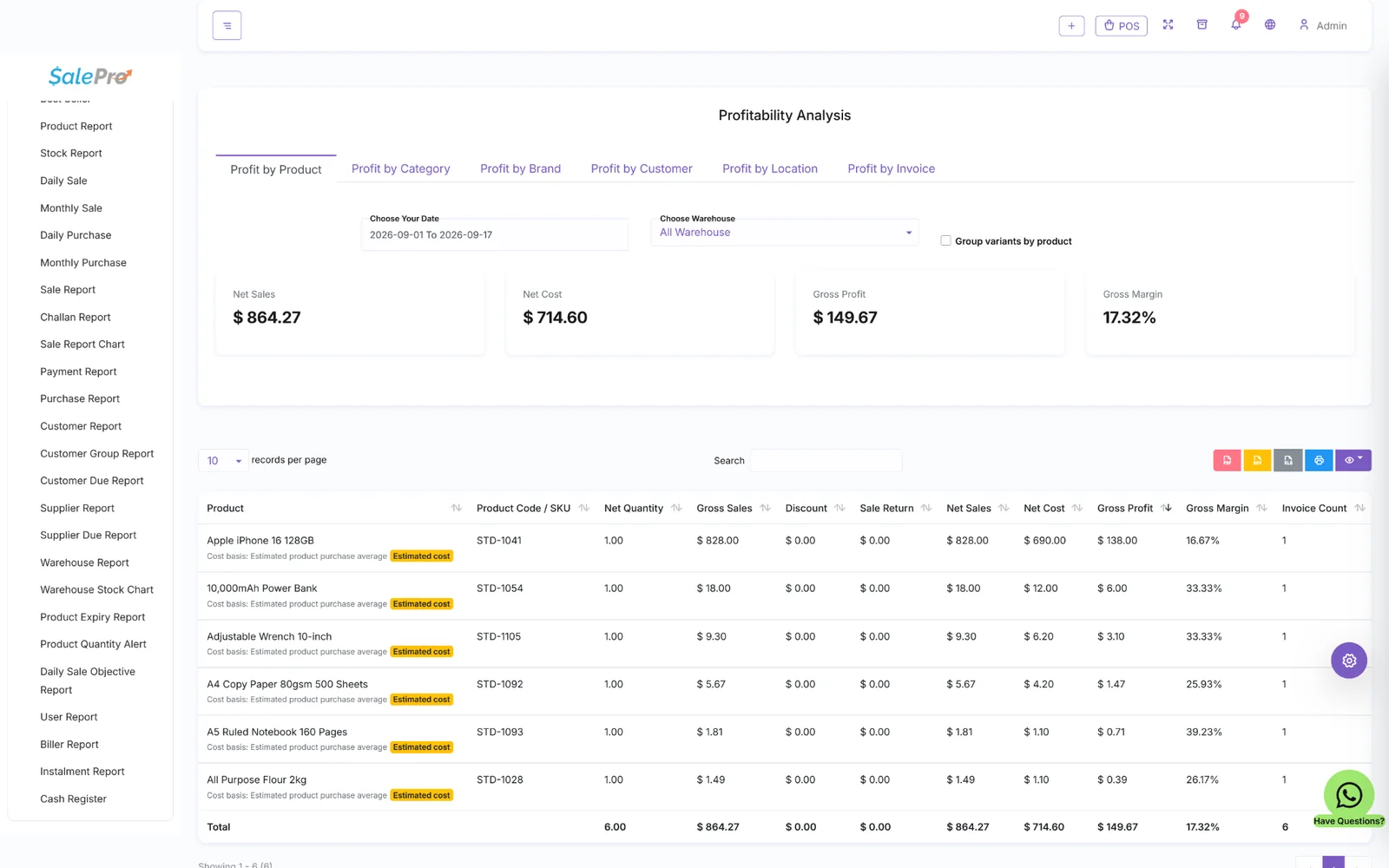
SalePro profitability analysis for retail operations
Profitability AnalysisProduct, category, brand, customer and location
Retail capabilities

A practical base for stores that need more than billing.

Counter checkout

Barcode/search-based checkout with discounts, credit, installments and multiple-payment workflows.

Warehouses

Separate inventory by location and move stock between warehouses while retaining operational visibility.

Customer balances

Handle credit sales and payments with customer-due reporting rather than relying on separate spreadsheets.

Purchasing

Bring purchasing and suppliers into the same product and stock workflow used by the sales side.

Online channels

SalePro eCommerce and WooCommerce Connector are included for businesses selling beyond the physical counter.

Accounting

Use SalePro's double-entry accounting and financial reports alongside the operational records that created them.

Retail POS FAQ

Questions retailers usually ask before switching systems.

Can SalePro be used as a retail or supermarket POS?
Yes. SalePro is built around POS, product, purchasing, warehouse and customer workflows that suit retail and supermarket-style operations.
Does SalePro support multiple warehouses?
Yes. SalePro supports multi-warehouse stock, transfers and warehouse-aware reporting so businesses can separate stock by location.
Can SalePro track customer credit and due amounts?
Yes. SalePro includes customer due, credit-sale and payment workflows alongside reporting for outstanding balances.
Does SalePro include inventory and accounting with POS?
Yes. POS, inventory and accounting are part of the same SalePro application rather than separate products that must be integrated later.
Can SalePro sell online as well as at the counter?
Yes. SalePro eCommerce and the WooCommerce Connector are included, allowing online sales to connect to the same product and inventory foundation.

Want to test SalePro with a retail workflow?

Use the live demo for checkout, product, stock and reporting. If your operation needs a special workflow or integration, LionCoders can scope it separately.