
Asset Assignment, Maintenance and Costs
Open Assets > Asset, then Asset History and Maintenance.
Last updated: 16 November 2026 · Product version: not specified in the supplied guide
Follow an asset from its history page
Open Assets > Asset, then Asset History and Maintenance. Select the asset to review its current assignee and recorded changes. Newly recorded changes keep their date and explanation. An older asset without history does not have a verified historic assignment start date; PeoplePro does not invent earlier handovers.
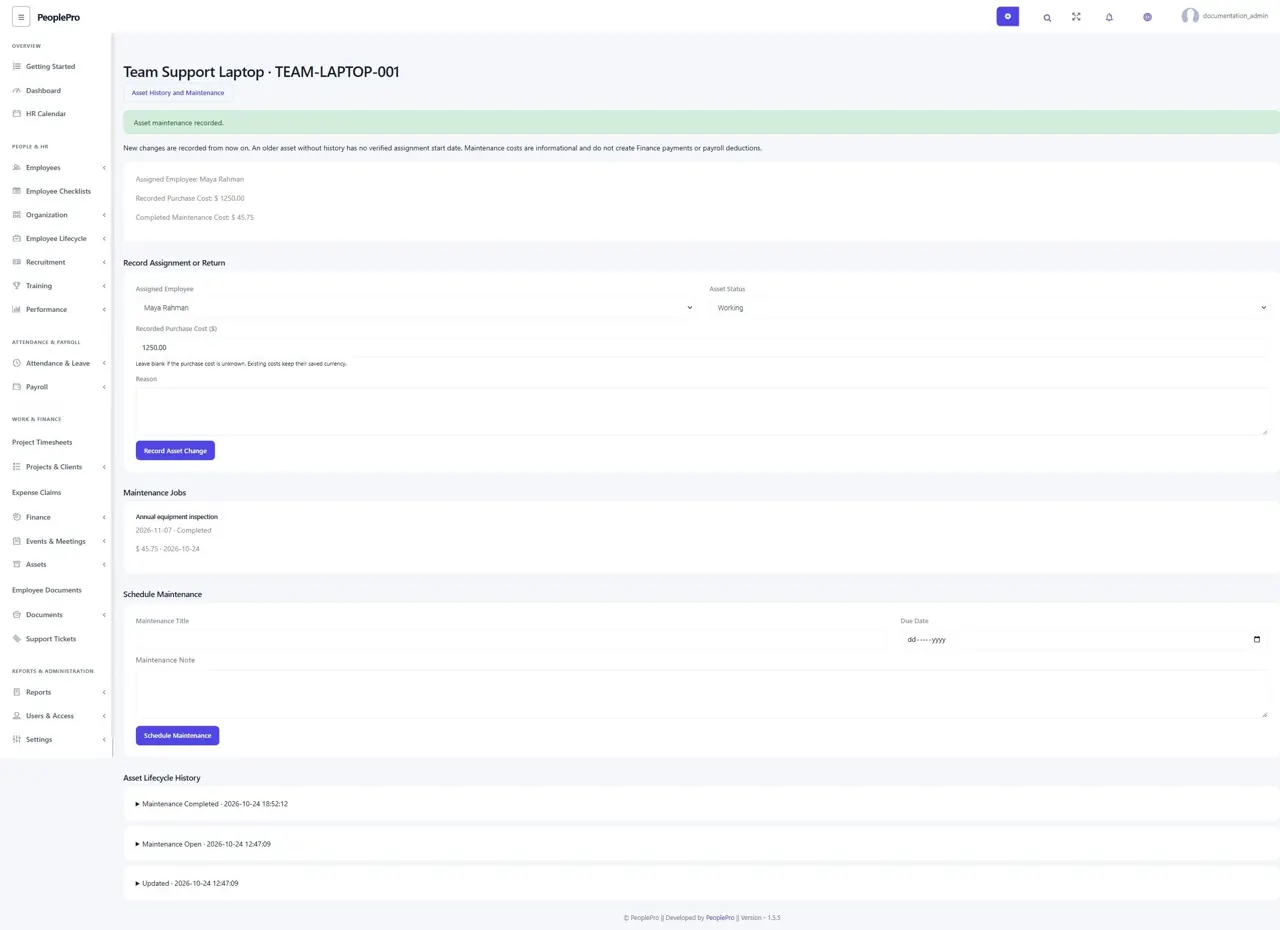
Record a handover, return or retirement
Authorized asset editors can choose an active employee from the asset company, change its working/maintenance status and enter a reason. Choose Unassigned / Returned when equipment is returned. Return it before selecting Retired or moving its holder to another company. A saved asset keeps its original company. Normal offboarding asset returns also appear in its retained history.
Schedule and close maintenance
Enter a maintenance title, due date and reason. When work is finished, open the job and record the completion date, actual cost and maintenance note before choosing Complete Maintenance. Cancel an unnecessary open job with a reason. A completed or cancelled job stays closed; schedule another job for later work.
Understand cost visibility and retention
Record a purchase cost when known; leave it blank when unknown. Costs retain their saved currency, and completed maintenance totals are grouped by currency. These are informational equipment records and do not create Finance payments, depreciation entries or payroll deductions. Employees see currently assigned equipment without private cost/history details. Retire an asset with retained evidence instead of deleting it.