Manage Warehouses, Branch Access, and Stock Transfers in SalePro
Stock is warehouse-specific; every purchase, sale, adjustment, and transfer must use an authorized warehouse.
Warehouses are the operational boundary for SalePro stock. A product’s company-wide quantity does not replace the warehouse quantity used by purchases, sales, transfers, and reports.
Configure a warehouse#
Create the warehouse under Settings > Warehouse, then assign users or operational rules. Test a restricted user against both the menu and direct URLs. Server-side checks reject browser-supplied warehouse IDs outside the user’s scope.
Warehouse selection is not a display filter: it determines stock availability, imported-layer provenance, register context, journal attribution, and report scope. A company-wide product total cannot satisfy a transaction when the selected warehouse lacks eligible stock.
Transfer stock#
- Open Transfer > Add Transfer.
- Choose different source and destination warehouses.
- Add active products and quantities available at the source, including the correct variant/batch identity where supported.
- Save and complete the status required by your process.
- Verify the Stock Ledger in both warehouses.
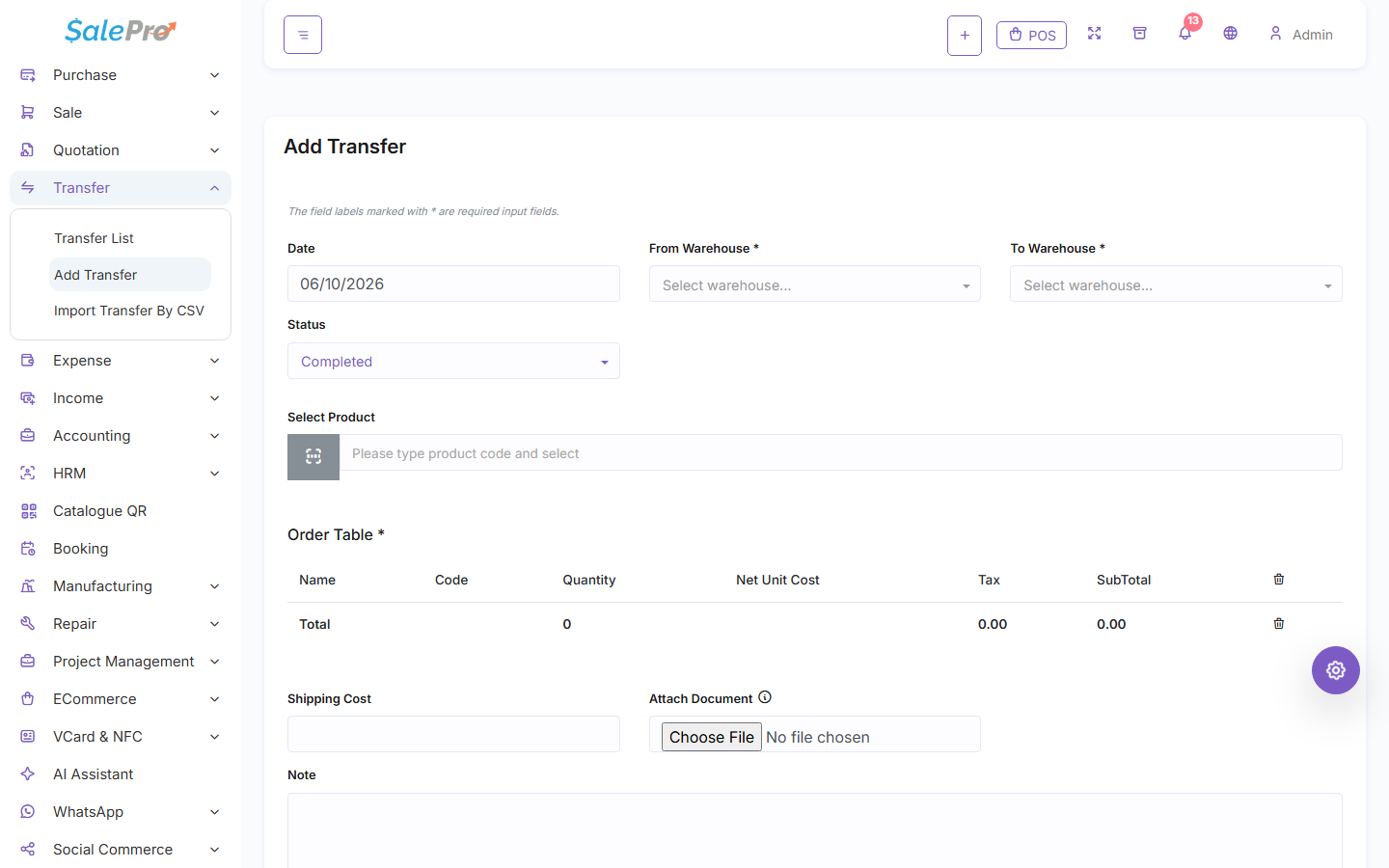
The transfer form requires distinct source and destination warehouses before products are added.
A transfer decreases source stock and increases destination stock; company total remains unchanged. It does not create revenue, a payable, or a General Ledger entry. For imported stock, FIFO allocation and landed-cost provenance move with the transferred quantity. A reversal can be blocked after downstream consumption.
A pending transfer does not move stock until its status reaches the implemented movement state; a completed transfer moves provenance only once. Source and destination must differ. Insufficient source quantity, unauthorized warehouse, invalid identity, or an imported layer already consumed downstream blocks the operation or reversal atomically. Verify both warehouse ledgers after an edit or delete. See Inventory operations and Import and landed cost.
If something is unclear, tell support which guide and section you were following.