Create Sales, Credit Sales, Payments, and Installments in SalePro
A completed sale consumes warehouse stock and creates revenue and customer balance effects; payments are separate reversible records.
Standard sale#
Before entry, create an active customer, biller or sale agent, authorized warehouse, active currency, products, sale units, tax rules, and any payment accounts. Open Sale > Add Sale, choose those records, then enter quantities, price, tax, discount, currency/rate, and payment. The base currency rate is 1; a foreign transaction requires a positive rate snapshot (up to eight decimals). A blank foreign rate is not inferred at posting time.
The Add Sale form brings customer, warehouse, currency, biller, and product entry into the same transaction context.
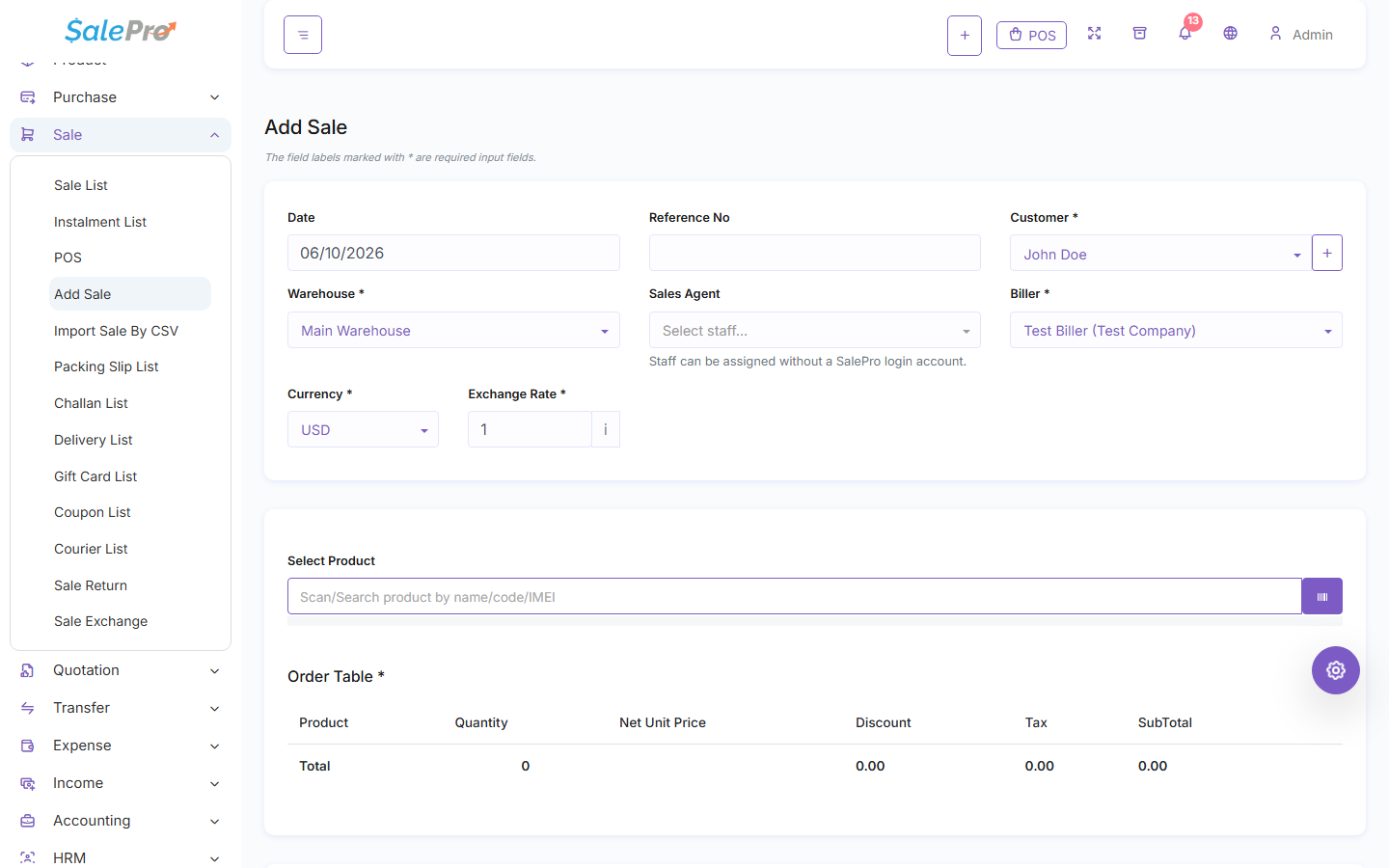
Saving a completed sale reduces stock in that warehouse and consumes eligible imported FIFO layers. Batch and IMEI/serial products require an eligible identity and sufficient quantity in the selected warehouse. Combo sales consume their component quantities. Accounting posts revenue/receivable, tax, cost effects, and verified payments through configured mappings. A draft does not create due or consume stock.
Credit and later payment#
Leave an allowed amount unpaid to create customer due. Walk-in customers cannot leave due. For a regular customer, blank Credit Limit means unlimited credit, zero requires full payment, and a positive amount caps existing due plus the new sale due. The exact limit is allowed. A fully paid sale bypasses the credit exposure check; inactive or missing customers are rejected. See Customer and supplier balances.
A later payment reduces due and updates the selected payment account without changing stock. Its currency and rate are stored separately, so a payment-specific rate can differ from the sale rate. Payment edits and deletion reverse the old account/journal and deposit/reward effect before applying the new one.
Installments#
Use an installment schedule only for an eligible regular-customer credit sale. The down payment may be zero; if positive, it creates one payment and only the financed balance is scheduled. Walk-in installments are rejected. Each collected installment must use the payment workflow and be reconciled to the Customer Due, Installment, and Payment reports. The installment plan does not create a second stock movement.
Correction and deletion#
Edit only through the sale screen so old stock, imported allocations, payments, deposits, rewards, gift-card value, and accounting can be reversed before the corrected sale is applied. The replacement sale is revalidated for stock, identity, currency, and credit; the original sale is excluded from its own credit calculation. Deleting or voiding restores supported stock and reverses journals once. Fiscal locks, external payments, downstream returns/exchanges, consumed imported allocations, closed periods, or ambiguous tracked identity can block a simple deletion.
If a save is rejected, correct the named prerequisite instead of creating a balancing transaction. The domain transaction rolls back before partial stock or accounting effects remain. For checkout details, see Point of Sale; for returns and exchange limits, see Returns and exchanges.
If something is unclear, tell support which guide and section you were following.