Use Customer Deposits, Gift Cards, Coupons, and Reward Points in SalePro
Validate eligibility before checkout; completed sales consume value and supported voids restore it once.
Configure reward earning/redeeming rules and create gift cards or coupons before checkout. At POS, select the correct customer, apply eligible value, and confirm the remaining amount before choosing payment tenders.
Customer deposits#
A deposit belongs to a regular customer. Available value is gross deposits − consumed deposit payments. A live deposit must be positive and requires a valid receiving account when double-entry Accounting is active. Checkout and due clearing reject an amount above the available balance and reject Walk-in use. Editing or deleting a funding record cannot reduce gross value below the amount already consumed.
Gift cards and coupons#
Create the card or coupon before checkout and check active dates, remaining balance or discount limits, and any customer/product eligibility shown by the form. Issuing and recharging a gift card records liability value; redemption reduces that liability. Sale deletion or supported payment reversal restores only value consumed by that transaction. A gift card with unused value cannot be deactivated; after full use, its issue/recharge history remains auditable.
A coupon changes the sale calculation; it is not a cash payment. Recalculate tax and due from the accepted server quote rather than a stale browser total.
Reward points#
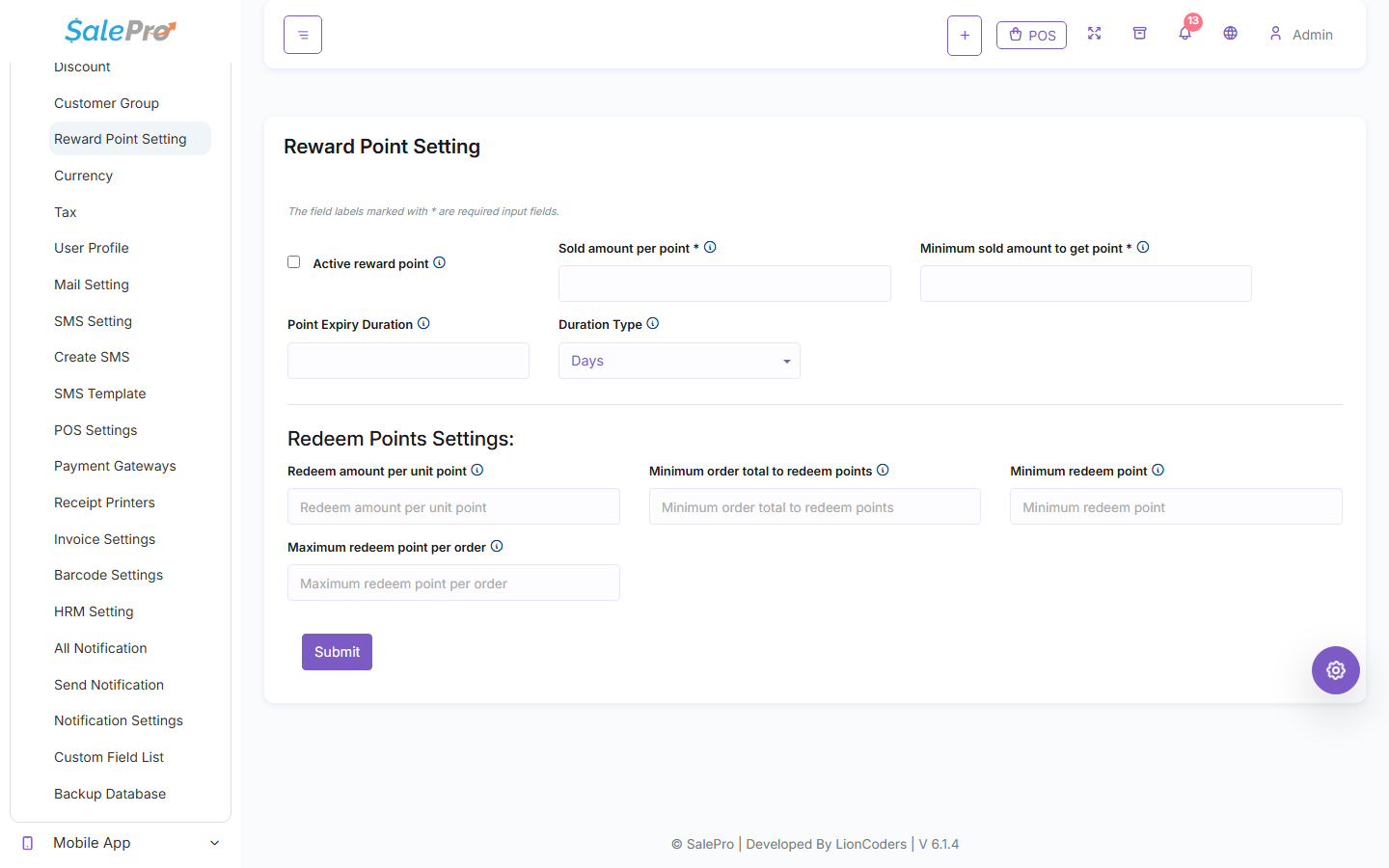
An active reward setting controls the earning rate, minimum sale amount, validity duration, redemption rate, minimum order total, and minimum/maximum redemption. Only completed regular-customer sales earn automatic points; Walk-in, drafts, and sales below the threshold do not. Foreign-currency earning and redemption use the stored base-currency amount. Expired points are removed before redemption.
The Reward Point Setting screen defines the earn and redeem thresholds applied at checkout.
Redemption cannot exceed the customer's authoritative point balance or the amount still due after other payments. Partial returns reverse earned points proportionally; sale/payment reversal restores or removes points once. Reward liability postings do not move cash.
These instruments do not create extra stock movements; the sale does. A rejected eligibility or balance check leaves the sale, stock, instrument balance, and accounting unchanged. Use the supported reversal; do not manually credit value a second time. See POS tender rules, Sales and installments, and Customer balances.
If something is unclear, tell support which guide and section you were following.