Configure Your SalePro Business, Currency, Tax, and Payments
Set the base business rules before users enter stock or financial transactions; later changes should not rewrite history.
Use Settings to define business identity, locale, currency, tax, document, and communication defaults. These settings affect later workflows; they are not a safe tool for rewriting historical transactions.
Core configuration#
- Set the legal/business name, address, contact details, locale, time zone, date format, and number precision.
- Select the base currency before entering transactions. Its transaction rate must be 1. In supported foreign-currency workflows, SalePro requires a positive rate snapshot (maximum eight decimal places) and normalizes base amount as transaction amount divided by that rate. Blank, zero, negative, nonnumeric, or implausibly large rates are rejected; SalePro does not silently repair historical rates.
- Create tax rates and assign them to products or transactions as required by your jurisdiction.
- Configure payment accounts before accepting money. A payment method and the ledger account receiving it are separate concepts.
- Add provider credentials only for flows your team has tested. A visible provider field does not prove live settlement is certified.
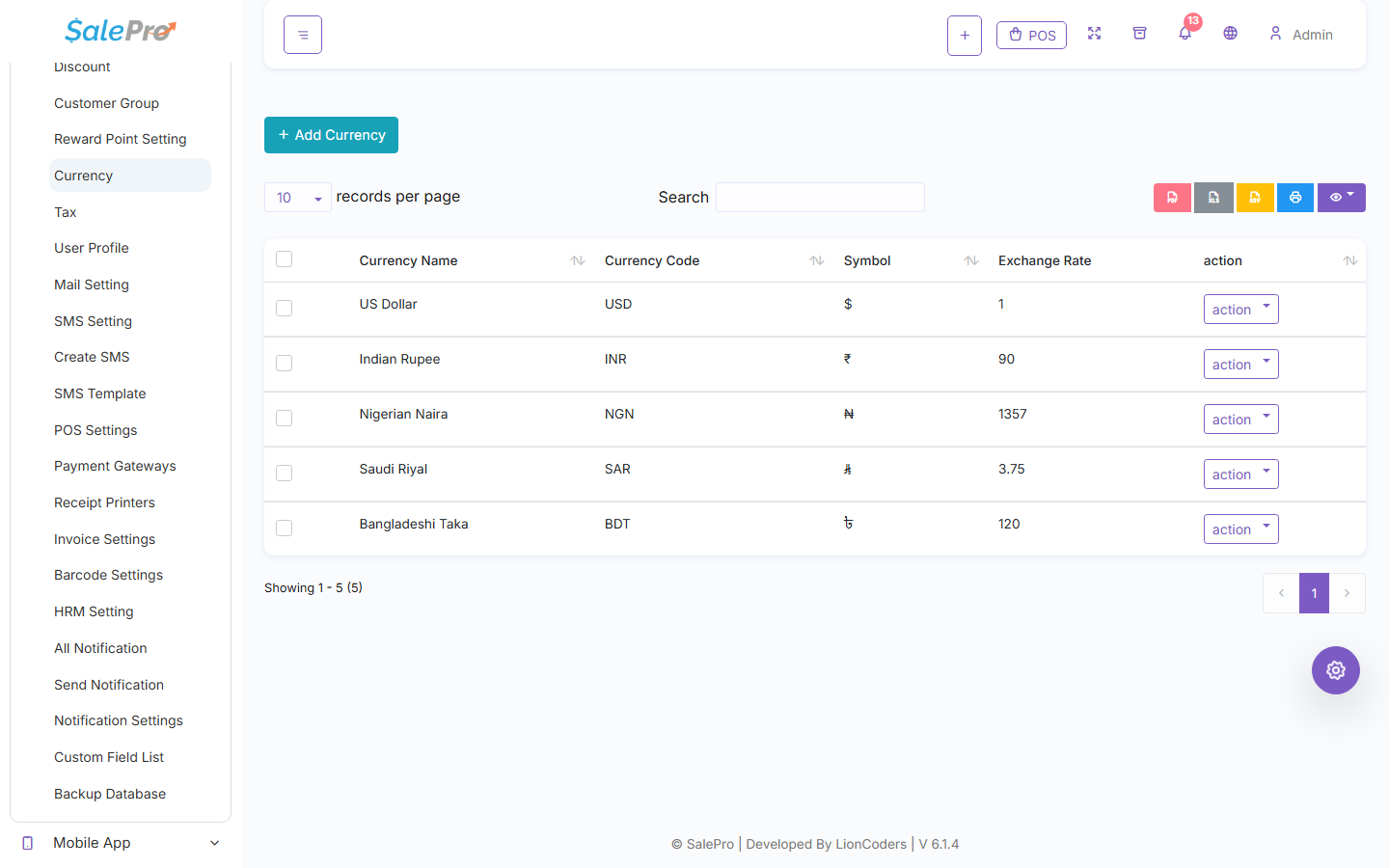
The Currency list shows each active code and the stored rate used by supported foreign-currency workflows.
Units and transaction masters#
Create a root unit before any derived sale or purchase unit. A root unit defaults to multiplication by 1. A derived unit must point directly to a different active root unit, use * or /, and have a conversion value greater than zero. Self-reference, cycles, a derived-as-base chain, and changing a root with children into a derived unit are blocked. Product sale and purchase units must remain compatible with the product's root unit.
Create warehouses, customer/supplier records, billers, taxes, and payment accounts before transactions that depend on them. Blank optional fields remain blank/default; they do not manufacture a missing legal identifier, exchange rate, account mapping, or stock identity.
Effects and corrections#
Settings do not change stock by themselves. Currency, tax, and payment-account settings affect later accounting and reports. Correct a transaction through its supported edit, return, refund, or reversal workflow—never by changing a master setting and expecting history to recalculate.
See Products and catalogue, Warehouse operations, and Accounting activation before live entry.
Important payment boundary#
Legacy PayPal POS and Mpesa are not canonical automatic POS settlement in this release. Live providers require deployment-specific capture, refund, callback, and reconciliation checks. A browser success message alone is not payment evidence.
If something is unclear, tell support which guide and section you were following.