Adjust, Count, Damage, and Audit Inventory in SalePro
Inventory changes are warehouse-specific and must be verified in the Stock Ledger; accounting valuation is periodic where documented.
Use inventory workflows to explain a physical change. Do not edit aggregate quantities directly.
Quantity adjustment#
Select an authorized warehouse, active product/variant, increase/decrease action, positive quantity, and reference. Saving changes product and warehouse quantity. A decrease requires sufficient eligible stock; a missing warehouse-stock row may be created for an increase but cannot satisfy a decrease. With Accounting active and mappings available, the adjustment posts inventory against the configured adjustment/expense account immediately. Periodic inventory close reconciles remaining book inventory to operational valuation; it does not duplicate an adjustment already posted. Editing/deleting a supported adjustment reverses its stock and journal effect before reposting or removal.
Stock count#
Create a count for one authorized warehouse, compare physical and system quantities, and finalize the authorized correction. Count rows and their system quantity belong to that warehouse; a supplied warehouse ID cannot redirect them. Finalization creates the correction once. Verify the resulting adjustment and Stock Ledger.
Damage#
Record a positive damaged quantity against an authorized warehouse with enough eligible stock. Supported imported stock consumes FIFO cost provenance. With Accounting active, damage posts inventory reduction against the configured expense account. Imported batch/IMEI identities that the damage schema cannot retain are rejected rather than approximated. Supported edit/delete reverses the original stock, FIFO, and journal effect; downstream consumption or ambiguous identity can block reversal.
Audit#
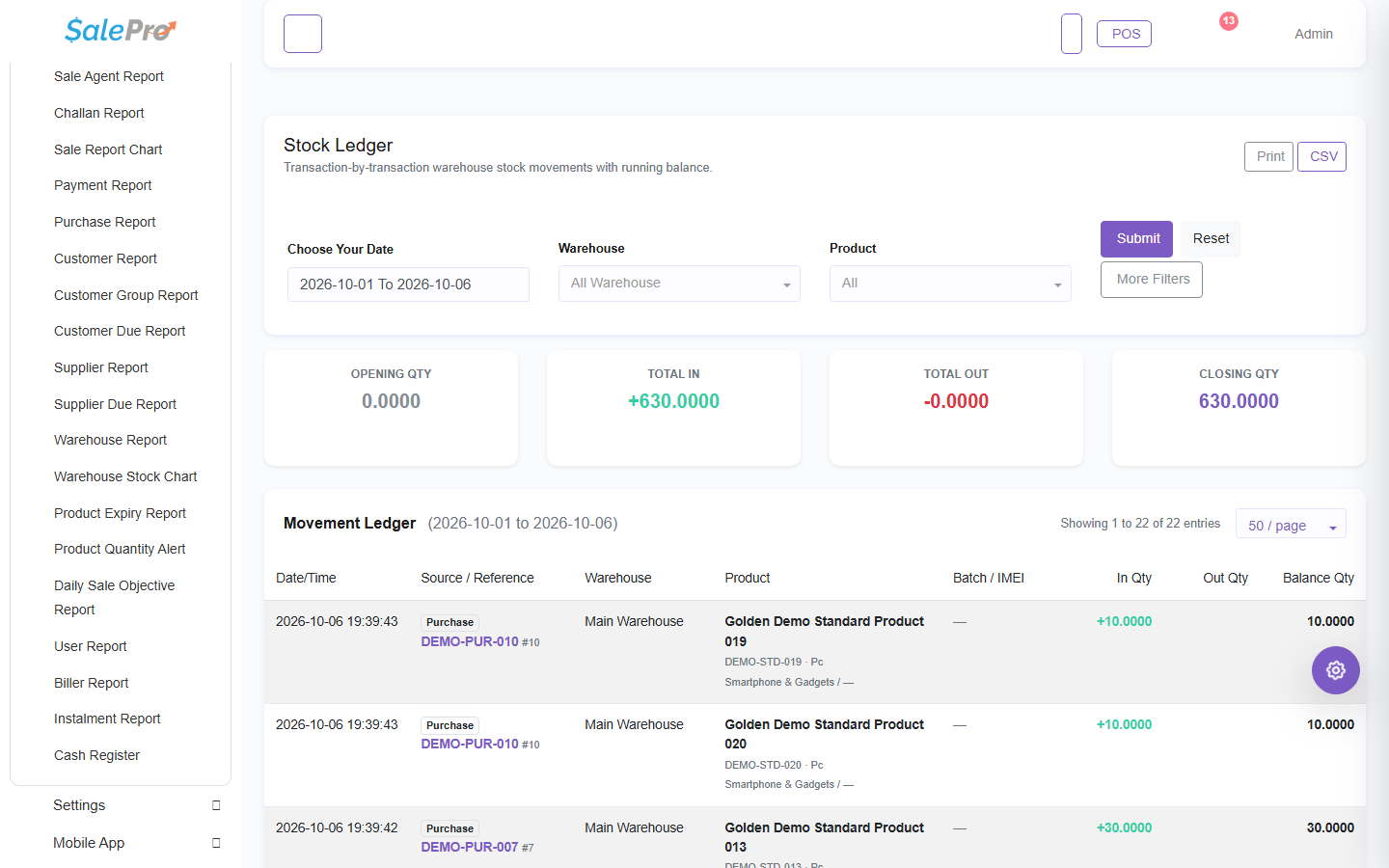
Use Reports > Stock for balances and Reports > Stock Ledger for movements. Filter by the authorized warehouse. For imported stock, use the batch profitability report for remaining quantity/value and realized COGS.
If something is unclear, tell support which guide and section you were following.