Create Purchases, Pay Suppliers, and Record Purchase Returns in SalePro
A purchase receives stock into one warehouse and creates a supplier payable; payments and returns change that payable through separate controlled workflows.
Create a purchase#
Before entry, create an active supplier, authorized receiving warehouse, products with compatible purchase units, currency, tax rules, and any payment account. Open Purchase > Add Purchase, choose those records, then add positive quantities, batch/IMEI data where applicable, tax, discount, shipping, currency/rate, and any initial payment. Base-currency purchases require rate 1; foreign purchases require a positive stored rate. Confirm quantities, tracked identities, and totals before saving.
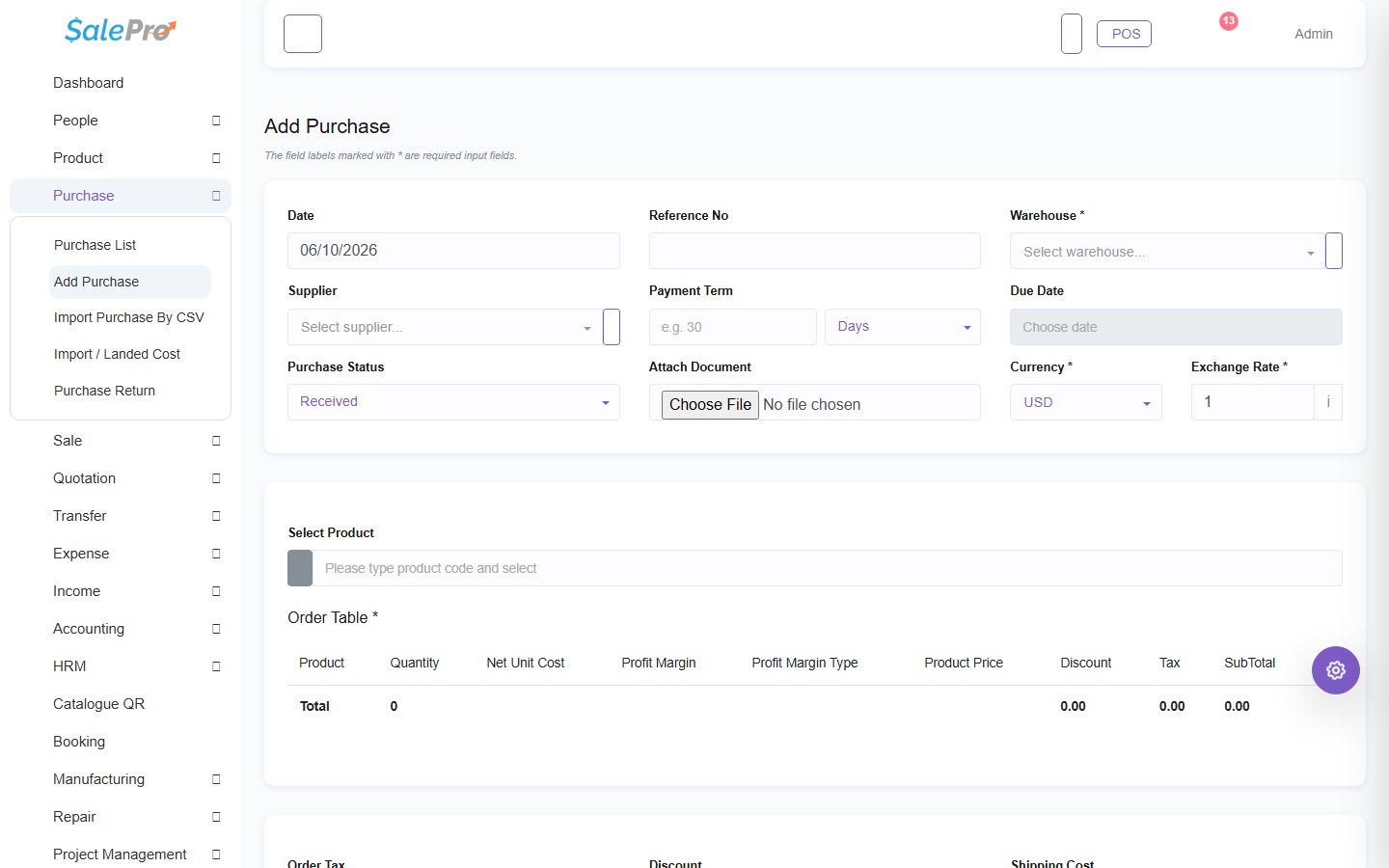
Saving a completed purchase increases stock in the receiving warehouse and increases the supplier payable, less verified payment. Draft/pending status follows the status rules shown by the form and must not be assumed to have the same stock effect as a completed receipt. With Accounting active, SalePro posts the purchase and payment using configured mappings. Foreign amounts are normalized from the stored transaction snapshot.
Pay a supplier#
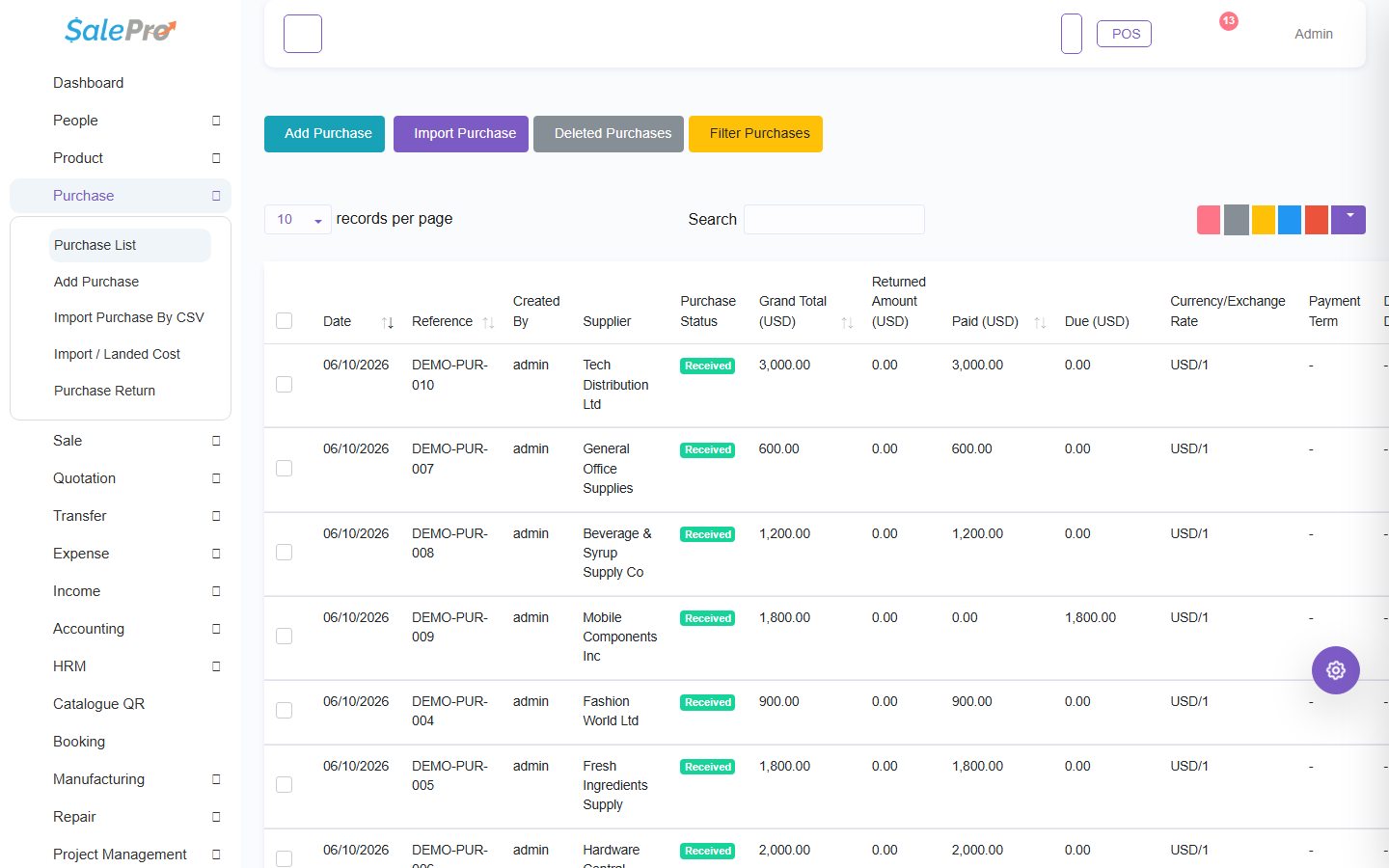
From the Purchase List, add a positive payment no greater than the allocatable due using an active, permitted payment account and valid currency/rate. This does not change stock. It reduces the purchase/supplier due and posts the payment. Editing or deleting the payment reverses the old journal/account effect before applying the correction. Supplier clear-due distributes payment through the canonical payable records; do not directly edit the supplier aggregate.
Return a purchase#
Create a purchase return from eligible, unreturned source-line quantities in the same authorized warehouse and preserved product/variant/batch identity. A return cannot exceed received quantity or redirect stock with a foreign line identifier. Stock decreases in the relevant warehouse; the supplier payable is reduced or a refund is recorded. Applicable input tax is reversed. Historical return rows with unknown source-line provenance remain unknown; SalePro does not guess the original line. Delete/reversal is blocked when later activity prevents exact restoration.
Verify afterward#
Check the Purchase Report, Supplier Due Report, Stock Ledger, Account Statement, and General Ledger. Use Import / Landed Cost only after the underlying purchases are correct.
See Tracked identity rules, Returns and exchanges, and Import and landed cost.
If something is unclear, tell support which guide and section you were following.