Manage Customers, Suppliers, Deposits, and Due Balances in SalePro
Party balances should be changed only by sales, purchases, returns, deposits, and payments—not direct balance edits.
Create customers, customer groups, and suppliers before transactions. Legal/tax identifiers should be correct before a tax snapshot is created; later master edits do not rewrite locked historical snapshots.
Customer prerequisites and credit policy#
Use an active regular customer for credit, installments, deposits, and rewards. The Walk-in customer is a cash customer: SalePro rejects a Walk-in sale that would leave due and does not allow Walk-in deposit spending. Drafts do not consume credit, stock, or deposit value.
The customer Credit Limit has three distinct states:
| Credit Limit value | Result |
|---|---|
| Blank | Unlimited credit; existing due is still reported |
0 |
No new due; the sale must be fully paid |
| Positive amount | Existing operational due plus the new sale due may not exceed the amount |
The customer form stores the Credit Limit alongside the customer identity used by credit validation.
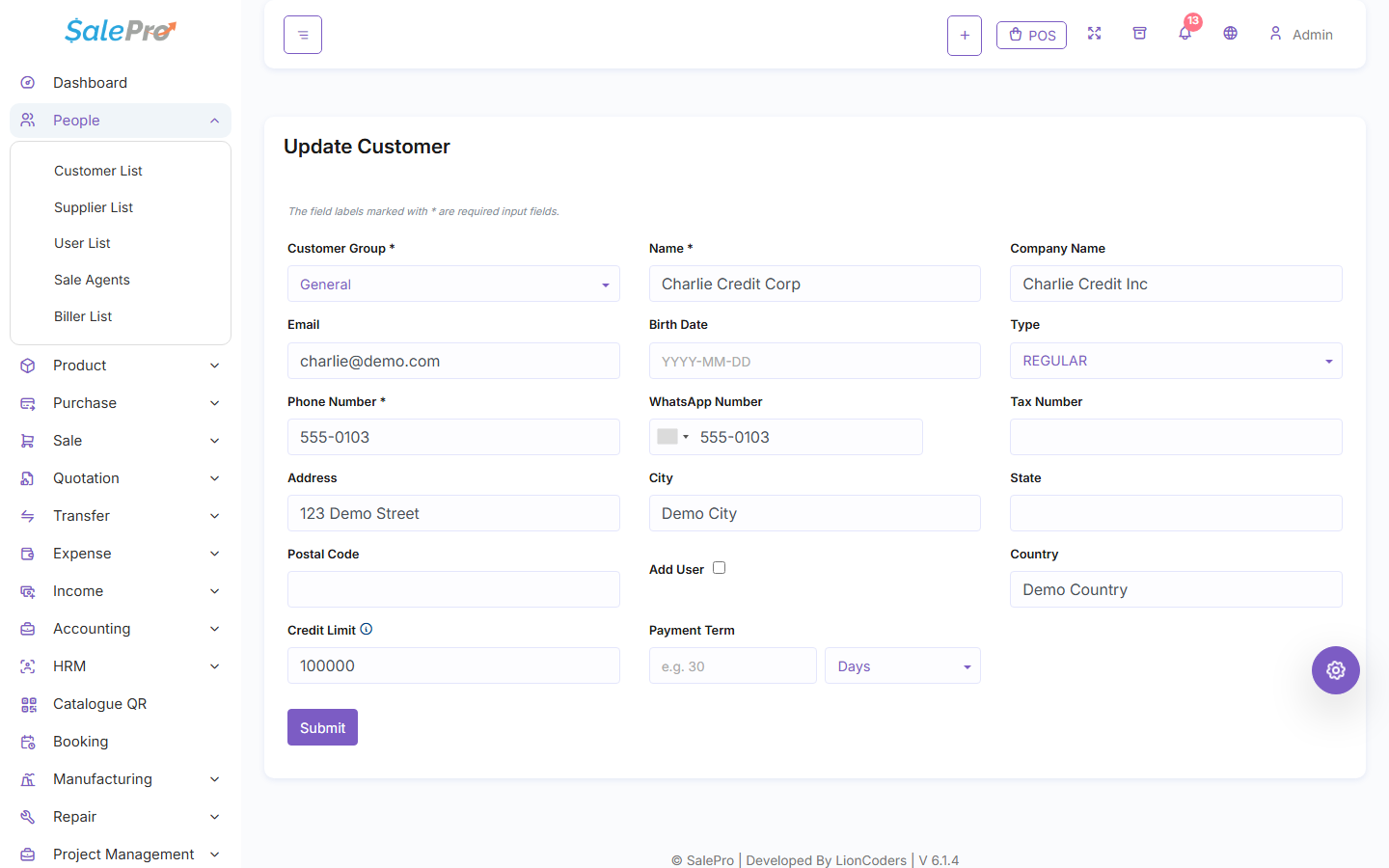
An amount exactly at the limit is allowed. A negative limit is invalid. Fully paid sales are allowed even when the limit is zero or already exhausted. On sale edit, SalePro removes the original sale from the due calculation and validates the replacement result. A failed check leaves stock, payments, deposits, and accounting unchanged.
Customer receivable changes through completed sales, sale payments, returns, exchanges, and approved due-clearing. Supplier payable changes through purchases, purchase payments, and purchase returns. Opening balances are cutover data, not a shortcut for correcting live transactions. Use payment history, Customer Due, and Supplier Due reports to reconcile rather than editing aggregate balances directly.
Deposits and due clearing#
A customer deposit is value held for future use. Available deposit is the funded gross amount less the amount already consumed. Adding a live deposit requires a positive amount and, when double-entry Accounting is active, a valid receiving payment account. Spending more than the available balance is rejected atomically.
Applying a deposit at checkout or through customer due clearing consumes it once and reduces sale due; editing or deleting the related payment reconciles that consumption once. You cannot reduce or delete a deposit below its already-consumed amount. Historical unclassified deposits can be blocked from edit/delete in double-entry mode until remediated. An eligible sale void restores deposit value once.
Supplier clear-due payments must use the canonical payment workflow and a valid payment account. They change payable and cash/accounting, not stock. See Sales and credit, POS and tender rules, and Deposits, gift cards, and rewards.
If something is unclear, tell support which guide and section you were following.