
Subscription Operations
Open Operations from Workspace management.
Last updated: 16 November 2026 · Product version: not specified in the supplied guide
Review subscription operations
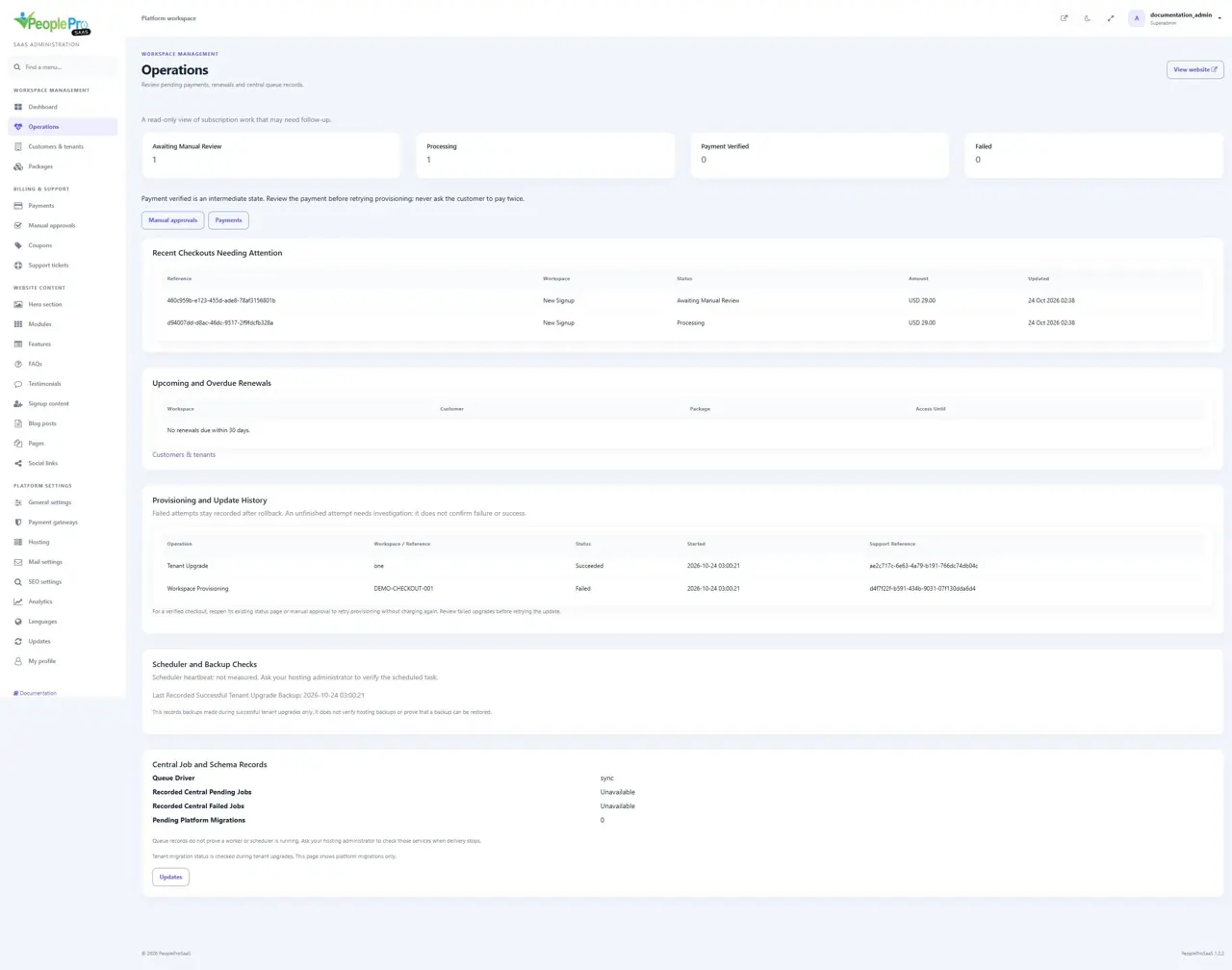
Open Operations from Workspace management. The four counters show manual-review, processing, payment-verified and failed checkouts. Review the linked manual approvals or payment history before retrying a pending workflow. Payment Verified is an intermediate state, so confirm the earlier payment before asking a customer to pay again. This page is read-only and does not start payments, renewal or provisioning.
Follow renewals and central job records
Operations lists upcoming/overdue renewal dates and central queue/schema records. Unavailable means a recorded count is not available; it does not mean zero failures. Queue records do not prove a worker or scheduler is running. Ask the hosting administrator to inspect those services when delivery stops. The operation history retains provisioning, renewal and update attempts, including failures that rolled back. Use the support reference when investigating. Unfinished is not proof of failure: check the earlier result before retrying. A verified checkout can use its existing status/manual-approval flow without charging again. The backup timestamp covers only recorded successful tenant-upgrade backups, not hosting backups or a restore test. Scheduler heartbeat is explicitly unmeasured. Pending Platform Migrations describes the landlord schema.
Help an owner understand plan usage
An active tenant administrator can open Plan & Usage in their own workspace to review account/employee limits, included modules and recent linked billing records. Owners can print a confirmed payment record; it is not a tax invoice. An unknown original currency is shown honestly. Company Setup Progress summarizes the permission/package-available Getting Started steps and links back to that guide. Inactive records count toward the same limits used when creating records; zero means unlimited. A pending/manual payment does not extend access until confirmed. Renewal uses the existing owner-verification and checkout flow. The tenant HR handbook remains separate from this platform administration guide.