
Packages, Trial Access and Feature Limits
Open Packages to maintain the plans shown to customers.
Last updated: 16 November 2026 · Product version: not specified in the supplied guide
Review available packages
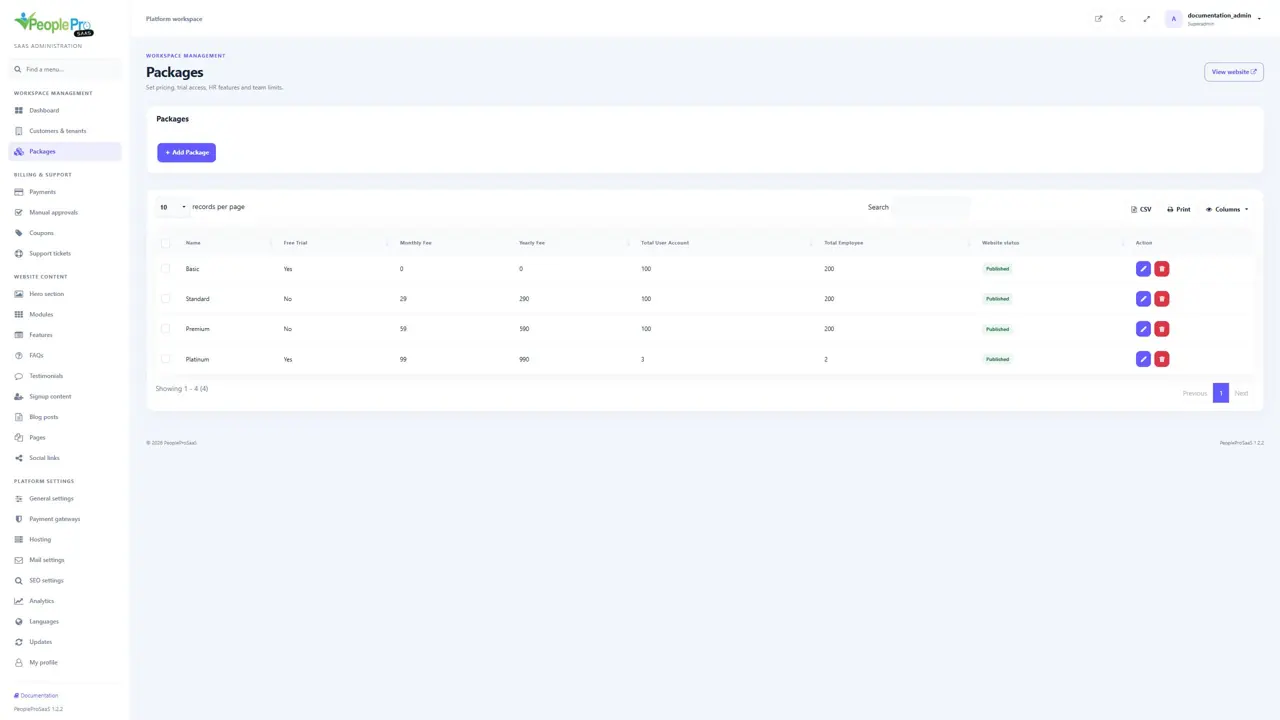
Open Packages to maintain the plans shown to customers. Search the list and review the monthly and yearly prices, account and employee limits, trial setting and website visibility. Use Edit for an existing package or Add Package for a new one. Package names are your own product names, such as Basic or Premium; the screenshots show example prices only.
Create or edit a package
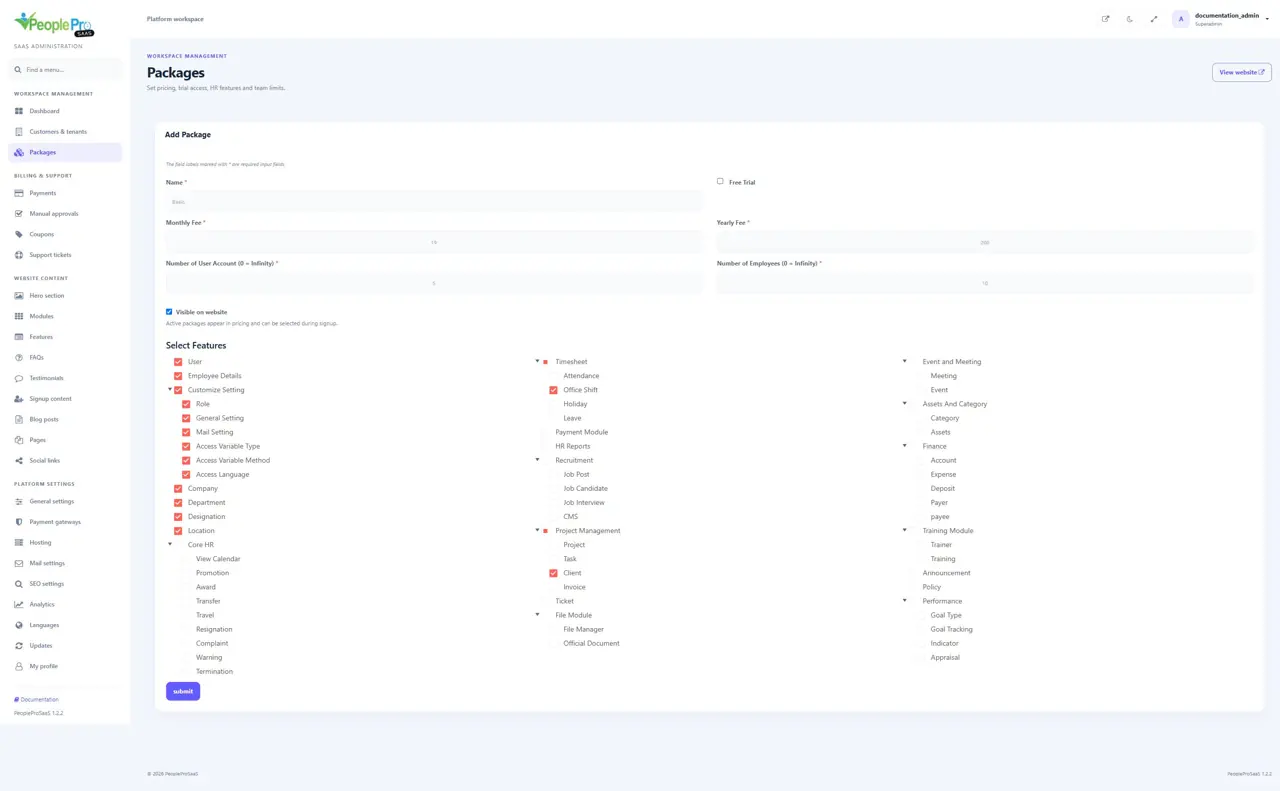
Enter a clear package name, monthly fee and yearly fee. Set the maximum user accounts and employees. Use zero for unlimited access to the corresponding count; the public page identifies those limits as Unlimited rather than showing zero employees. User accounts and employee records are separate limits. Choose the included feature groups and save after checking the full combination of price, limits and features.
Select the HR features included in a package
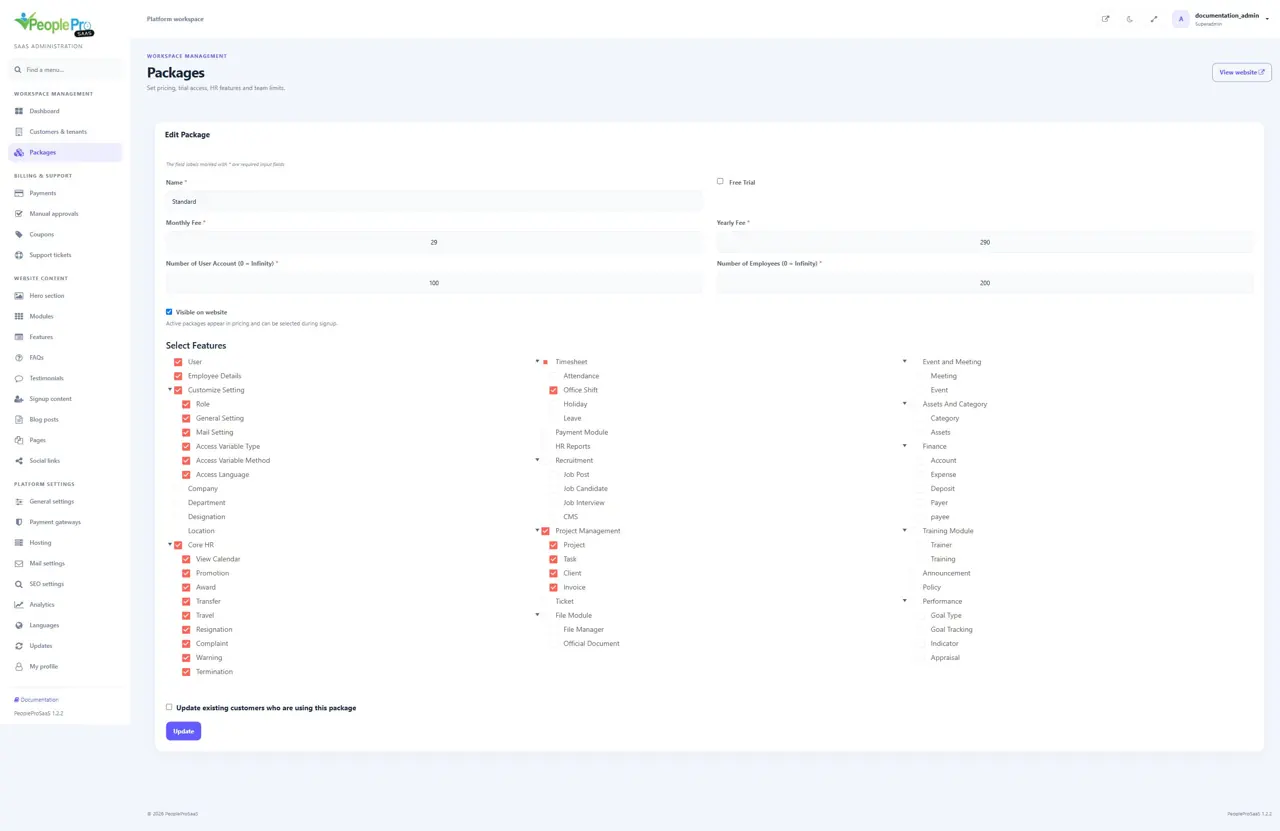
Use Select Features to choose the modules and their subgroups. Full group names identify areas such as Customize Setting, Timesheet, HR Reports, Finance and Performance. Expanding a group lets you review its smaller areas. Selecting a group selects its children. A customer role cannot enable a feature excluded from the subscription package, including for tenant administrators. Choose a package that includes the modules the customer actually needs.
Configure free trials
Enable Free Trial only for a package that should provide trial access. The duration comes from General settings > Free Trial Limit, expressed in days. The public pricing card shows the configured monthly or yearly subscription price and a separate free-trial badge. The signup summary explains the free trial before the workspace is created. A trial is time-limited access; it does not automatically charge the displayed subscription fee. Customers choose an appropriate paid plan to continue afterward.
Publish or hide a package
Use Visible on website to control whether a package appears in public pricing and can be selected during signup. Saving an existing package preserves its visibility unless you change that setting. Review the homepage after saving. Hiding a package is different from deactivating a customer workspace; inspect existing subscriptions before removing a plan from your catalogue.
Apply package changes to existing customers
When the editor offers Update existing customers who are using this package, decide whether the change should also reach those customers. Review the impact on limits and modules before selecting it. Existing HR records are separate from the package definition. After changing a live package, check a customer using that package and confirm that the visible modules and creation limits match the intended offer.
Remove an unused package
Use the delete action on Packages only for a plan you intend to remove, then review the confirmation. A package that still has customer workspaces cannot be removed by this action. Move those customers to an appropriate package through Customers & tenants when retiring a plan. Hiding the old plan from the website can stop new signups while you review existing customers. Do not delete customer workspaces simply to remove a package.