
Hosting, Domains and Tenant Databases
Open Hosting to configure how future workspaces and their databases are provisioned.
Last updated: 16 November 2026 · Product version: not specified in the supplied guide
Understand what Hosting settings change
Open Hosting to configure how future workspaces and their databases are provisioned. Choose the provider, review the database connection and prefix, then complete that provider settings and the domain setup. Saving these settings does not move existing tenant databases or call the hosting API immediately. Existing workspaces retain their saved connections. Verify a small test workspace before relying on a new hosting configuration.
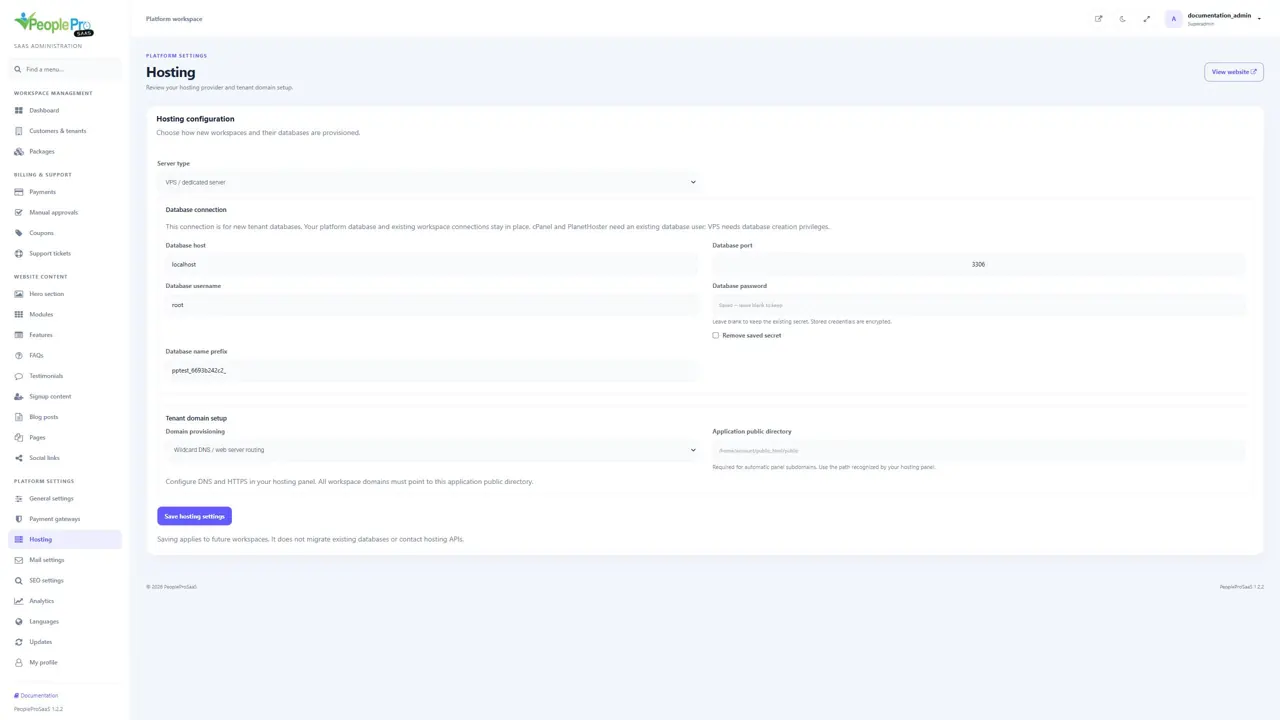
VPS or dedicated MySQL
Choose VPS / dedicated server. Enter the database host, port, username, password and the prefix used for new tenant databases. The database account must have the required permission to create and manage those databases. Configure wildcard DNS, your web-server virtual host and HTTPS so tenant domains point to the application public directory. This is also the provider choice for a dedicated MySQL arrangement.
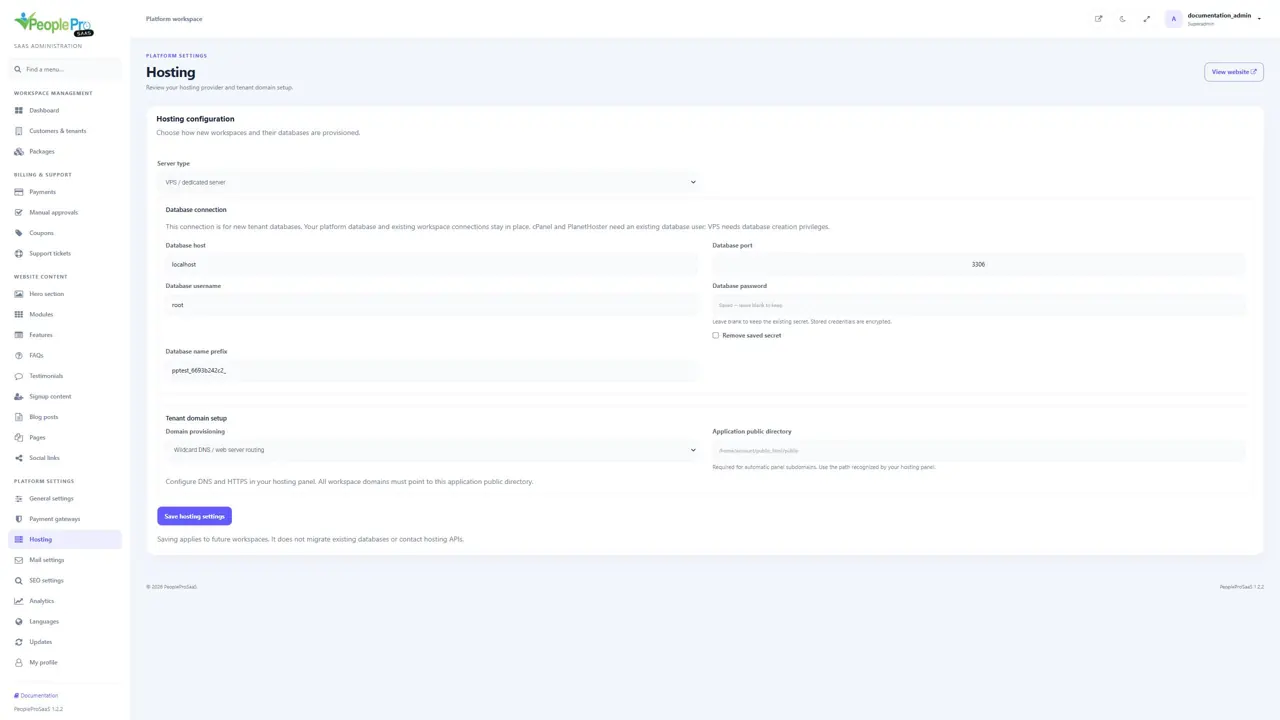
cPanel
Choose cPanel and complete the shared database connection, Panel hostname, cPanel username and API token. Use an account allowed to create databases and assign the intended existing database user. Include the hosting account prefix where cPanel requires it. Use wildcard routing, or choose automatic panel subdomains with the correct public directory. The panel hostname needs a trusted HTTPS certificate.
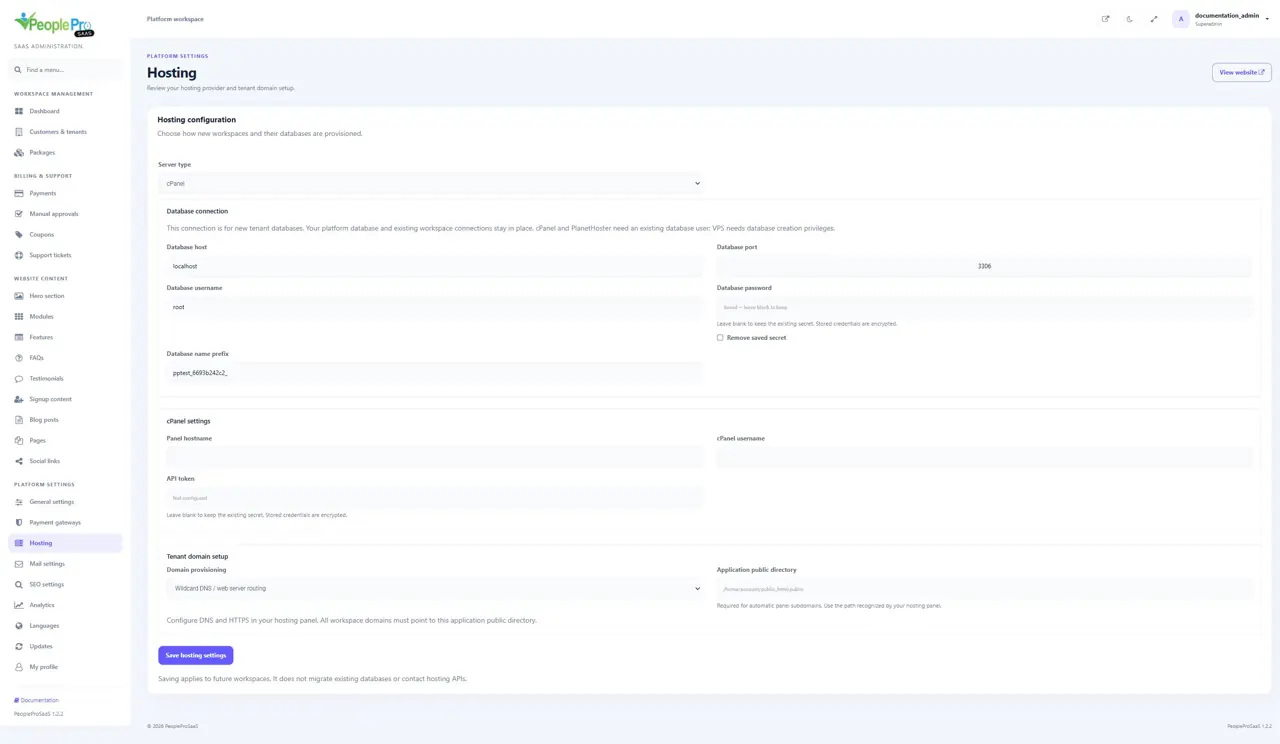
Plesk
Choose Plesk and enter the database connection and panel hostname. Provide an API key, or the alternative panel username and password. Enter the Subscription / webspace ID; supply Database server ID if your hosting configuration requires it. Plesk provisions a separate database user for a new tenant. Automatic panel subdomains also need the public directory recognized by the subscription.
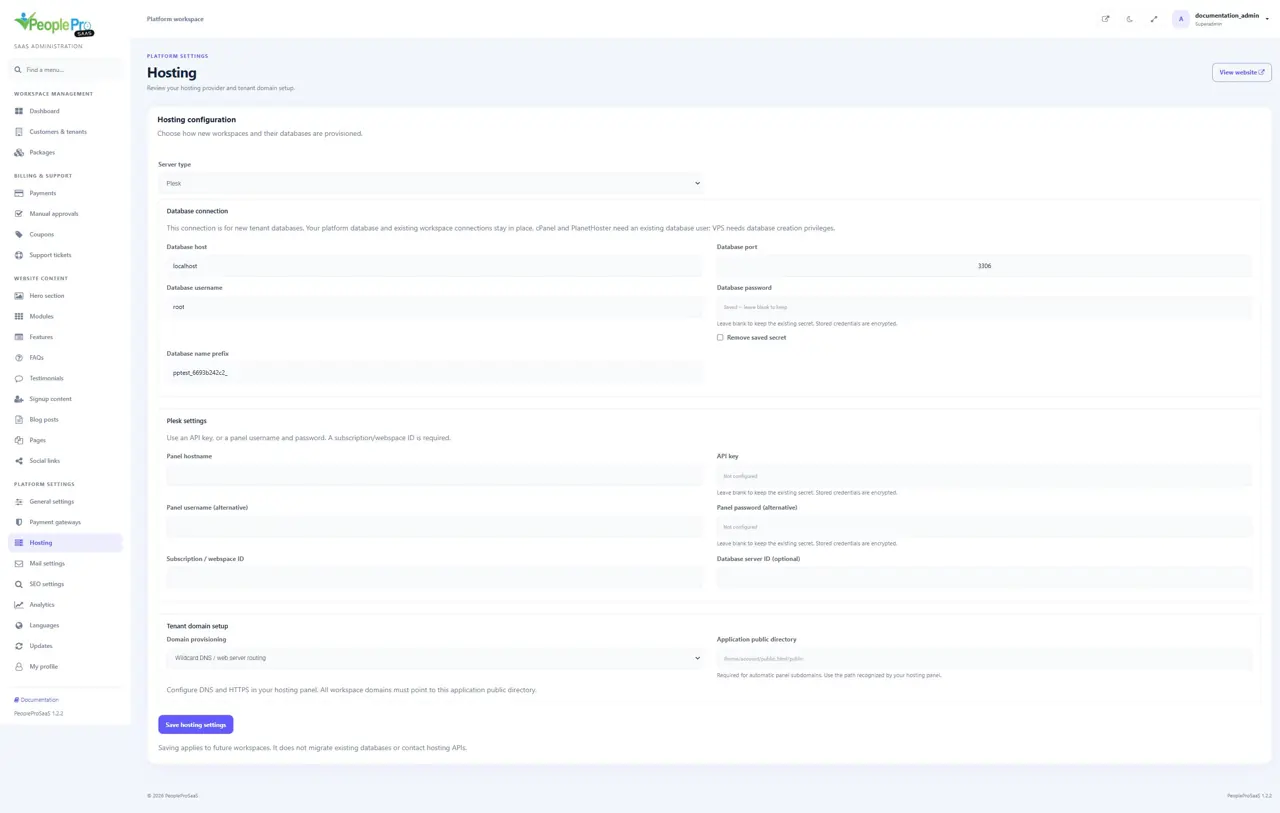
PlanetHoster N0C
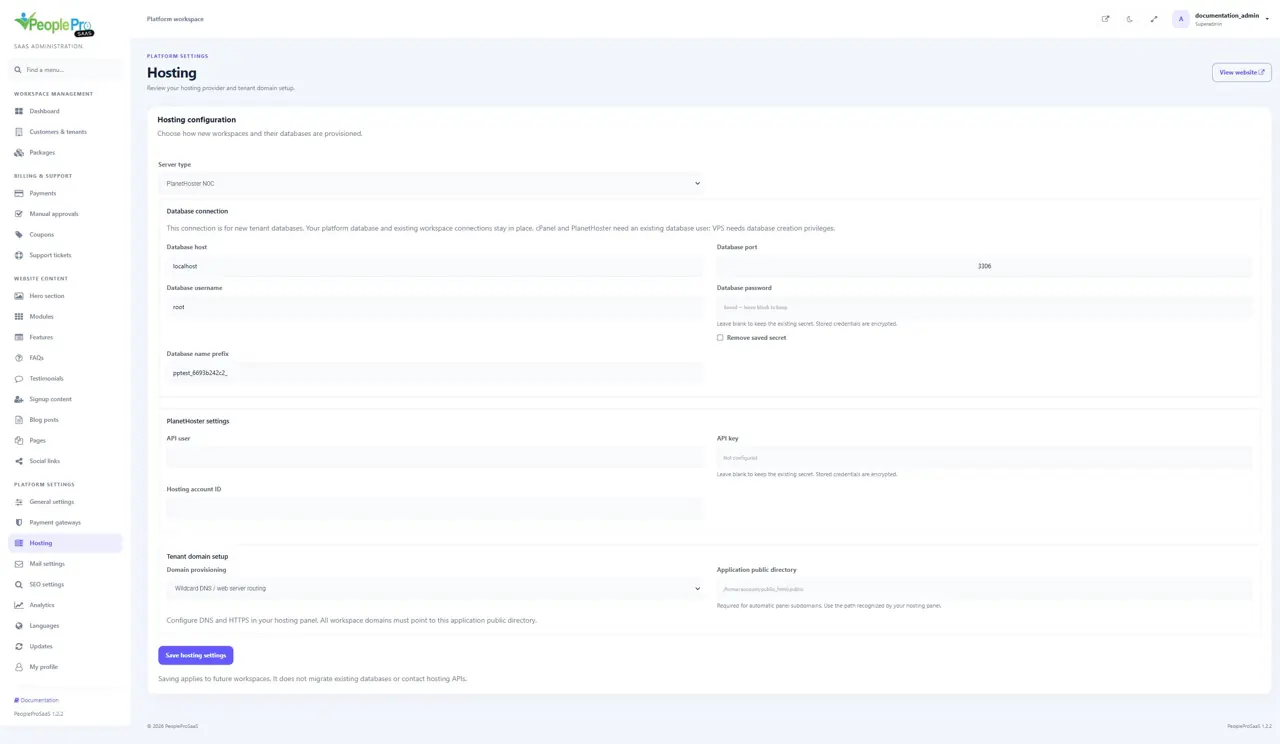
Choose PlanetHoster N0C and enter the database connection, API user, API key and Hosting account ID. The integration uses N0C API v4 and expects the intended database user to exist on that hosting account. Use wildcard DNS and web-server routing for tenant domains. The application public directory must serve the platform and customer addresses.
Wildcard routing or automatic panel subdomains
Choose Wildcard DNS / web server routing when all tenant domains are already routed to the application. Automatic panel subdomains are available for cPanel and Plesk, and require the hosting application public-directory path. VPS and PlanetHoster use wildcard routing. Domain registration inside PeopleProSaaS and hosting DNS/certificate configuration are separate tasks.
Keep saved hosting credentials
Secret fields show Saved — leave blank to keep when a value already exists. Leave the field blank to retain it, or enter a new value when rotating that credential. Use Remove saved secret only when you intend to clear it. Hosting secrets are stored encrypted. Check all required fields for the selected provider before saving; changing the provider does not migrate existing workspaces.