
Demo environment
SaaS Landing Page
Review the public SaaS website and subscription presentation.
Open SaaS WebsiteLaunch your own multi-tenant POS & inventory SaaS platform
Launch and operate a multi-tenant SalePro platform with tenant provisioning, isolated business environments, packages and subscriptions. Tenant businesses use the SalePro suite for POS, inventory, accounting, reporting and the modules enabled in their package.

Use the available demo roles and environments below. Choose the demo role or environment that matches what you want to evaluate.
Review the public SaaS website and subscription presentation.
Open SaaS WebsiteManage tenants, packages and SaaS platform settings.
superadminsuperadminExplore the SalePro business application from a tenant account.
adminadminSee an eCommerce-enabled SalePro SaaS tenant storefront.
Open StorefrontManage the eCommerce-enabled tenant from its admin area.
adminadminRuns as its own application.
Deploy on a compatible server or hosting environment you control.
Choose the purchase route that fits your licensing preference.
Explore the main workflows and capabilities included with SalePro SaaS. Practical hosting and setup requirements are listed separately below.
Super Admin manages the SaaS business. Tenant companies use the SalePro-based operating application for selling, stock, finance and other enabled business workflows.
Fast POS, barcode workflows, quotations, invoices, discounts, credit and installment sales, returns and multiple-payment workflows.
Products, variants, multi-warehouse stock, purchases, transfers, adjustments, stock counts, batch/expiry and IMEI or serial-number workflows.
Double-entry accounting, receivables, payables, chart of accounts, trial balance, profit & loss, balance sheet, cash flow and connected financial reporting.
Dine-in, takeaway and delivery workflows, tables, modifiers and kitchen-display operations can be exposed where the corresponding tenant modules are enabled.
Online-selling and WooCommerce-connected workflows can use the same SalePro product and inventory foundation where those tenant capabilities are enabled for the installed package/version.
Employee and HR-related SalePro workflows can be made available to tenant businesses according to the features enabled in their SaaS package.
Operational reports, customer and supplier balances, stock reporting and profitability views stay inside each tenant's isolated business environment.
Repair, manufacturing, project and other SalePro operational modules can be exposed where supported and enabled rather than forcing every tenant into the same feature set.
Tenant POS/payment integrations belong to the SalePro business layer. SaaS subscription billing is configured separately by the platform owner, so the two payment flows remain clear.
Keep the SaaS operator layer separate from tenant operations: tenant payment gateways are not the same thing as subscription-billing gateways, and optional tenant commerce or regional modules still need the compatible SaaS extension/version.
Tenant businesses can use the newer stock-ledger workflow where the current SalePro tenant package exposes inventory reporting.
Agent/service-staff assignment and the related performance report belong to the tenant business layer where enabled for that package.
These are SalePro transaction/payment integrations for tenant operations where supported and configured. They should not be presented as SaaS subscription-billing gateways unless separately integrated for that purpose.
The updated Standard, Electronics, Grocery and Fashion storefront profiles are relevant to SaaS tenants when the compatible SalePro SaaS eCommerce extension/version is installed and enabled.
Do not assume every SaaS installation has KSA e-invoicing enabled. Present ZATCA only where the compatible tenant module/version has been installed and verified for that SaaS environment.
These are representative SalePro screens from the same business-suite foundation used by tenant companies.
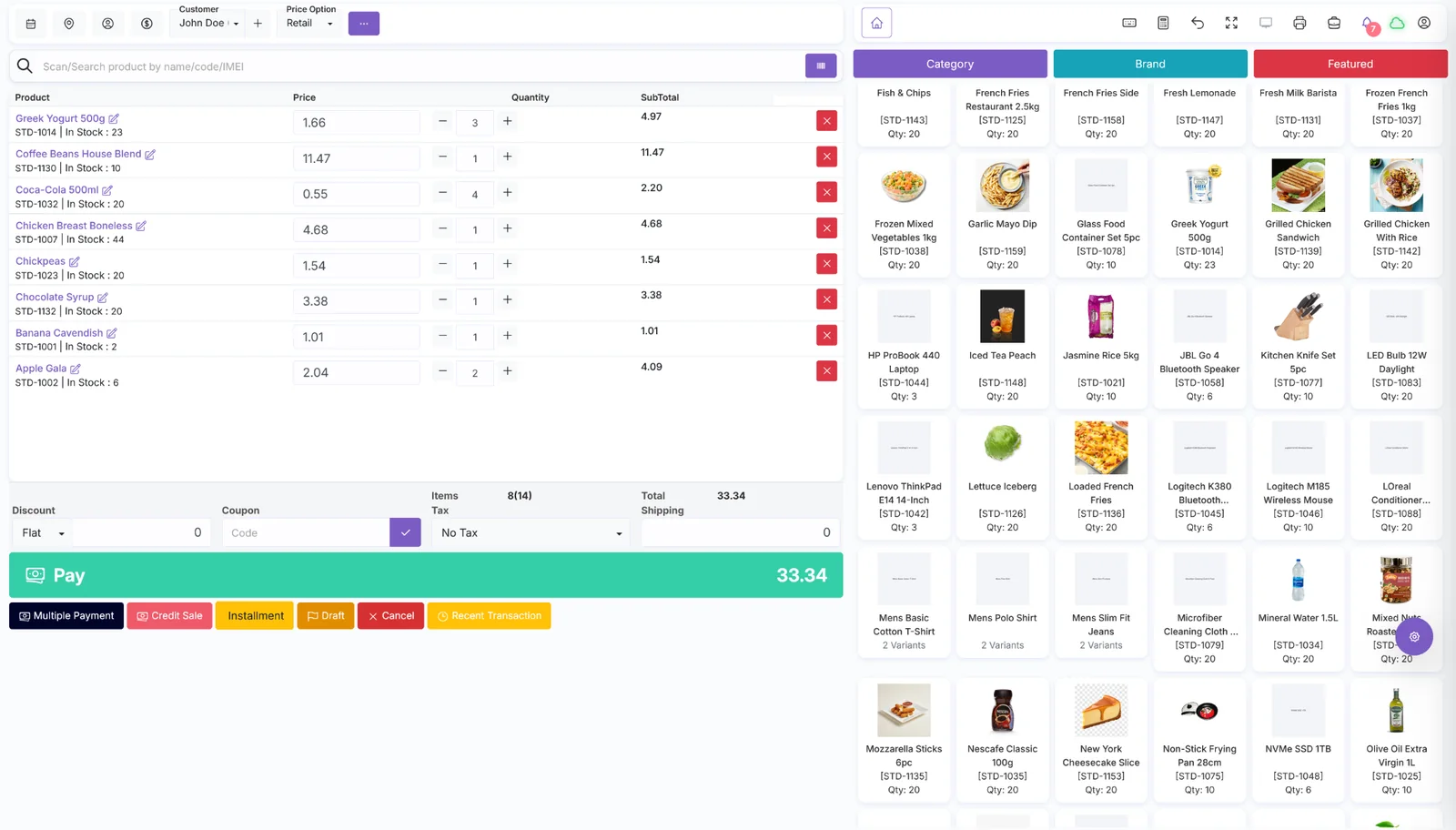
POS, payments, credit, returns and checkout workflows
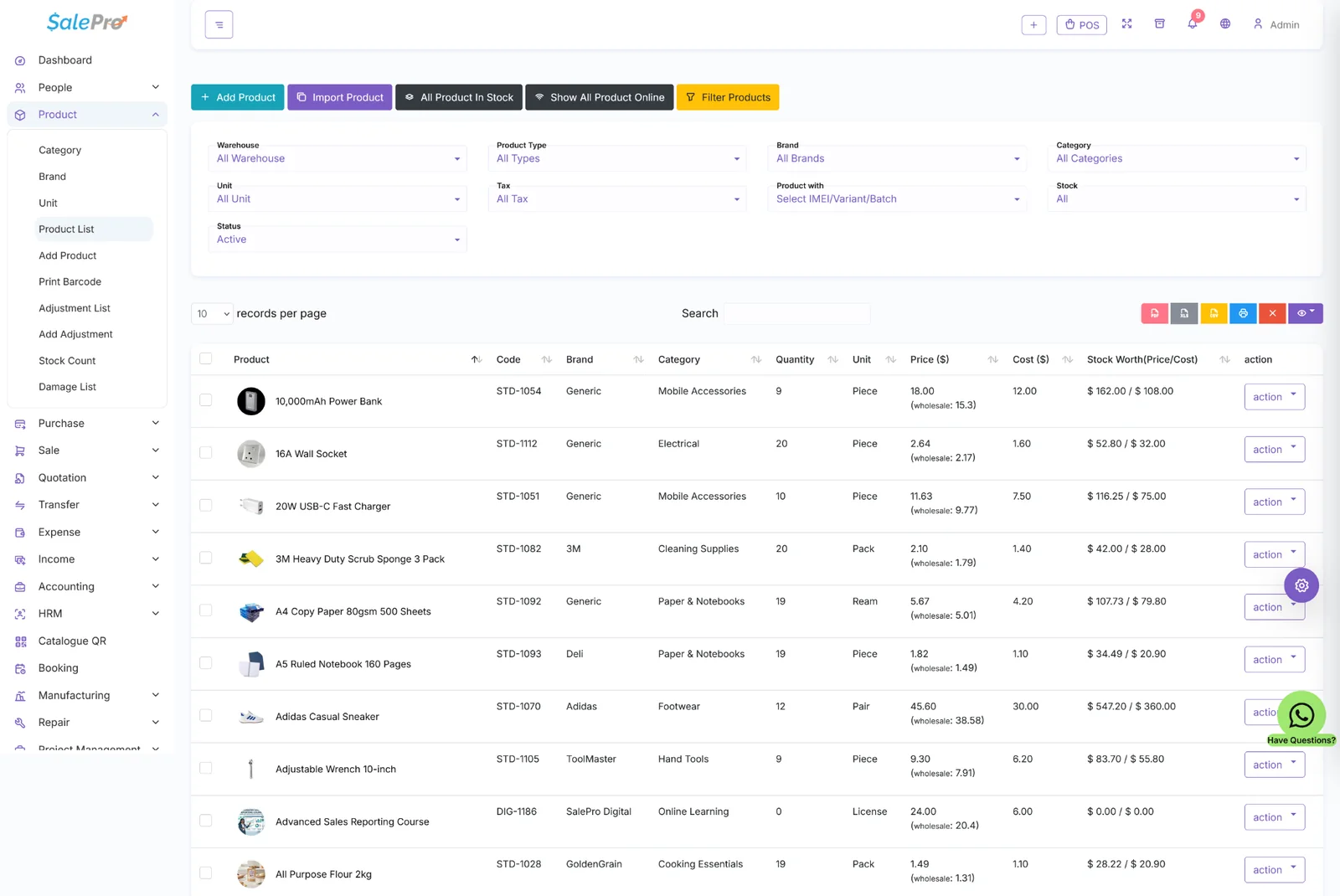
Products, warehouses, variants and inventory movement
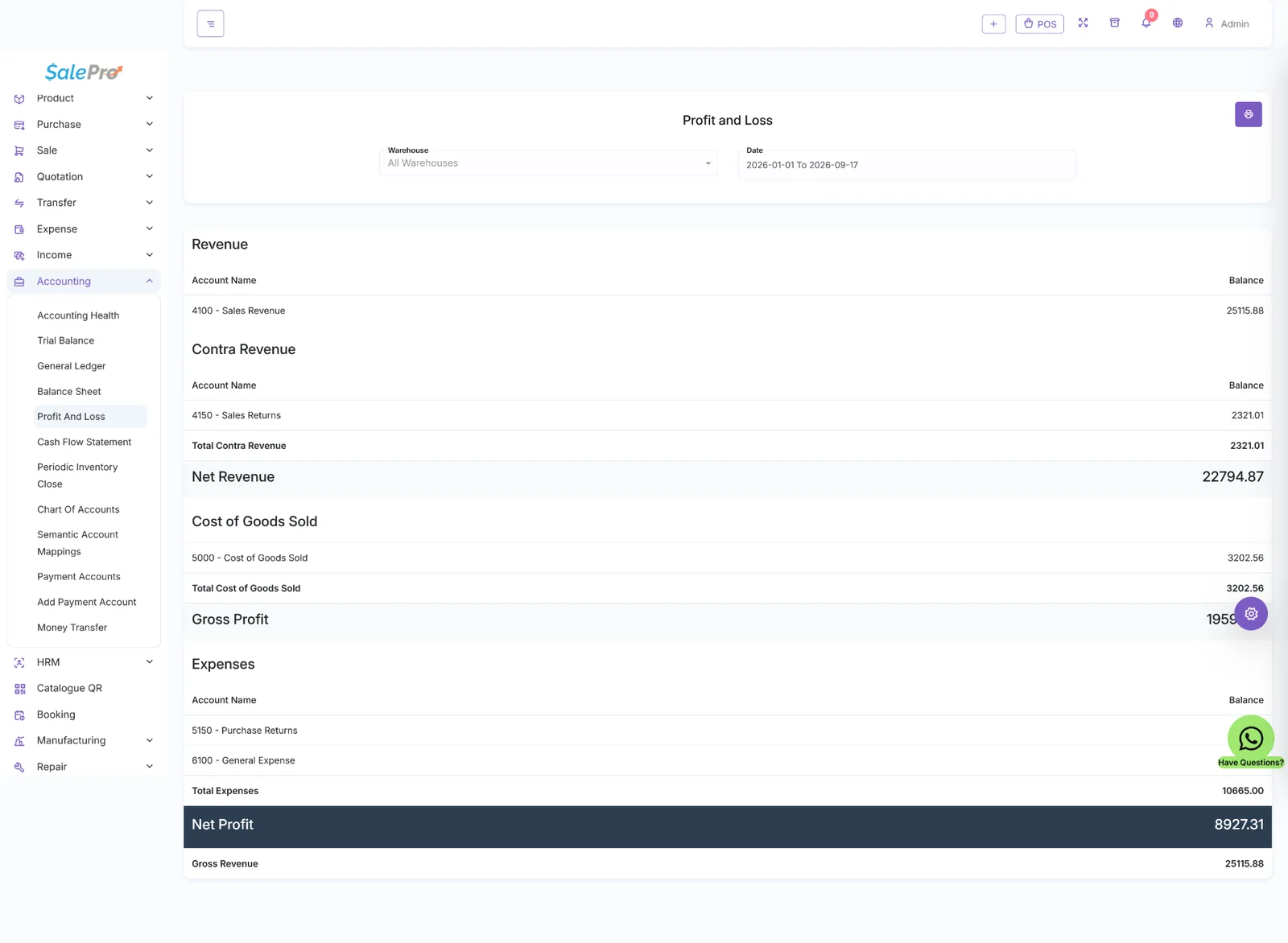
Accounting and financial reports connected to operations
Run the software business
Tenant provisioning, isolated databases, packages, trials, subscription billing, domains/subdomains, platform CMS, support and other SaaS administration.
Run the actual business
SalePro POS, stock, purchasing, accounting, HRM, reporting and the additional business modules made available by the tenant's package.
Showing the full SalePro suite here does not mean every tenant automatically receives every module. The SaaS owner controls package/module availability, and some capabilities can depend on the installed SalePro/SaaS version or a compatible extension. This section explains the breadth of the tenant business platform without mixing it with the SaaS subscription layer.
Review the practical deployment requirements before purchasing or moving the software to a production environment.
Hosting and PHP environment
Dependencies and environment notes
Standalone SaaS product. SalePro SaaS works independently and does not require a separate regular SalePro purchase.
Tenant provisioning depends on wildcard-domain, SSL and database-creation capabilities on the hosting environment.
What to expect after purchase
Install on the root domain and configure wildcard subdomains, wildcard SSL and the hosting-panel/database automation required for tenant creation.
For VPS/dedicated deployment, current LionCoders documentation requires a usable admin/file-management panel and database access rather than a command-line-only environment.
These products add optional capabilities. They are not implied to be included with the core software unless explicitly stated.
Compare the currently available direct and marketplace options before checkout.
Purchase directly through LionCoders. Review the product documentation and support terms before deployment.
Buy from LionCodersQuick answers about licensing, setup, workflows and other product-specific details.
See how the product has evolved through new features, fixes and compatibility updates.
Redesign all superadmin pages.
Add latest salepropos(Change Log) in Saas
Added CAPTCHA to the contact form for enhanced security.
Improved the design of the client/tenant listing page.
Enabled password change functionality for clients/tenants from the Super Admin panel.
Added activate/deactivate option for clients/tenants.
Introduced manual payment option for tenant subscriptions. Super Admin can now verify payment proof from the payments page and activate subscriptions accordingly.
Add latest salepropos(Change Log) in Saas
Updated: Add latest salepropos(Change Log) in Saas
Updated: Add latest salepropos(Change Log) in Saas
Added: Support System
Updated: Add latest salepropos(Change Log) in Saas
Updated: Add latest salepropos(Change Log) in Saas
Fixed: Minor bugs fixed
Updated: Add latest salepropos in Saas
Updated: Add latest salepropos in Saas
Updated: Add latest salepropos in Saas
Added: Email verification on tenant creation
Updated: Add latest salepropos in Saas
Fixed: Minor bugs fixed
Added: Pesapal payment gateway added
Fixed: Minor bugs fixed